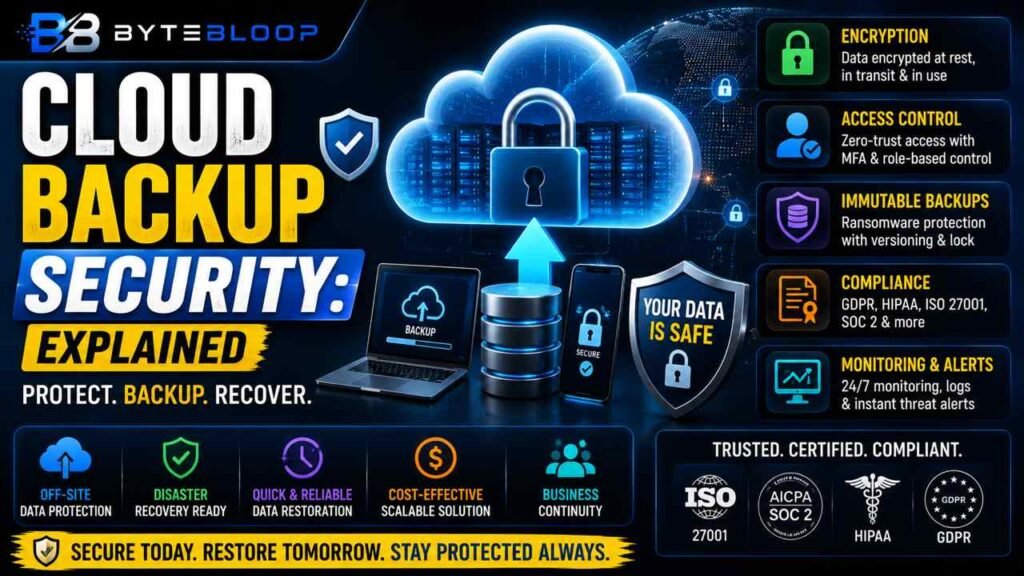
Cloud Backup Security: Explained
Introduction
In an era where data is the new oil, backing up that data to the cloud has become a standard practice for businesses and individuals alike. Yet, the convenience of off‑site storage brings its own set of security challenges that can’t be ignored. Cloud backup security refers to the suite of measures—encryption, access control, compliance, and monitoring—that protect data while it is stored, transmitted, and processed in cloud environments. Understanding these measures is essential because a single breach can expose sensitive customer information, intellectual property, or regulatory data. The stakes are high: a compromised backup can undermine disaster recovery, erode trust, and trigger costly penalties. This guide breaks down the core concepts, practical examples, and industry best practices that make cloud backup a safe and reliable solution.
Why Encryption Matters
Encryption is the first line of defense. According to Cloud Security in 2026: Threats, Technologies & Best Practices, all data stored in databases, storage buckets, and backups must be encrypted. This includes data at rest, in transit, and during processing. End‑to‑end encryption ensures that even if a malicious actor gains access to the storage infrastructure, the data remains unintelligible without the decryption key. Many providers offer server‑side encryption, but the most secure setups use client‑side encryption where the key never leaves the user’s environment.
Access Control and the Shared Responsibility Model
Cloud services operate under a shared responsibility model. The provider secures the infrastructure, while the customer secures the data and access. 13 cloud security best practices for 2026 stresses understanding this model as a foundational step. Implementing zero‑trust principles—never trusting any user or device by default—helps mitigate insider threats and compromised credentials. Multi‑factor authentication (MFA) and role‑based access control (RBAC) are practical ways to enforce zero‑trust in backup workflows.
Versioning and Immutable Backups
Versioning protects against accidental deletion and ransomware. By keeping multiple historical copies, you can revert to a clean state. Top 10 Cloud Security Best Practices for 2026 recommends enabling immutable backups that cannot be altered for a defined retention period. This feature locks the backup against tampering, ensuring that ransomware cannot encrypt or delete the stored data.
Compliance and Certifications
Regulatory frameworks such as GDPR, HIPAA, and PCI‑DSS impose strict requirements on data handling. Cloud backup providers often hold certifications like ISO 27001, SOC 2, and FedRAMP. Choosing a provider that aligns with your industry’s compliance landscape reduces audit overhead and demonstrates due diligence to stakeholders.
Monitoring and Incident Response
Security is not static. Continuous monitoring of backup logs, anomaly detection, and automated alerting are essential. Data Security and Privacy in Cloud Computing: 2026 Guide highlights the importance of integrating security information and event management (SIEM) tools with backup services. A well‑defined incident response plan that includes backup restoration procedures ensures that you can recover quickly from any breach or data loss event.
Practical Example: A Small Business Scenario
Consider a boutique law firm that stores client files in a cloud backup service. The firm encrypts files locally with a strong key before upload, uses MFA for all staff, and sets up immutable backups for 90 days. The provider’s compliance certificates reassure the firm’s clients that their data meets GDPR standards. When a ransomware attack hits an on‑premises server, the firm can restore clean copies from the cloud without paying a ransom, thanks to the versioning and immutability features.
Key Takeaways
- Encryption must cover data at rest, in transit, and in use
- Zero‑trust access control reduces insider and credential risks
- Immutable, versioned backups protect against ransomware
- Compliance certifications align backup with regulatory requirements
- Continuous monitoring and incident response are essential for rapid recovery
Frequently Asked Questions
What is cloud backup security explained?
It is the set of measures—encryption, access control, compliance, and monitoring—that protect data stored in cloud backup services from unauthorized access, tampering, and loss.
What are the key features of secure cloud backup?
Client‑side encryption, zero‑trust access control, MFA, immutable backups, versioning, compliance certifications, and continuous monitoring.
What are the best use cases for cloud backup?
Businesses that need off‑site disaster recovery, regulatory compliance, or scalable storage for large datasets often rely on secure cloud backup.
What are the pros and cons of cloud backup security?
Pros include scalability, cost efficiency, and robust encryption; cons involve reliance on provider’s security posture and potential complexity in managing keys.
Conclusion
Based on the available information and industry analysis, cloud backup security provides a comprehensive shield against data loss, ransomware, and compliance breaches. By combining client‑side encryption, zero‑trust access, immutable storage, and continuous monitoring, organizations can confidently rely on cloud backups as a resilient part of their data protection strategy.
Related Reading
- Understanding the Shared Responsibility Model in Cloud Security
Sources & References
- Data Security and Privacy in Cloud Computing: 2026 Guide
- Cloud Security in 2026: Threats, Technologies & Best Practices
- What is cloud data security? Benefits and solutions
- 13 cloud security best practices for 2026
- Cloud Backup: Security & Recovery Guide
- 14 Cloud Security Best Practices to Protect your Data
- Top 10 Cloud Security Best Practices for 2026