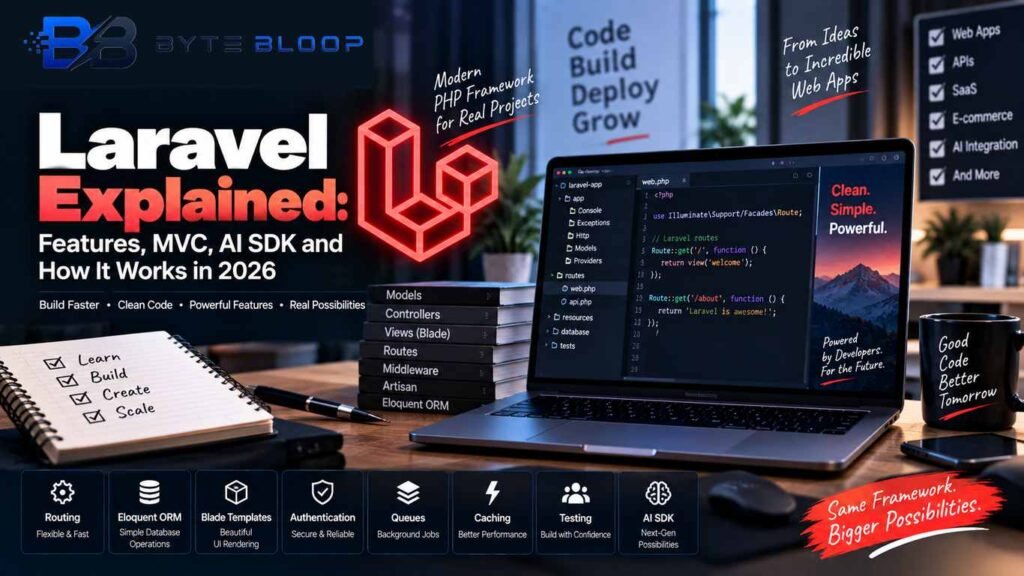
Laravel Explained: Features, MVC, AI SDK and How It Works in 2026
Introduction
Laravel explained in simple terms, it is a PHP web application framework designed to make modern web development more structured, expressive, and easier to maintain.
It provides developers with tools for routing, database access, authentication, queues, caching, validation, testing, API development, and many other common web-development tasks.
Instead of building every application feature from scratch, developers can use Laravel’s conventions, reusable components, and ecosystem to create websites and web applications more efficiently.
Laravel is commonly used for database-driven websites, SaaS platforms, e-commerce applications, dashboards, APIs, customer portals, business software, and other web-based projects.
One of Laravel’s major strengths is its developer-focused ecosystem. Features such as Eloquent ORM, Blade templates, Artisan commands, middleware, migrations, queues, events, notifications, and testing tools help developers organize applications while reducing repetitive code.
Laravel has also expanded into AI application development.
Laravel 13 introduces the first-party Laravel AI SDK, which provides a Laravel-friendly interface for AI providers, agents, tools, structured output, embeddings, vector stores, image generation, audio generation, and transcription.
This Laravel explained guide covers what Laravel is, how its architecture works, its major features, common use cases, Laravel 13 improvements, AI development capabilities, and the situations in which Laravel can be a practical choice.
Laravel Explained: What Is Laravel?
Laravel is an open-source PHP framework used to build web applications and APIs.
A framework provides structure and reusable tools for application development. Instead of manually implementing common functionality for every project, developers can use Laravel’s built-in systems and conventions.
Laravel can help with areas such as:
• Routing
• Database operations
• Authentication
• Authorization
• Session handling
• Validation
• Caching
• Background jobs
• Task scheduling
• Email
• Notifications
• Events
• API development
• Testing
• AI integrations
Laravel can be used for both traditional server-rendered applications and backend systems that serve APIs to mobile or JavaScript-based clients.
For current installation requirements and project setup, developers should refer to the official Laravel documentation.
Why Do Developers Use Laravel?
Laravel explained simply, the framework brings many common web-development requirements together inside one ecosystem.
Developers can use Laravel to build application features without repeatedly selecting and configuring separate libraries for every basic requirement.
Some major reasons developers use Laravel include:
• Expressive PHP syntax
• Structured application architecture
• Powerful routing
• Eloquent ORM
• Blade templating
• Database migrations
• Middleware
• Authentication tools
• Queues and background jobs
• Caching
• HTTP client
• Validation
• Testing support
• Notifications and events
• Extensive documentation
• Large package ecosystem
• First-party AI tooling in Laravel 13
Laravel supports different development approaches. Developers can create traditional server-rendered applications with Blade, modern frontend applications connected to Laravel APIs, or hybrid applications using tools such as Livewire and Inertia.
Laravel Architecture and the MVC Pattern
Laravel explained from an architectural perspective, the framework commonly follows the Model-View-Controller architecture.
MVC separates an application into different responsibilities so that data management, presentation, and request-handling logic do not have to live in the same place.
Model
The Model represents application data and provides an interface for interacting with database records.
Laravel’s Eloquent ORM lets developers define models and relationships using PHP classes.
Example:
class Post extends Model
{
protected $fillable = [
‘title’,
‘body’,
];
}
A controller can then retrieve posts:
$posts = Post::latest()->paginate(10);
This approach keeps database-related operations organized around models and relationships.
View
The View is responsible for presenting information to the user.
Laravel uses Blade as its templating engine. Blade provides a simple syntax for displaying data and controlling presentation logic.
Example:
<h1>{{ $post->title }}</h1> <p>{{ $post->body }}</p>
Blade also supports layouts, components, loops, conditions, slots, and sections, making it useful for server-rendered interfaces.
Controller
A Controller handles HTTP requests and coordinates the application’s response.
A basic controller method can look like this:
class PostController extends Controller
{
public function index()
{
$posts = Post::latest()->paginate(10);
return view(‘posts.index’, compact(‘posts’));
}
}
Keeping controller responsibilities focused can make application code easier to test, maintain, and extend.
Routing in Laravel
Routing determines which part of an application responds to a particular URL and HTTP request.
A simple Laravel route can look like this:
use Illuminate\Support\Facades\Route;
Route::get(‘/posts’, function () {
return ‘Posts’;
});
Routes can also point to controller methods:
Route::get(‘/posts’, [PostController::class, ‘index’]);
Laravel supports:
• Named routes
• Route parameters
• Route groups
• Resource routes
• Middleware
• Subdomain routing
• API routes
• Route model binding
• Rate limiting
Named routes can help avoid hard-coded URLs.
For example:
Route::get(‘/dashboard’, [DashboardController::class, ‘index’])
->name(‘dashboard’);
The route can then be generated using:
route(‘dashboard’);
This makes URLs easier to manage when the application’s structure changes.
Middleware
Middleware provides a way to inspect or filter HTTP requests before they reach the application’s intended destination.
For example, an application can protect dashboard routes using authentication middleware:
Route::middleware(‘auth’)->group(function () {
Route::get(‘/dashboard’, [DashboardController::class, ‘index’]);
});
Middleware can be used for:
• Authentication
• Authorization
• Rate limiting
• Logging
• Request filtering
• Maintenance checks
• Security-related controls
This makes middleware useful for cross-cutting concerns that need to be applied consistently across multiple routes.
Eloquent ORM and Database Management
Eloquent is Laravel’s object-relational mapper, commonly called an ORM.
It allows developers to interact with database records through PHP models.
For example:
$users = User::where(‘active’, true)->get();
Eloquent also provides relationships between models.
For example:
class User extends Model
{
public function posts()
{
return $this->hasMany(Post::class);
}
}
A user’s related posts can then be accessed through:
$user->posts;
Eloquent supports common relationship types such as:
• One-to-one
• One-to-many
• Many-to-many
• Has-many-through
• Polymorphic relationships
It also provides features such as model events, factories, query scopes, attribute casting, eager loading, lazy loading, and relationship querying.
Database Migrations
Laravel migrations provide a structured way to define and modify database schemas.
A migration for a posts table might look like this:
Schema::create(‘posts’, function (Blueprint $table) {
$table->id();
$table->string(‘title’);
$table->text(‘body’);
$table->timestamps();
});
Developers can apply migrations with Artisan:
php artisan migrate
Migrations make database schema changes easier to track and reproduce across development, testing, staging, and production environments.
Laravel supports multiple database systems and provides a consistent API for common database operations.
Authentication and Authorization
Authentication answers the question of who a user is, while authorization determines what that authenticated user is allowed to do.
Laravel’s current application Starter Kits provide a starting point for authentication and related application functionality.
The official Laravel Starter Kits provide options for modern frontend stacks and common authentication functionality.
Developers can explore the current options through the official Laravel Starter Kits documentation.
Authorization with Gates and Policies
Laravel also provides Gates and Policies for implementing access rules.
For example:
public function update(User $user, Post $post): bool
{
return $user->id === $post->user_id;
}
This type of authorization logic can keep permissions close to the application functionality they protect.
Queues and Background Jobs
Some application tasks can take too long to perform during a normal HTTP request.
Common examples include:
• Sending email
• Processing uploaded files
• Generating reports
• Calling external APIs
• Processing images
• Performing long calculations
Laravel queues allow these tasks to run in the background.
A queued job can look like this:
class SendWelcomeEmail implements ShouldQueue
{
public function handle(): void
{
// Process the queued task…
}
}
Applications can dispatch these jobs and allow queue workers to process them separately from the main web request.
Laravel supports multiple queue backends and provides APIs for dispatching, delaying, retrying, testing, and managing jobs.
Laravel 13 also adds class-based queue routing capabilities for defining queue and connection behavior for specific jobs.
Caching and Performance
Caching can reduce repeated work and improve application responsiveness.
Laravel provides a unified caching API that allows developers to work with different cache backends.
For example:
$value = Cache::remember(‘popular-posts’, 600, function () {
return Post::popular()->get();
});
Caching can be useful for frequently requested data, expensive queries, computed values, configuration data, and workloads where repeating the same operation would be inefficient.
However, caching also introduces considerations such as:
• Cache invalidation
• Stale data
• Cache storage
• Memory usage
• Cache key design
Good performance is not only about the framework. Database queries, indexing, application architecture, infrastructure, caching strategy, and code quality all contribute to final performance.
Laravel HTTP Client
Modern applications frequently communicate with external APIs.
Laravel includes an expressive HTTP client for making HTTP requests.
For example:
use Illuminate\Support\Facades\Http;
$response = Http::get(‘https://example.com/api/posts’);
$data = $response->json();
The HTTP client supports common methods such as:
• GET
• POST
• PUT
• PATCH
• DELETE
It also supports authentication, timeouts, retries, concurrent requests, error handling, and testing.
This can simplify integrations with external services, APIs, payment systems, AI providers, analytics platforms, and other applications.
Validation
Validation helps developers verify incoming data before it is processed or stored.
For example:
$request->validate([
‘title’ => [‘required’, ‘string’, ‘max:255’],
‘body’ => [‘required’, ‘string’],
]);
Laravel provides many built-in validation rules for requirements such as:
• Required fields
• Strings
• Numbers
• Email addresses
• URLs
• Dates
• File uploads
• Passwords
• Arrays
• Database relationships
Validation can help keep application logic cleaner and reduce invalid data reaching deeper parts of the system.
Events and Notifications
Laravel’s event system allows applications to react to specific actions without tightly coupling every piece of logic together.
For example, an application can dispatch an event when a new order is created.
Other parts of the application can listen for that event and perform related tasks.
Laravel notifications can be used to communicate with users through supported notification channels.
Common notification use cases include:
• Account alerts
• Order updates
• Password notifications
• System messages
• Email notifications
This event-driven approach can help applications remain modular as they grow.
Task Scheduling
Many applications require recurring tasks.
Examples include:
• Cleaning temporary files
• Sending reports
• Processing queued data
• Removing expired records
• Running synchronization jobs
Laravel includes a task scheduling system that allows developers to define recurring commands and jobs in application code.
This can make recurring application maintenance easier to organize.
Testing and Debugging
Testing helps developers detect bugs and prevent regressions when applications change.
Laravel provides support for unit and feature testing.
A simple feature test might look like this:
public function test_application_homepage_is_available(): void
{
$response = $this->get(‘/’);
$response->assertStatus(200);
}
Feature tests can simulate requests to application routes, while unit tests can focus on individual classes or smaller pieces of logic.
Testing can be particularly useful when:
• Refactoring an application
• Adding new features
• Updating dependencies
• Fixing bugs
• Maintaining production systems
Laravel also provides testing tools for queues, events, notifications, HTTP requests, and other framework services.
Laravel Explained: What Changed in Laravel 13?
Laravel 13 was released on March 17, 2026 and requires PHP 8.3. This Laravel explained guide also covers the major changes introduced with Laravel 13.
Some notable Laravel 13 additions include:
• First-party Laravel AI SDK
• AI agents and tool integrations
• Embeddings
• Vector-store integrations
• Semantic and vector-search capabilities
• JSON:API resources
• Queue routing capabilities
• Expanded PHP attributes
• Other framework improvements
Laravel 13 therefore expands Laravel’s role beyond traditional web development and provides additional tools for applications that integrate modern AI functionality.
Laravel AI SDK
One of the most significant Laravel 13 additions is the first-party Laravel AI SDK. In this Laravel explained guide, the AI SDK is especially important because it extends Laravel into modern AI application development.
The SDK provides a unified interface for working with supported AI providers and building AI-powered applications.
Developers can use it for capabilities including:
• Text generation
• AI agents
• Tool calling
• Structured output
• Streaming
• Image generation
• Audio generation
• Speech transcription
• Embeddings
• Reranking
• Files
• Vector stores
The SDK can be installed using Composer:
composer require laravel/ai
The SDK is designed to provide a Laravel-friendly approach to building AI features.
without forcing every provider integration to follow a completely different development pattern.
Building AI Agents with Laravel
Laravel’s AI SDK introduces agents as a core concept for AI-powered applications.
An agent can contain:
• Instructions
• Conversation context
• Tools
• Structured output rules
• Provider configuration
• Model configuration
• Application-specific behavior
A basic agent can be created with Artisan:
php artisan make:agent SalesCoach
An application can then use the generated agent as part of its AI workflow.
For example:
$response = SalesCoach::make()
->prompt(‘Analyze this sales transcript…’);
return (string) $response;
Agents can also interact with tools and other application resources.
This opens the door to AI-powered workflows such as:
• Support assistants
• Document analyzers
• Research assistants
• Internal business tools
• Sales assistants
• Content analysis systems
Embeddings and Semantic Search
Traditional keyword search generally looks for matching words or phrases.
Semantic search can instead compare the meaning or similarity of information using embeddings.
Laravel 13’s AI tooling includes support for embeddings and vector stores, making it possible to build applications that use semantic similarity.
Potential use cases include:
• Document search
• AI knowledge bases
• Recommendation systems
• Retrieval-augmented generation
• Similar-content discovery
• Semantic product search
A simplified vector-oriented query can look like:
$documents = DB::table(‘documents’)
->whereVectorSimilarTo(
’embedding’,
‘How do I improve database performance?’
)
->limit(10)
->get();
The exact database configuration depends on the application’s chosen database engine and vector-search setup.
Developers should consult current Laravel and database documentation before implementing a production semantic-search system.
RAG Applications with Laravel
Retrieval-augmented generation, commonly called RAG, combines a language model with external information retrieval.
A typical Laravel-based RAG workflow can include:
Collecting documents
Generating embeddings
Storing vectors
Retrieving relevant documents
Sending relevant context to an AI model
Generating a response
This approach can be useful for applications that need AI answers based on private or specialized information.
Examples include:
• Internal company knowledge bases
• Customer-support systems
• Product documentation assistants
• Research applications
• Technical documentation assistants
Laravel’s AI tooling can provide building blocks for these workflows.
AI Tools and Function Calling
AI applications often need to do more than generate text.
An AI agent may need to:
• Search application data
• Retrieve documents
• Call APIs
• Fetch web content
• Perform calculations
• Access files
• Trigger application actions
Tool-oriented functionality allows AI agents to interact with supported application capabilities.
This can make AI features more useful because the model can combine generated responses with real application data and actions.
Developers should still design tool access carefully. Sensitive operations should use appropriate authorization, validation, logging, and human approval where necessary.
Image, Audio and Transcription Capabilities
The Laravel AI SDK is not limited to text generation.
Current Laravel AI tooling includes capabilities for:
• Image generation
• Audio generation
• Speech transcription
• Embeddings
• Multimodal workflows
• Files
• Vector stores
This means Laravel applications can combine traditional web functionality with multiple AI capabilities within one application architecture.
For example, an application could allow a user to upload an audio file, transcribe it, summarize the transcript, and store the results for future search.
The exact available models and providers depend on the AI services configured by the developer.
JSON:API Resources in Laravel 13
Laravel 13 also introduces first-party JSON:API resources.
JSON:API is a specification for structuring API responses and related resources.
Laravel’s implementation provides support for common JSON:API requirements such as:
• Resource serialization
• Relationships
• Links
• Sparse fieldsets
• JSON:API-compatible response headers
This can be useful for teams that need to expose APIs according to the JSON:API specification.
Expanded PHP Attributes
Laravel 13 expands the framework’s use of PHP attributes.
Attributes provide a declarative way to describe configuration or behavior close to the classes and methods they affect.
Laravel 13 expands attributes into multiple areas of the framework, including support related to:
• Controllers
• Authorization
• Queues
• Events
• Notifications
• Validation
• Testing
• Resource serialization
This gives developers another way to express framework behavior directly in PHP code.
Common Laravel Use Cases
Laravel can be used for many types of applications.
SaaS Applications
Laravel can provide the backend foundation for SaaS products that require:
• Authentication
• User accounts
• Teams
• Dashboards
• APIs
• Billing workflows
• Background jobs
• Notifications
E-commerce Applications
Laravel can be used to create systems for:
• Product catalogs
• Customer accounts
• Shopping carts
• Orders
• Inventory
• Payments
• Administrative dashboards
REST APIs
Laravel can act as a backend for:
• Mobile applications
• JavaScript frontends
• Third-party integrations
• Internal applications
• Public APIs
Business Applications
Companies can use Laravel to build:
• CRM systems
• Customer portals
• Reporting dashboards
• Workflow tools
• Employee systems
• Management software
AI-Powered Applications
Laravel 13’s AI tooling can support applications involving:
• AI chat
• Agents
• Document analysis
• Semantic search
• Recommendations
• AI assistants
• Retrieval-augmented generation
• AI-powered workflows
Common Laravel Pitfalls and Best Practices
Laravel provides many tools, but good application architecture is still important.
Keep Controllers Focused
Avoid putting large amounts of business logic directly inside controllers.
Depending on the application’s architecture, complex logic can be moved into services, actions, jobs, or other dedicated components.
Use Caching Carefully
Caching can improve performance, but stale data and invalidation issues should be considered.
Use Named Routes
Named routes make URLs easier to manage and reduce hard-coded URL dependencies.
Write Automated Tests
Tests can help developers detect regressions when making application changes.
Protect Credentials
Sensitive values such as API credentials should not be committed to public source-control repositories.
Use environment configuration and appropriate secret-management practices.
Validate User Input
Do not assume incoming data is safe or correctly formatted. Validate inputs before using or storing them.
Keep Dependencies Updated
Laravel applications depend on PHP, Laravel packages, databases, frontend libraries, and other software.
Keeping dependencies updated helps developers receive available fixes and security updates according to each project’s support lifecycle.
Laravel Security Considerations
A framework does not automatically make an application secure.
Developers still need to follow secure development practices.
Important areas include:
• Authentication
• Authorization
• Input validation
• CSRF protection
• Secure password handling
• Rate limiting
• Access control
• Secret management
• Dependency updates
• Database security
• Secure file handling
• HTTPS configuration
Security requirements vary depending on the application.
Applications handling financial information, health information, personal data, or other sensitive information require appropriate security controls and should follow relevant standards and professional guidance.
Laravel Support and Release Lifecycle
Laravel follows an annual major-release cycle.
According to Laravel’s current release policy, major Laravel versions receive bug fixes for 18 months and security fixes for two years.
For Laravel 13, the official release information lists March 17, 2026 as the release date and provides the corresponding support schedule.
Support schedules can change over time, so developers should check the official Laravel release documentation when planning upgrades.
Laravel Pros and Cons
Pros
• Expressive and readable PHP syntax
• Structured web application architecture
• Powerful routing system
• Eloquent ORM
• Blade templating
• Database migrations
• Queues and background jobs
• Built-in caching support
• Authentication and authorization tools
• Testing support
• HTTP client
• Large ecosystem
• Strong documentation
• First-party AI tooling in Laravel 13
Cons
• Developers still need PHP and web-development fundamentals
• Laravel contains many concepts to learn
• Large applications require careful architecture
• Some very small projects may not need a full framework
• Performance depends heavily on application design, database queries, infrastructure, and configuration
• AI integrations require careful control of provider costs, credentials, data handling, and application security
Who Should Use Laravel?
Laravel can be a practical choice for developers and teams building database-driven web applications.
It is particularly useful when a project needs:
• Authentication
• Database integration
• APIs
• Background jobs
• Scheduled tasks
• Email and notifications
• Admin dashboards
• External API integrations
• Testing
• AI-powered features
Beginners can also learn Laravel as a structured way to understand modern PHP application development. Developers comparing different mobile and web platforms can also read Android vs iOS: Key Differences for additional technology context.
However, learning basic PHP, HTTP, HTML, databases, and web-development concepts first can make Laravel easier to understand.
Who May Not Need Laravel?
Laravel is not necessary for every PHP project.
A small script with a single purpose may not require a full application framework.
Similarly, organizations that already have a mature backend platform may not benefit from migrating to Laravel unless there is a clear technical or business reason.
The right technology depends on:
• Project requirements
• Team expertise
• Existing infrastructure
• Performance requirements
• Development speed
• Maintenance needs
• Long-term project goals
Technology choices should be based on the application rather than framework popularity alone.
Laravel explained in practical terms, it is a framework that combines common web-development tools with a structured application architecture and an expanding AI ecosystem.
Frequently Asked Questions
Laravel Explained:
What Is Laravel?
Laravel is an open-source PHP framework used to build modern web applications and APIs.
Is Laravel a programming language?
No. Laravel is a framework built for PHP. PHP is the programming language.
What architecture does Laravel use?
Laravel commonly follows the Model-View-Controller architecture, separating data, presentation, and request-handling responsibilities.
What is Eloquent in Laravel?
Eloquent is Laravel’s object-relational mapper. It provides an expressive way to work with database records and relationships through PHP models.
What is Blade in Laravel?
Blade is Laravel’s server-side templating engine. It allows developers to build dynamic HTML views using Laravel’s templating syntax.
What is Laravel 13?
Laravel 13 is a major Laravel release introduced in March 2026. It requires PHP 8.3 and adds capabilities including the first-party Laravel AI SDK, semantic and vector-search capabilities, JSON:API resources, queue routing improvements, and expanded PHP attributes.
What is the Laravel AI SDK?
The Laravel AI SDK is a first-party Laravel package that provides a unified API for interacting with supported AI providers and building agents, tools, structured output, embeddings, vector stores, image generation, audio generation, and transcription workflows.
Can Laravel be used to build APIs?
Yes. Laravel can be used as a backend for APIs consumed by websites, mobile applications, desktop applications, and third-party services.
Is Laravel good for beginners?
Laravel can be approachable because of its conventions and documentation, but learning PHP and basic web-development concepts first can make the framework easier to understand.
Can Laravel build AI applications?
Yes. Laravel 13 includes first-party AI tooling that can be used for agents, text generation, embeddings, vector stores, AI tools, and other AI-powered workflows.
What PHP version does Laravel 13 require?
Laravel 13 requires PHP 8.3.
What is Laravel Eloquent ORM?
Eloquent is Laravel’s ORM that provides a model-based interface for interacting with databases and relationships.
Can Laravel handle background jobs?
Yes. Laravel includes queues and jobs for processing time-consuming tasks outside normal web requests.
Can Laravel be used for e-commerce?
Yes. Laravel can provide the backend architecture for e-commerce systems, including products, customers, orders, payments, inventory, and administrative workflows.
Key Takeaways
• Laravel is a PHP framework for building modern web applications and APIs.
• Its ecosystem includes routing, databases, authentication, queues, caching, validation, testing, and many other development tools.
• Eloquent provides an expressive ORM for database operations.
• Blade provides Laravel’s server-side templating system.
• Middleware helps filter and control application requests.
• Queues allow long-running tasks to run in the background.
• Laravel supports both traditional web applications and API backends.
• Laravel 13 was released in March 2026 and requires PHP 8.3.
• Laravel 13 introduces the first-party Laravel AI SDK.
• The Laravel AI SDK supports agents, tools, structured output, embeddings, vector stores, images, audio, and transcription.
• Laravel 13 expands Laravel’s capabilities for AI-powered web applications.
• Good architecture, testing, validation, security, and maintenance remain important regardless of the framework being used.
Conclusion
Laravel explained simply, it provides a structured and expressive way to build modern PHP web applications.
Its combination of routing, Eloquent ORM, Blade, middleware, authentication tools, queues, caching, validation, testing, HTTP services, and a broad ecosystem makes it suitable for a wide range of development projects.
Laravel 13 expands the framework further into AI development with the first-party Laravel AI SDK, agents, embeddings, vector stores, semantic-search capabilities, and additional AI-oriented tools.
At the same time, traditional Laravel features continue to provide a strong foundation for database-driven websites, APIs, dashboards, SaaS applications, e-commerce platforms, and business software.
Whether Laravel is the right choice depends on the project’s requirements, development team’s experience, existing infrastructure, performance needs, and long-term maintenance plans.
For the latest framework features, installation requirements, upgrade instructions, and API documentation, developers should always consult the official Laravel documentation.
Official Laravel Resources
Laravel Documentation
https://laravel.com/docs/13.x/
Laravel Installation
https://laravel.com/docs/13.x/installation
Laravel Routing
https://laravel.com/docs/13.x/routing
Laravel Database
https://laravel.com/docs/13.x/database
Laravel Queues
https://laravel.com/docs/13.x/queues
Laravel HTTP Client
https://laravel.com/docs/13.x/http-client
Laravel AI SDK
https://laravel.com/docs/13.x/ai
Laravel Release Notes
https://laravel.com/docs/13.x/releases
Laravel Starter Kits
https://laravel.com/starter-kits
Related Reading
Android vs iOS: Key Differences
https://bytebloop.com/android-vs-ios-key-differences-2/
iPhone vs Samsung: Which Is Better in 2026?
https://bytebloop.com/iphone-vs-samsung/
AMOLED vs OLED: Key Differences
https://bytebloop.com/amoled-vs-oled-key-differences/
ByteBloop Programming Guides
https://bytebloop.com/category/programming/



