Testing: Explained
Introduction (Testing Explained)
Testing Explained is a topic worth understanding well. Testing is the systematic process of evaluating software to ensure it meets design specifications and user expectations. It involves designing test cases, executing them, and comparing outcomes against expected results. In the modern development cycle, testing is not a single activity but a collection of strategies that span from unit tests to user acceptance tests. Effective testing uncovers defects early, reduces costly post‑release fixes, and builds confidence in product quality. It also supports continuous integration pipelines, enabling rapid feedback for developers.
By integrating testing into every phase of the software development life cycle (SDLC), teams can deliver reliable, secure, and high‑performing applications. Understanding the fundamentals of testing, its types, and the tools that facilitate it is essential for any developer, QA engineer, or product manager looking to elevate software quality.
Why Testing Matters
Software failures can cost millions in downtime, lost revenue, and reputational damage. According to the IBM article on software testing, evaluating and verifying a product’s functionality, security, and performance is vital to prevent such losses. Testing also ensures compliance with industry standards and regulatory requirements, especially in finance, healthcare, and automotive sectors. By catching bugs early, teams save time and resources that would otherwise be spent on post‑deployment patches.
Types of Testing
Testing can be grouped into several categories based on scope, purpose, and methodology:
This matters directly for anyone exploring testing explained.
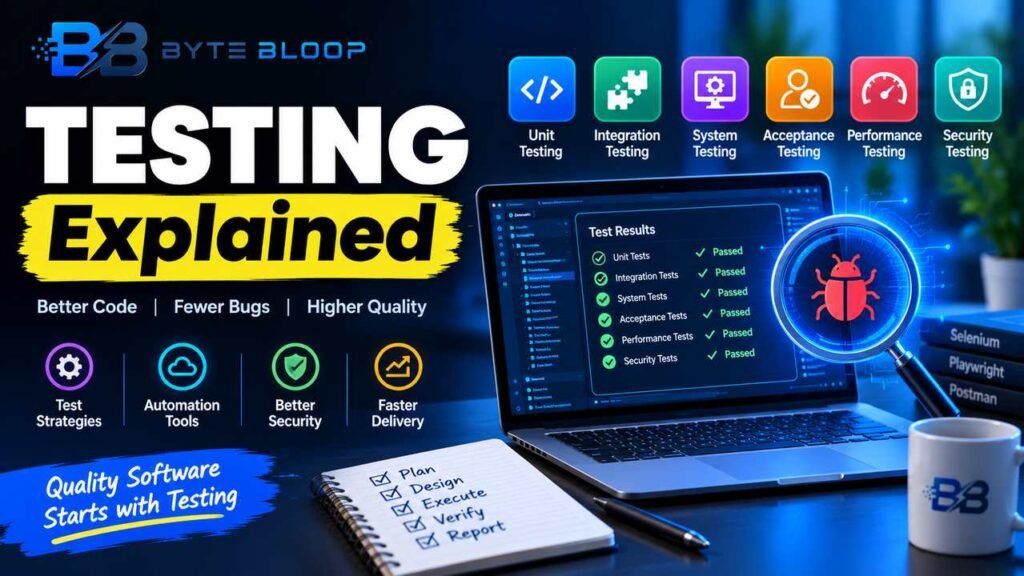
- Unit Testing – verifies individual components or functions.
- Integration Testing – checks interactions between modules.
- System Testing – validates the complete system against requirements.
- Acceptance Testing – confirms the product meets user needs.
- Performance Testing – measures responsiveness and scalability.
- Security Testing – identifies vulnerabilities and ensures data protection.
Test Levels and Methods
Testing occurs at multiple levels, each with specific methods. The trend in 2026 emphasizes black‑box techniques such as equivalence partitioning, boundary value analysis, and decision tables for most functional tests, while white‑box methods like code coverage analysis remain essential for unit tests. According to the 2026 software testing basics guide, AI now assists in generating test cases and predicting defect hotspots, speeding up the testing cycle.
Getting testing explained right can make a real difference.
Writing Effective Test Cases
Creating clear, concise test cases is a disciplined art. The Coursera guide outlines a step‑by‑step process: identify the test objective, define preconditions, outline steps, specify expected results, and record post‑conditions. A well‑structured test case looks like this:
That is a core part of understanding testing explained.
Test Case ID: TC_001
Objective: Verify login with valid credentials
Preconditions: User exists in the database
Steps:
1. Navigate to /login
2. Enter username and password
3. Click "Login"
Expected Result: User is redirected to the dashboard
Post‑condition: Session cookie is set
Adhering to this format ensures reproducibility and clear communication among team members.
Many readers look into testing explained for exactly this reason.
Manual vs. Automated Testing
Manual testing remains crucial for exploratory, usability, and ad‑hoc tests where human judgment is required. However, repetitive, regression, and performance tests benefit from automation. The Simplilearn beginner guide highlights the SDLC/STLC phases and how test frameworks like Selenium, Playwright, and AI‑driven tools integrate into CI/CD pipelines. Automation reduces human error, increases test coverage, and delivers faster feedback.
It is worth revisiting testing explained as things develop.
Choosing the Right Tools
Tool selection depends on language, framework, and project scope. Selenium is a mature choice for web UI automation, while Playwright offers multi‑browser support and faster execution. For API testing, Postman or RestAssured are popular. AI‑enabled platforms such as BugBug can generate test data and predict flaky tests, as noted in the 2026 testing basics guide. When selecting tools, consider community support, licensing costs, and integration capabilities with your existing CI/CD stack.
Testing Explained remains highly relevant here.
Common Testing Pitfalls
- Inadequate Test Coverage – focusing only on happy paths and ignoring edge cases.
- Hard‑coded Test Data – leading to brittle tests that fail with data changes.
- Neglecting Test Maintenance – failing to update tests after code refactors.
- Over‑automation – automating tests that are better suited for manual exploratory testing.
Best Practices for Sustainable Testing
- Write tests before coding (Test‑Driven Development).
- Keep tests independent and idempotent.
- Use version control for test scripts.
- Integrate tests into the CI pipeline for continuous feedback.
- Regularly review and refactor test suites.
Future Trends in Testing
AI and machine learning are reshaping testing in 2026. According to the software testing basics blog, AI can now generate test cases, analyze code for potential defects, and predict the impact of changes. Test automation frameworks are increasingly adopting AI to reduce flakiness and improve maintenance. Additionally, the rise of cloud‑native applications demands testing strategies that can scale horizontally and handle distributed systems.
This is a key consideration when it comes to testing explained.
Conclusion
Testing is a foundational pillar of software quality that blends human insight with automated rigor. By mastering test types, crafting clear test cases, and leveraging modern tools, teams can deliver robust, secure, and user‑friendly applications. Continuous learning and adaptation to emerging technologies will keep testing relevant and effective in the evolving software landscape.
This matters directly for anyone exploring testing explained.
Key Takeaways
- Testing ensures early defect detection and cost savings
- Unit, integration, and system tests cover different development stages
- Automation accelerates regression and performance testing
- AI tools predict defects and generate test cases
- Maintain test suites through version control and CI integration
Frequently Asked Questions
What is software testing?
Software testing is the process of evaluating and verifying that a software product functions correctly, securely, and meets user expectations.
Getting testing explained right can make a real difference.
What are the main types of testing?
Unit, integration, system, acceptance, performance, and security testing are the core categories used to validate different aspects of an application.
That is a core part of understanding testing explained.
When should I automate tests?
Automate repetitive, regression, and performance tests that need fast, reliable execution; keep exploratory and usability tests manual.
Many readers look into testing explained for exactly this reason.
What tools are recommended for web UI automation?
Selenium and Playwright are leading choices; Selenium is mature, while Playwright offers multi‑browser support and faster execution.
Conclusion
Based on the available information and industry analysis, testing provides a structured approach to verify software quality, reduce release risks, and ensure compliance with user and regulatory expectations. By integrating manual and automated techniques, adopting AI‑enhanced tools, and maintaining disciplined test practices, teams can achieve reliable, secure, and high‑performing products that meet market demands.
Related Reading
- Automated Testing Tools Comparison
Sources & References
- What is Software Testing? — Software testing is the process of evaluating and verifying that a software product or application functions correctly, securely and …
- How to Write Test Cases: A Step-by-Step QA Guide — Learn about the different types of test cases and how to write them in this guide. Updated on Jan 24, 2026. Writing test cases is a multi-step …
- Software Testing Basics for 2026: What Has Changed — Software testing basics: the test types, levels, and methods every team needs, plus what AI has changed in how teams test in 2026.
- Complete Beginners Guide To Automation Testing | Simplilearn — This beginner-friendly guide covers core concepts such as manual vs. automated testing, SDLC/STLC, test case design, test frameworks, and where …
- Software Testing Methods 2026 — Your Complete Guide — As a rough guideline: black-box testing (equivalence classes, boundary value analysis, and decision tables) for most (non-)functional tests; …
- Automation Testing Course [2026]: Complete Roadmap, … — Complete automation testing course guide for 2026: full syllabus, 90-day roadmap, how to choose a course, Selenium vs Playwright, AI skills, …
- Software Testing Strategies: A Practical Guide for QA … — This guide walks you through the most effective software testing strategies used by modern QA teams, when to apply each one, and how to build a …
- Software Testing Basics for 2026 — This guide will take you through the fundamentals of software testing, explain its different types, and show how modern tools like BugBug …
Related Articles