Remote Work Tools: Explained
Introduction
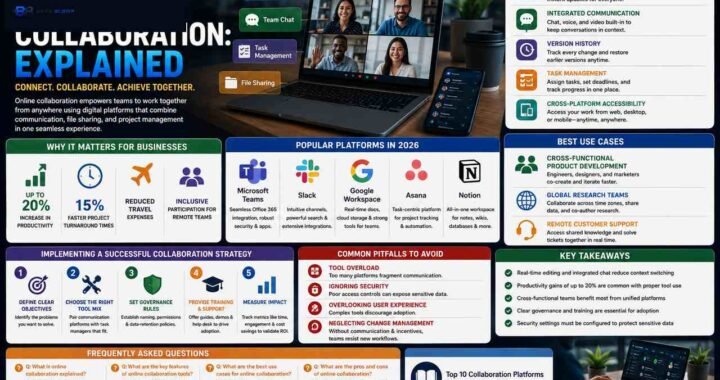
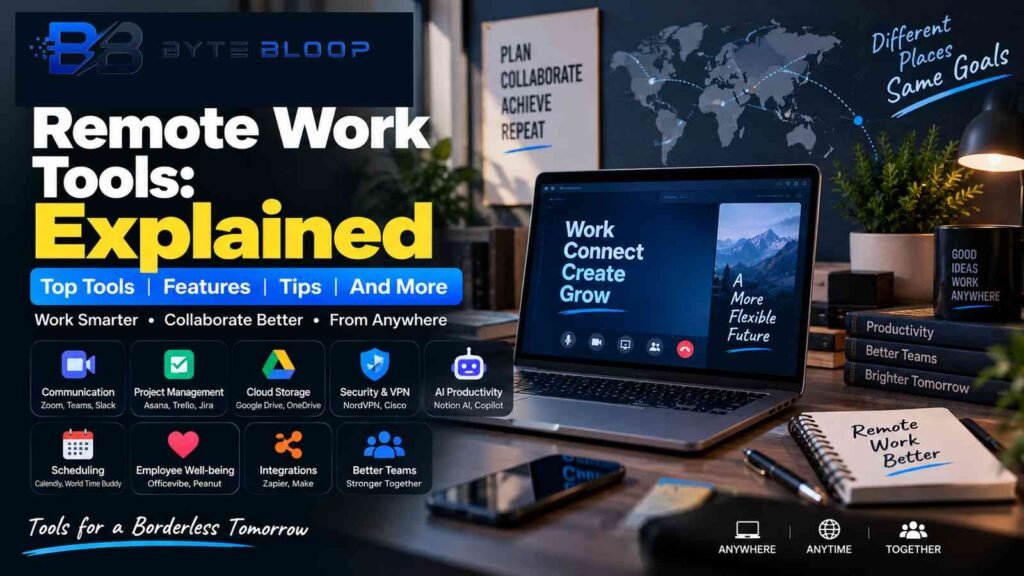
Remote work has moved beyond a temporary trend into a permanent feature of the modern workplace. In 2026, companies of all sizes rely on a mix of communication, collaboration, and productivity software to keep distributed teams connected and efficient. Remote work tools are not just optional extras; they are the backbone that turns a scattered workforce into a cohesive unit. From video conferencing platforms that simulate a boardroom to AI‑powered task managers that prioritize work, each tool addresses a specific pain point of off‑site collaboration.
Understanding the landscape of remote work tools is essential for managers, team leaders, and individual contributors alike. By selecting the right mix, organizations can reduce friction, maintain culture, and scale operations without a physical office. This guide breaks down the core categories of remote work tools, highlights the top picks for 2026, and offers practical advice on integrating them into daily workflows.
1. Communication Platforms: The Digital Watercooler
Effective communication is the lifeblood of any remote team. Modern platforms combine instant messaging, voice, and video into a single interface, allowing quick check‑ins and deep conversations. Leading solutions include Zoom for video meetings, Microsoft Teams for chat‑centric collaboration, and Slack for channel‑based discussions. These tools often feature threaded conversations, file sharing, and integration with project management apps, reducing context switching.
Key benefits: real‑time interaction, screen sharing, and searchable archives. Drawbacks can include bandwidth demands and information overload if not managed with clear guidelines.
2. Project Management & Collaboration Suites
Keeping track of tasks, deadlines, and dependencies is harder when teammates are dispersed. Project management tools like Asana, Monday.com, and Trello provide visual boards, Gantt charts, and automation rules that keep everyone on the same page. For teams that require more granular control, Jira offers advanced issue tracking and agile workflows.
These platforms often integrate with communication tools, allowing notifications to appear in Slack or Teams. They also support time‑tracking, resource allocation, and reporting, giving managers a data‑driven view of productivity.
3. Cloud Storage & File Sharing
Centralized file repositories eliminate version control headaches. Google Drive, Dropbox Business, and Microsoft OneDrive store documents in the cloud, enabling real‑time collaboration and offline editing. Advanced permissions and audit logs help maintain security, especially for regulated industries.
Choosing a storage solution often hinges on existing ecosystem (e.g., a company already using Office 365 may prefer OneDrive) and compliance requirements.
4. Virtual Private Networks & Security Tools
Remote work increases exposure to cyber threats. VPNs like NordVPN Teams or corporate‑grade solutions from Cisco SecureX encrypt traffic and provide secure access to internal resources. Endpoint protection, multi‑factor authentication, and zero‑trust architectures further safeguard data.
Security tools should be lightweight to avoid performance bottlenecks, yet robust enough to detect phishing, malware, and insider risks.
5. AI‑Powered Productivity Enhancers
Artificial intelligence is reshaping how remote workers manage information. AI assistants embedded in tools such as Notion AI or Microsoft Copilot can draft emails, summarize meetings, and generate project outlines. AI‑driven analytics in platforms like ClickUp surface bottlenecks and recommend workflow tweaks.
While AI can accelerate routine tasks, it also introduces new privacy considerations; teams must vet data handling policies before adoption.
6. Time‑Zone & Scheduling Solutions
Coordinating across multiple time zones remains a logistical hurdle. Tools like World Time Buddy and Calendly automate time zone conversions, propose meeting slots, and sync with personal calendars. These integrations reduce the back‑and‑forth of scheduling and minimize missed appointments.
For global teams, incorporating a shared “office hours” calendar can foster spontaneous collaboration while respecting personal boundaries.
7. Employee Well‑Being & Culture Platforms
Maintaining morale and culture in a remote environment requires intentional effort. Platforms such as Officevibe and Peanut gather pulse surveys, recognize achievements, and facilitate virtual social events. These tools help leaders spot burnout early and reinforce a sense of belonging.
Embedding well‑being metrics into performance reviews can align personal health with business outcomes.
8. Integration & Automation Engines
No single tool can cover every need. Integration platforms like Zapier and Integromat (Make) stitch together disparate services, automating data flows between email, project boards, and CRM systems. Automation reduces manual entry, ensures consistency, and frees time for higher‑value work.
When configuring automations, teams should establish governance to prevent duplicate data and maintain audit trails.
9. Choosing the Right Stack: A Practical Checklist
1. Identify core workflows – What tasks are most time‑consuming? Prioritize tools that directly address those pain points.
2. Assess ecosystem fit – If your organization already uses Microsoft 365, Teams and OneDrive may offer the smoothest integration.
3. Consider scalability – Pick solutions that grow with your team size and can handle increased data loads.
4. Evaluate security posture – Ensure the vendor complies with ISO 27001, GDPR, or industry‑specific standards.
5. Test with a pilot team – Run a 30‑day trial before company‑wide rollout.
6. Plan for training – Provide quick-start guides and micro‑learning modules to accelerate adoption.
10. The Future of Remote Work Tools
As 2026 solidifies remote work as a permanent fixture, we’re seeing a shift toward unified collaboration platforms that blend communication, project management, and AI into a single interface. Virtual reality meeting spaces and immersive collaboration tools are emerging but remain niche. The trend, however, is clear: the tools that can adapt to hybrid models—supporting both on‑site and off‑site work—will dominate the market.
Key Takeaways
- Unified communication platforms reduce context switching and keep conversations searchable
- Project management tools with visual boards streamline task tracking and agile workflows
- Cloud storage with robust permissions protects data while enabling real‑time collaboration
- AI assistants accelerate routine tasks but require careful privacy vetting
- Integrations and automations cut manual work, ensuring data consistency across tools
Frequently Asked Questions
What is the difference between a communication tool and a collaboration platform?
Communication tools focus on real‑time interaction—chat, voice, or video—while collaboration platforms combine task tracking, file sharing, and project workflows into one interface.
What are the key features of a good remote project management tool?
Visual task boards, Gantt charts, automation rules, time‑tracking, and integration with messaging apps are essential features that keep teams aligned.
What are the best use cases for AI‑powered productivity tools?
Drafting emails, summarizing meeting notes, generating project outlines, and surface workflow bottlenecks are common use cases that free up time for higher‑value work.
What are the pros and cons of using a single unified platform?
Pros include reduced app fatigue and streamlined data flows; cons can be higher upfront cost, limited flexibility, and potential vendor lock‑in.
Conclusion
Based on the available information and industry analysis, remote work tools in 2026 have evolved from isolated apps to integrated ecosystems that support communication, collaboration, security, and well‑being. By carefully selecting tools that align with team workflows and scaling them through automation, organizations can maintain productivity, foster culture, and adapt to hybrid realities while safeguarding data and employee health.
Related Reading
- Top 5 AI Tools for Remote Teams in 2026