Game Launchers: Explained
Introduction (Game Launchers Explained)
Game Launchers Explained is a topic worth understanding well. Game launchers have become the backbone of modern PC and console gaming. They serve as centralized hubs where players can download, install, manage, and launch titles from multiple storefronts without juggling separate applications. In 2026, the ecosystem has expanded beyond Steam to include Epic Games, GOG, Ubisoft, and even cloud‑based services, making a single launcher a time‑saving necessity.
Launchers also provide automatic updates, cloud saves, and community features such as friends lists and matchmaking, turning a simple game library into a social experience. For developers, launchers offer distribution pipelines, DRM, and analytics, while for gamers they reduce friction and improve discoverability. Understanding how these tools work, their features, and their trade‑offs can help you choose the right one for your setup. This guide will walk you through the core concepts, popular options, and practical tips for getting the most out of game launchers.
What Is a Game Launcher?
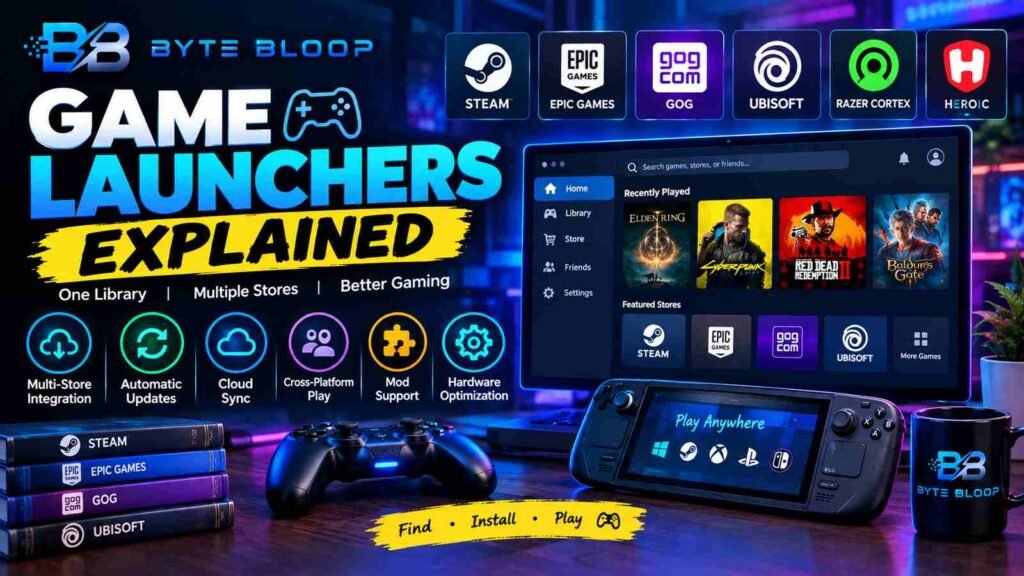
A game launcher is a software application that aggregates games from one or more digital storefronts, allowing users to install, launch, and update titles from a single interface. It often includes additional services such as cloud saving, achievement tracking, and social networking. While some launchers are proprietary (e.g., Steam, Epic Games Launcher), others are open‑source or third‑party solutions that bridge multiple platforms.
Key Features to Look For
- Multi‑store integration: Ability to pull games from Steam, Epic, GOG, and other stores.
- Automatic updates: Keeps games current without manual intervention.
- Cloud sync: Stores progress and settings online.
- Cross‑platform play: Enables friends on different systems to join.
- Mod support: Easy installation and management of mods.
- Hardware optimization: Adjusts settings for best performance.
Popular Launchers in 2026
Steam
Steam remains the dominant launcher, offering a massive library, community features, and frequent sales. Its Steam Deck compatibility allows players to run games on handheld hardware with a dedicated launcher interface.
This matters directly for anyone exploring game launchers explained.
Epic Games Launcher
According to a recent guide, the Epic Games Launcher can occupy a sizeable disk space, but it provides free weekly titles and a streamlined storefront. Epic’s integration with the Epic Games Store and its own library management makes it a strong competitor.
Getting game launchers explained right can make a real difference.
Razer Cortex Launcher
Razer’s launcher manages games across Steam, GOG Galaxy, and Ubisoft, providing a unified experience for users who own multiple accounts.
That is a core part of understanding game launchers explained.
Heroic Launcher
Heroic is an open‑source solution that lets users play GOG, Epic, and Amazon Prime Gaming titles on Steam Deck and SteamOS. It offers a lightweight alternative for handheld enthusiasts.
Many readers look into game launchers explained for exactly this reason.
App Launcher (Android)
On mobile, the App Launcher app consolidates installed games into a single, organized interface, simplifying the gaming experience on Android devices.
It is worth revisiting game launchers explained as things develop.
Best Use Cases
- Multi‑store collectors: Gamers who purchase from several platforms benefit from a single point of access.
- Streamers and content creators: Launchers with built‑in streaming overlays and quick launch options reduce downtime.
- Handheld gamers: Deck users rely on launchers that support cross‑platform libraries.
- Modders: Launchers that support mod managers streamline the modding workflow.
Pros and Cons
- Pros: Centralized library, automatic updates, community features, DRM protection.
- Cons: Potential for high disk usage, vendor lock‑in, occasional performance overhead.
Practical Example: Setting Up Heroic on Steam Deck
To install Heroic on a Steam Deck, follow the steps highlighted in a 2026 tutorial: install the launcher via the Deck’s terminal, link your Epic and GOG accounts, and launch games directly from the Deck’s home screen. This integration eliminates the need to switch between separate storefronts.
Game Launchers Explained remains highly relevant here.
Key Takeaways
- Launchers centralize game management across multiple storefronts
- Automatic updates and cloud sync reduce manual maintenance
- Open‑source launchers like Heroic offer flexibility for handheld users
- Razer Cortex aggregates games from diverse platforms in one interface
- Choosing the right launcher depends on your game library and hardware
Frequently Asked Questions
What is a game launcher?
A game launcher is software that aggregates games from one or more digital storefronts, allowing users to install, launch, and update titles from a single interface.
This is a key consideration when it comes to game launchers explained.
What are the key features of game launchers?
Key features include multi‑store integration, automatic updates, cloud sync, cross‑platform play, mod support, and hardware optimization.
This matters directly for anyone exploring game launchers explained.
What are the best use cases for game launchers?
They are ideal for multi‑store collectors, streamers, handheld gamers, and modders who need a unified, efficient workflow.
What are the pros and cons of using game launchers?
Pros include centralized libraries, automatic updates, and community features; cons involve high disk usage, potential vendor lock‑in, and occasional performance overhead.
Conclusion
Based on the available information and industry analysis, game launchers provide a streamlined, centralized hub that simplifies game management, enhances discoverability, and improves the overall gaming experience. By consolidating multiple storefronts, automating updates, and offering cross‑platform features, launchers reduce friction for both casual players and dedicated enthusiasts. However, users should weigh the benefits against potential drawbacks such as increased disk space usage and vendor lock‑in. Selecting the right launcher—whether a mainstream solution like Steam, a versatile alternative like Razer Cortex, or a niche tool like Heroic—depends on individual gaming habits, hardware preferences, and the breadth of your digital library.
Related Reading
- How to Optimize Game Performance on Windows 11
- The Rise of Cloud Gaming: What You Need to Know
Sources & References
- Steam Deck – EASIEST WAY To Install 3rd Party Launchers In …
- Game Launcher : App Launcher
- The 7 Best Launchers to Use for Game Delivery and Updates
- Epic Games Launcher Size – Download & Start Setup Guide
- Heroic Launcher Guide
- How to download the Epic Games Launcher
- Razer Cortex: Game Launcher | Razer United States
- Best Video Game Development Software and Tools in 2026
Related Articles