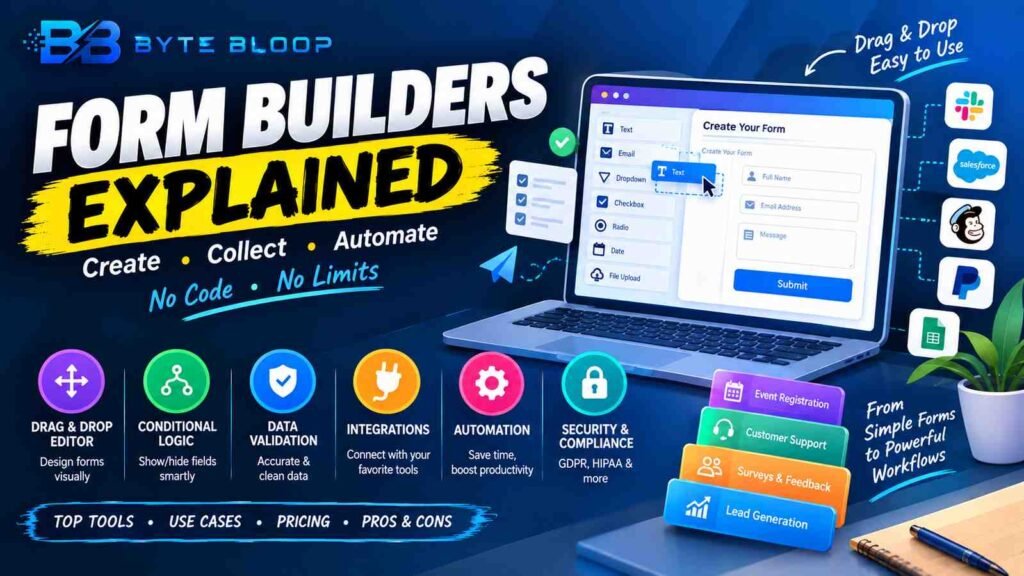
Form Builders: Explained
Introduction (Form builders explained)
Form builders explained is a topic worth understanding well. Form builders have become indispensable for businesses, nonprofits, and educators looking to gather information quickly and accurately. These online tools let users create surveys, registration pages, feedback forms, and more without writing a single line of code. By offering drag‑and‑drop interfaces, conditional logic, and integrations with popular services, form builders turn a simple data‑collection task into a streamlined, automated process.
The rise of remote work and digital customer engagement has amplified the need for reliable, user‑friendly form solutions that can scale from a few dozen entries to thousands per day. In 2026, the market is crowded with options ranging from free, basic platforms to enterprise‑grade solutions with advanced analytics and security features. Understanding the core capabilities, use cases, and trade‑offs of these tools is essential for choosing the right fit for your organization.
What Is a Form Builder?
A form builder is a software application—typically web‑based—that allows users to design, publish, and manage forms without coding. According to Involve.me, these tools provide a visual interface where fields can be dragged into place, customized, and linked to back‑end services. The result is a fully functional form that can be embedded on a website, shared via a link, or integrated into an email campaign.
Core Features to Look For
- Drag‑and‑Drop Editor – Simplifies layout design.
- Conditional Logic – Shows or hides questions based on previous answers.
- Data Validation – Ensures accurate entry (e.g., email format, required fields).
- Integrations – Connects to CRMs, email marketing, payment gateways, and more.
- Automation & Workflows – Triggers emails, updates databases, or starts approval chains.
- Security & Compliance – GDPR, HIPAA, and data encryption options.
Top Form Builders in 2026
Several platforms dominate the space. Basin leads with its low‑code approach and extensive integration library, as highlighted in UseBasin‘s 2026 roundup. Typeform and Jotform remain favorites for their intuitive design and robust template libraries. Tally offers a minimalist interface and strong pricing, while WPForms is a go‑to for WordPress sites. For developers seeking serverless solutions, Formspree and Formspark provide simple API endpoints. SurveyJS and Zapier Forms excel in automation, enabling complex data pipelines without code.
Practical Use Cases
1. Event Registration – Capture attendee details, preferences, and payments in one form.
2. Customer Support Intake – Route tickets to the correct department based on issue type.
3. Internal Surveys – Gather employee feedback and export results to analytics dashboards.
4. Lead Generation – Integrate with CRM to auto‑add prospects and trigger follow‑up sequences.
Pros and Cons
Pros include rapid deployment, low technical barrier, and cost‑effectiveness. Cons can involve limited customization for highly specialized workflows and potential data residency concerns with cloud‑hosted services.
Pricing Snapshot
Many form builders offer a free tier with basic features. Paid plans typically start around $10/month and scale with submission volume, advanced logic, and premium integrations. Enterprise options may require custom quotes and include dedicated support.
Key Takeaways
- Form builders eliminate coding for data collection
- Conditional logic and automation streamline workflows
- Integration options are critical for seamless data flow
- Pricing varies from free to enterprise tiers
- Security features differ across platforms
Frequently Asked Questions
What is a form builder?
A form builder is a web‑based tool that lets users create, publish, and manage forms without writing code, using a visual drag‑and‑drop interface.
What are the key features of form builders?
Core features include a drag‑and‑drop editor, conditional logic, data validation, integrations with other services, automation workflows, and security/compliance options.
What are the best use cases for form builders?
Common use cases are event registration, customer support intake, internal surveys, and lead generation, all of which benefit from quick setup and data routing.
What are the pros and cons of form builders?
Pros: rapid deployment, low technical barrier, cost‑effectiveness. Cons: limited customization for niche workflows and potential data residency concerns with cloud services.
Conclusion
Based on the available information and industry analysis, form builders provide a powerful, code‑free solution for collecting, managing, and automating data workflows across diverse business contexts. Their rapid deployment, extensive integration ecosystems, and scalability make them indispensable for modern organizations seeking efficiency and accuracy in data collection.
Related Reading
- Top 5 Survey Platforms for 2026
Sources & References
- 7 Best Form Builder Software Tools Worth Using in 2026 | Basin
- The Best Form Management Software in 2026
- The 12 best online form builder apps in 2026
- What Is a Form Builder? (Complete Guide)
Related Articles