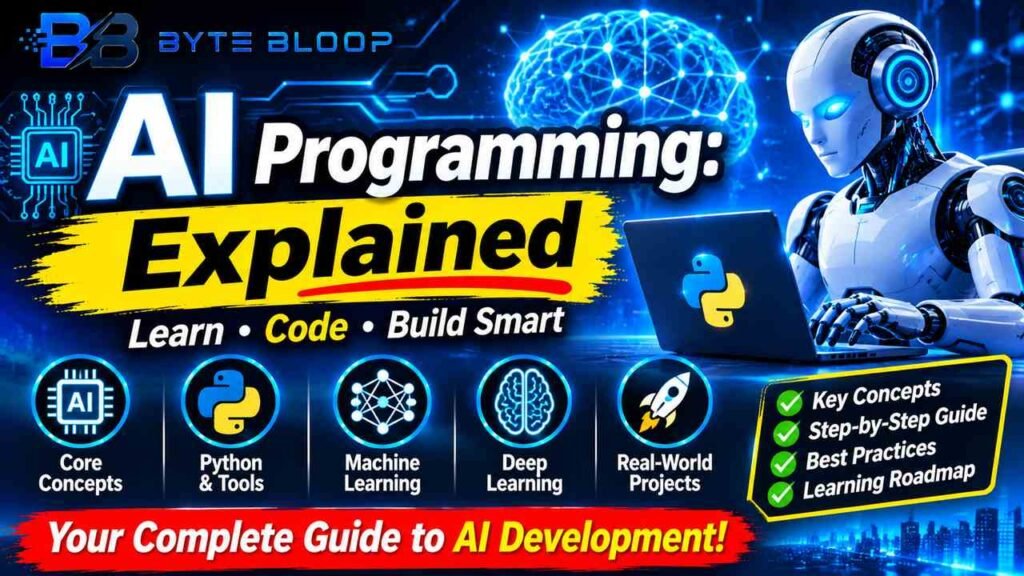
AI Programming: Explained
Introduction
Ai Programming Explained is a topic worth understanding well. Artificial intelligence has moved from a niche research topic to a mainstream technology that powers everything from voice assistants to autonomous vehicles. Yet the term “AI programming” often feels abstract, especially for developers who are accustomed to building rule‑based applications. In reality, AI programming is the process of writing code that enables a machine to learn from data, adapt its behavior, and make decisions with minimal human intervention.
This involves selecting appropriate algorithms, preparing datasets, training models, and deploying them in production environments. The importance of mastering AI programming lies in its ability to unlock new business value, automate repetitive tasks, and create personalized user experiences. As organizations increasingly invest in AI, developers who can translate data insights into scalable code will be in high demand. Understanding the core concepts, tools, and best practices of AI programming is therefore essential for anyone looking to build the next generation of intelligent applications.
Core Concepts of AI Programming
At its heart, AI programming revolves around three pillars: data, algorithms, and infrastructure. According to the 2026 IBM Guide to AI, data provides the raw material, algorithms define the learning logic, and infrastructure ensures that training and inference can scale. Machine learning, the most common subset of AI, relies on statistical models that adjust internal parameters to minimize prediction error. Deep learning, a subfield of machine learning, uses neural networks with many layers to capture complex patterns. Reinforcement learning, another branch, teaches agents to make sequences of decisions by rewarding desired outcomes.
Choosing the Right Programming Language
Python remains the lingua franca of AI programming, thanks to its rich ecosystem of libraries such as TensorFlow, PyTorch, Scikit‑learn, and Keras. The Coursera article on AI programming languages notes that Python’s simplicity and community support make it the first choice for most practitioners. However, other languages are gaining traction: Julia offers high‑performance numerical computing; R excels in statistical analysis; and JavaScript enables AI in the browser with TensorFlow.js. Choosing a language often depends on the target deployment environment and existing tech stack.
This matters directly for anyone exploring ai programming explained.
Building a Simple AI Project
Below is a step‑by‑step example of training a handwritten digit classifier using Python and TensorFlow. The code illustrates data loading, preprocessing, model definition, training, and evaluation.
Getting ai programming explained right can make a real difference.
# Import libraries
import tensorflow as tf
from tensorflow.keras import layers, models
import numpy as np

# Load MNIST dataset
(x_train, y_train), (x_test, y_test) = tf.keras.datasets.mnist.load_data()

# Normalize pixel values
x_train, x_test = x_train / 255.0, x_test / 255.0

# Build the model
model = models.Sequential([
    layers.Flatten(input_shape=(28, 28)),
    layers.Dense(128, activation='relu'),
    layers.Dropout(0.2),
    layers.Dense(10, activation='softmax')
])

# Compile the model
model.compile(optimizer='adam',
              loss='sparse_categorical_crossentropy',
              metrics=['accuracy'])

# Train the model
model.fit(x_train, y_train, epochs=5)

# Evaluate
test_loss, test_acc = model.evaluate(x_test, y_test)
print(f'Test accuracy: {test_acc:.2f}')
This example demonstrates how quickly a functional AI model can be built with minimal code. In practice, developers must also handle data versioning, hyperparameter tuning, and model monitoring.
That is a core part of understanding ai programming explained.
Common Pitfalls and How to Avoid Them
- Data Quality Issues: Garbage in, garbage out. Ensure datasets are clean, balanced, and representative.
- Overfitting: Models that perform well on training data but poorly on new data. Use techniques like dropout, regularization, and cross‑validation.
- Model Interpretability: Complex models can be black boxes. Employ tools such as SHAP or LIME to explain predictions.
- Deployment Challenges: Moving from notebook to production requires containerization, version control, and monitoring.
Best Practices for AI Programming
- Start with a Clear Problem Statement: Define the business objective before collecting data.
- Use Modular Code: Separate data pipelines, model training, and inference into reusable components.
- Automate Workflows: Leverage CI/CD pipelines and tools like MLflow for experiment tracking.
- Stay Updated: The AI field evolves rapidly; follow reputable courses and research papers.
Learning Path for Beginners
The DataCamp guide outlines a structured roadmap: start with programming fundamentals, then learn linear algebra and probability, followed by Python libraries, and finally dive into deep learning frameworks. The AI Roadmap 2026 suggests mastering Python, NumPy, Pandas, and then progressing to TensorFlow or PyTorch. Completing hands‑on projects, such as the digit classifier above, solidifies understanding.
Many readers look into ai programming explained for exactly this reason.
Key Takeaways
- Python dominates AI programming due to its extensive libraries.
- Data quality and proper validation are critical to model success.
- Modular, automated workflows improve reproducibility and scalability.
- A clear learning roadmap starts with fundamentals and progresses to specialized frameworks.
- Understanding both theory and practical coding is essential for effective AI development.
Frequently Asked Questions
What is AI programming explained?
AI programming involves writing code that enables machines to learn from data, adapt, and make decisions, typically using machine learning or deep learning algorithms.
It is worth revisiting ai programming explained as things develop.
What are the key features of AI programming?
Key features include data preprocessing, model selection, training, evaluation, deployment, and continuous monitoring.
Ai Programming Explained remains highly relevant here.
What are the best use cases for AI programming?
Common use cases span image recognition, natural language processing, recommendation engines, autonomous systems, and predictive analytics.
This is a key consideration when it comes to ai programming explained.
What are the pros and cons of AI programming?
Pros: automation, personalization, and new business insights. Cons: data dependency, interpretability challenges, and deployment complexity.
This matters directly for anyone exploring ai programming explained.
Conclusion
Based on the available information and industry analysis, AI programming provides a structured approach to building intelligent systems that learn from data, enabling businesses to automate complex tasks and deliver personalized experiences. By mastering core concepts, selecting appropriate tools, and following best practices, developers can create scalable, reliable AI solutions that meet real‑world demands.
Related Reading
- Deep Learning Fundamentals for Beginners
Sources & References
- The 2026 IBM Guide to AI
- AI Programming Languages: What to Know in 2026
- How to Learn AI From Scratch in 2026: A Complete Guide
- AI Roadmap 2026: A Complete Guide to Skills & Career
Related Articles