Password Security: Explained
Introduction
Password security remains the frontline defense against cyberattacks, yet many users still fall prey to weak, reused credentials. In 2026, attackers have refined credential‑stuffing tools that can harvest thousands of usernames and passwords from breached databases in seconds. That reality makes it essential to understand what makes a password truly secure, how to manage them effectively, and why multi‑factor authentication (MFA) is no longer optional. This guide distills current best practices from industry reports, federal guidelines, and leading security vendors to give you a clear roadmap for safeguarding every digital entry point. From the length and randomness of a password to the role of password managers, we’ll cover the tactics that keep your data safe. We’ll also examine common pitfalls—such as scheduled password changes and shared credentials—that can undermine even the strongest password policy. By the end, you’ll know how to build a password strategy that balances usability with uncompromising security.
What Makes a Password Secure?
A secure password is more than a random string; it’s a living asset that evolves with threat intelligence. Current NIST guidelines recommend a minimum of eight characters, but they emphasize length over complexity. A 12‑character passphrase composed of random words (e.g., correct horse battery staple) is easier to remember and harder to crack than a 8‑character alphanumeric mix with symbols. Attackers rely on dictionary and rainbow‑table attacks; longer, unpredictable strings raise the cost of brute‑force attempts dramatically.
Length vs. Complexity
Complexity rules—requiring upper‑case, lower‑case, numbers, and symbols—can backfire by encouraging predictable patterns. Modern password managers generate truly random strings that satisfy both length and entropy without user effort. When you choose a custom password, aim for at least 12 characters and avoid common substitutions like “P@ssw0rd”.
Managing Passwords Effectively
Individual users and organizations face the same challenge: remembering many unique passwords. Password managers solve this by storing encrypted vaults, auto‑filling credentials, and generating new passwords on demand. Leading vendors now support biometric unlocks, hardware security keys, and zero‑knowledge architecture, ensuring that even if a manager’s server is compromised, your vault remains secure.
Best Practices for Password Managers
- Use a reputable vendor that offers end‑to‑end encryption and a transparent audit trail.
- Enable MFA for the manager itself—two‑factor protection on the master password adds a critical defense layer.
- Set up alerts for compromised sites so the manager can auto‑update weak passwords.
- Backup your vault securely; many managers provide encrypted cloud sync or local backups.
Multi‑Factor Authentication: The Second Lock
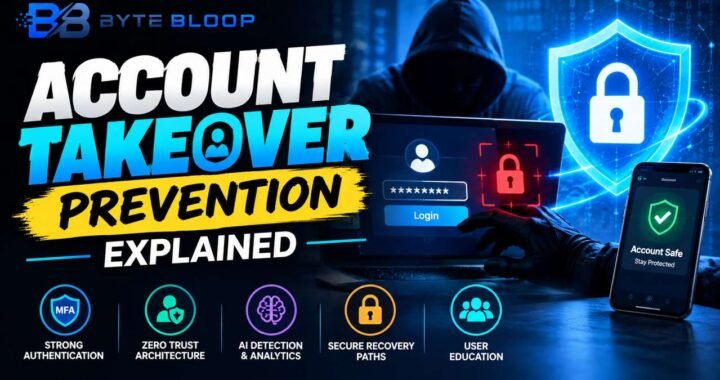
MFA adds an extra verification step that significantly reduces the risk of account takeover. In 2026, the most effective MFA methods are time‑based one‑time passwords (TOTP) via authenticator apps, hardware tokens like YubiKey, or biometric verification. SMS‑based codes are still common but are vulnerable to SIM‑swap and interception attacks, so they should be avoided where possible.
Implementing MFA in Organizations
- Enforce MFA for all remote access and privileged accounts.
- Use adaptive MFA that triggers additional steps for high‑risk logins.
- Integrate MFA with identity‑and‑access‑management (IAM) solutions to automate policy enforcement.
- Educate users on phishing attempts that can bypass MFA, such as credential‑reuse attacks.
Common Mistakes to Avoid
Even with strong passwords and MFA, user behavior can undermine security. Reusing passwords across sites, sharing credentials, and ignoring password change reminders are frequent pitfalls. Federal guidelines now recommend a minimum of eight characters but discourage forced periodic changes unless a breach is suspected. Instead, focus on password strength and timely updates after a compromise.
Practical Tips for Everyday Use
- Never share passwords—use secure sharing features in your manager instead.
- Set reminders to change passwords only when necessary—not on a fixed schedule.
- Use unique passwords for each site—even for low‑risk accounts.
- Leverage passphrases—they’re memorable and hard to crack.
Future Trends in Password Security
Zero‑trust architectures and passwordless authentication are gaining traction, but passwords remain the most widely deployed credential. As biometric and hardware token adoption rises, the industry is moving toward a hybrid model where passwords act as a fallback rather than the primary method. Until that shift matures, robust password hygiene coupled with MFA is the most reliable defense.
Conclusion
By combining long, random passwords, reputable password managers, and strong MFA, you create a multi‑layered shield that protects against the most common attack vectors. Continuous education and adherence to evolving standards ensure that your defenses stay ahead of cybercriminals.
Key Takeaways
- Use 12+ character passphrases for strong entropy
- Employ a reputable password manager with MFA
- Prefer TOTP or hardware tokens over SMS for MFA
- Avoid scheduled password changes unless a breach occurs
- Educate users on phishing that can bypass MFA
Frequently Asked Questions
What is password security explained?
Password security explained refers to the set of practices, tools, and policies that protect user credentials from theft, reuse, and brute‑force attacks, ensuring that accounts remain secure against cyber threats.
What are the key features of a strong password?
A strong password is at least 12 characters long, random, and free of predictable patterns. It should avoid common words, substitutions, and personal information, and it should be unique for each site.
What are the best use cases for multi‑factor authentication?
MFA is essential for remote access, privileged accounts, and any service that stores sensitive data. It adds a second verification layer that protects accounts even if the password is compromised.
What are the pros and cons of scheduled password changes?
Pros: Can reduce risk if a password is compromised. Cons: Often unnecessary, can lead to weaker passwords, and may cause user frustration. Current guidelines recommend changing only after a breach.
Conclusion
Based on the available information and industry analysis, robust password security in 2026 hinges on long, random passphrases, secure password managers, and strong multi‑factor authentication. These measures collectively reduce the attack surface, protect against credential stuffing, and ensure that even if a password is exposed, the account remains shielded. By adopting these practices, individuals and organizations can maintain resilient defenses in an increasingly hostile digital landscape.
Related Reading
- How to Choose the Right Password Manager in 2026