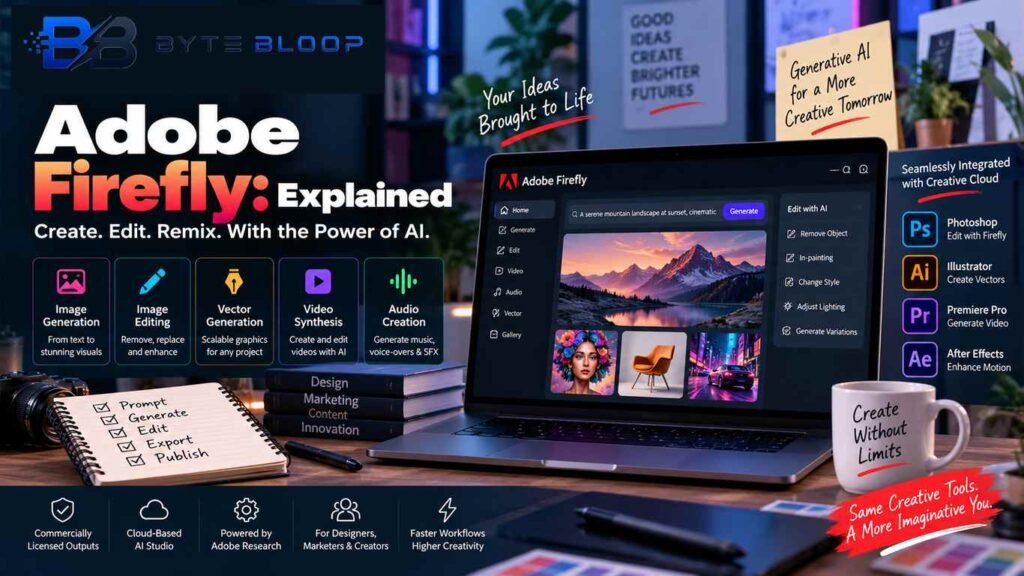
Adobe Firefly Explained: Features, Pricing, Uses & AI Tools in 2026
Introduction
Adobe Firefly explained in simple terms, it is Adobe’s family of generative AI tools designed for creating, editing, and transforming creative content. Firefly can be used for tasks involving images, video, audio, vectors, and other creative workflows, with access to Adobe’s own models as well as selected partner models depending on the feature and plan.
Firefly is designed to work alongside Adobe’s broader creative ecosystem. Users can create content in Firefly and continue working in applications such as Photoshop, Illustrator, Adobe Express, and Premiere, depending on the workflow and available feature. Adobe also provides Firefly through its web experience and integrates generative AI features into multiple Creative Cloud products.
One important point is that Firefly is no longer simply an image-generation product. Adobe’s current offering covers image, video, audio, and other creative AI workflows, while generative credits are used to access many AI-powered features. Some features also use partner models, so commercial-use terms can vary by the model used.
In this Adobe Firefly explained guide, we will cover how Firefly works, its main features, generative credits, pricing, commercial use, practical applications, limitations, alternatives, and what users should know before choosing a Firefly plan.
What Is Adobe Firefly?
Adobe Firefly is a generative AI platform from Adobe that provides tools for creating and editing digital content with natural-language prompts and other creative controls.
Instead of manually producing every visual element from scratch, a user can describe an idea and use Firefly to generate or transform creative content. Depending on the tool, users can also work from reference images, existing assets, or editable creative projects.
Firefly is especially relevant to designers, marketers, social-media creators, video editors, photographers, illustrators, and businesses that already use Adobe products.
Adobe also positions Firefly as a creative AI layer that connects with its wider ecosystem, including Photoshop, Illustrator, Adobe Express, Premiere, and other Creative Cloud tools.
How Adobe Firefly Works
The basic Firefly workflow is relatively simple.
1. Enter a Prompt
The user describes the desired result using natural language.
For example:
“Create a modern technology workspace with blue lighting, a laptop and holographic interface.”
Firefly interprets the prompt and produces a result based on the selected tool and model.
2. Choose or Adjust the Generation
Depending on the feature, users can choose settings such as style, aspect ratio, composition, camera-related controls, reference images, or other creative parameters.
3. Refine the Result
Generated content can then be edited or regenerated.
Users may be able to:
- Remove unwanted objects
- Replace backgrounds
- Expand an image
- Change visual styles
- Recolor artwork
- Generate additional elements
- Animate still images
- Generate or edit video
- Create audio
The exact controls depend on the Firefly tool being used.
4. Continue Editing in Adobe Apps
Firefly can connect with Adobe creative workflows, allowing users to continue editing generated material in supported Adobe applications such as Photoshop and Illustrator.
Adobe Firefly Features
Adobe Firefly has expanded beyond its early image-generation capabilities.
AI Image Generation
Firefly can generate images from text prompts.
Users can create:
- Product concepts
- Illustrations
- Marketing visuals
- Social-media graphics
- Backgrounds
- Concept art
- Advertising assets
Adobe currently offers image generation through Firefly and related Creative Cloud workflows.
Generative Fill
Generative Fill allows users to add, remove, or replace parts of an image with AI-generated content.
This can be useful when a designer wants to change an object, expand a scene, or remove unwanted visual elements.
Adobe lists Generative Fill among its standard generative AI capabilities across Firefly and Creative Cloud apps.
Generative Expand
Generative Expand can extend an image beyond its original boundaries.
For example, a landscape image can be expanded to fit a wider layout without manually recreating the additional background.
AI Video Generation
Firefly includes generative video tools that can create video content from prompts and reference images.
Adobe says Firefly’s video workflow includes Text to Video, Image to Video, and AI-assisted video editing capabilities.
AI Audio and Speech
Firefly also includes audio-related generative tools.
Adobe currently highlights AI capabilities for generating speech, audio, and other creative media, with some features consuming generative credits.
Vector Generation
Firefly can also support vector-related creative workflows and integrate AI features into Illustrator.
Generative AI can help users explore vector concepts, illustrations, and design variations before further editing.
Firefly AI Assistant
Adobe has introduced Firefly AI Assistant as a conversational creative experience that can work across multiple Adobe tools.
Adobe says the assistant can orchestrate multi-step workflows involving tools from Photoshop, Illustrator, Lightroom, Premiere, and other Creative Cloud applications.
Adobe Firefly Generative Credits Explained
Generative credits are an important part of the current Firefly system.
Adobe describes generative credits as the currency used to access generative AI features across Firefly, Creative Cloud, Adobe Express, and Adobe Substance 3D applications.
The number of credits included depends on the user’s plan.
The amount of credits consumed can also vary depending on factors such as:
- AI feature
- Output type
- Resolution
- Model
- Generation settings
For example, image and video generations can consume different amounts of credits.
Adobe says Creative Cloud plans include monthly allocations of generative credits, and users who require more can purchase additional credits or upgrade their plan.
Adobe Firefly Pricing in 2026
Adobe’s current pricing structure includes a free option as well as paid Firefly plans.
Firefly Free
The free plan provides limited daily generations.
Adobe currently describes the free tier as offering limited access across standard and premium generative features, including selected image, video, and audio models.
Firefly Standard
Firefly Standard currently includes 2,000 monthly generative credits.
Adobe’s India pricing page lists the plan at ₹797.68 per month including GST at the time of writing.
Firefly Pro
Firefly Pro currently includes 4,000 monthly generative credits.
Adobe’s India pricing page lists it at ₹1,596.54 per month including GST at the time of writing.
Firefly Pro Plus
Adobe also offers a higher-capacity Pro Plus plan with 10,000 monthly generative credits.
Adobe’s current India pricing page lists the regular price at ₹3,990.76 per month including GST, while promotional pricing may vary.
Firefly Premium
Firefly Premium provides 50,000 monthly generative credits for users with much higher creative-generation requirements.
Adobe’s current India pricing page lists the regular price at ₹15,965.40 per month including GST, although promotional offers can change the effective price.
Pricing Can Change
Adobe pricing, promotional offers, included credits, supported models, and feature availability can change over time.
Users should therefore verify the latest price on Adobe’s official Firefly plans page before subscribing.
Is Adobe Firefly Free?
Yes, Adobe provides a free Firefly tier with limited daily generations.
The free option can be useful for users who want to test image, video, and audio generation before paying for a larger credit allowance.
However, advanced features and higher-generation limits may require a paid plan.
Some premium features also consume more credits, especially when users work with certain video, audio, or partner-model workflows.
Is Adobe Firefly Safe for Commercial Use?
This area requires an important distinction.
Adobe states that content generated with Adobe Firefly AI models is designed to be commercially safe. Adobe says its Firefly models are trained on licensed content and public-domain content where copyright has expired.
However, this does not mean that every result created inside the Firefly application automatically has identical commercial-use terms.
Adobe provides access to partner models as well, and Adobe says commercial-use eligibility can depend on the specific model used.
Users should therefore check the model and applicable usage terms before using generated content in important commercial projects.
If a user uploads an image or other asset to create a result, the user is still responsible for having the necessary rights to that source material. Adobe specifically notes this for workflows involving uploaded images.
How Adobe Trains Firefly Models
Adobe says its Firefly models are trained using licensed content and public-domain content where copyright has expired.
Adobe also states that it does not train Adobe Firefly models or partner models on Creative Cloud subscribers’ personal content.
Adobe’s approach is intended to reduce some of the copyright concerns associated with generative AI, although users should still review the rights and terms that apply to the particular model and workflow they are using.
Best Uses for Adobe Firefly
Adobe Firefly can be useful in many creative workflows.
Marketing and Advertising
Marketing teams can use Firefly to create:
- Social-media images
- Ad concepts
- Website visuals
- Campaign variations
- Promotional graphics
- Backgrounds
Firefly can make it easier to explore multiple visual directions before choosing a final design.
Social Media Content
Content creators can use Firefly to generate backgrounds, promotional artwork, thumbnails, concept visuals, and short video elements.
The combination of image, video, and audio tools can also help creators build different types of social content from one creative idea.
Product Mockups
A designer can use Firefly to explore packaging concepts, product scenes, advertising environments, and different visual styles.
These generated concepts can be used for brainstorming before final production.
Graphic Design
Firefly can support design exploration by producing image concepts, textures, backgrounds, vectors, and other creative elements.
Designers can then refine these results using Photoshop, Illustrator, or other Adobe applications.
Video Production
Firefly’s video capabilities can help creators generate short clips, animate reference images, or experiment with scenes before more detailed video editing.
Audio Production
Audio generation and speech tools can help creators experiment with voice, sound, and other audio-related content depending on the feature and plan.
Practical Example: Creating a Social Media Campaign
Imagine a small technology company preparing a product launch.
The marketing team can start by generating several campaign concepts in Firefly.
A typical workflow might look like this:
- Create a background using a text prompt.
- Generate several visual variations.
- Replace or refine unwanted objects.
- Create versions for different social-media formats.
- Generate a short promotional video.
- Add appropriate audio or speech.
- Continue final editing in supported Adobe applications.
This kind of workflow can reduce the amount of repetitive production work while leaving final creative decisions to the human designer.
Adobe Firefly vs Traditional Creative Workflows
Firefly does not eliminate the need for traditional creative software.
Instead, it can work as an additional layer within a creative workflow.
Traditional tools remain useful for:
- Detailed retouching
- Precise vector editing
- Layout design
- Color correction
- Professional typography
- Video editing
- Brand consistency
- Final production work
The main difference is that Firefly can accelerate the ideation and generation stages.
A designer can generate multiple concepts quickly and then manually refine the selected result.
Adobe Firefly vs Midjourney
Midjourney and Adobe Firefly both offer generative image capabilities, but their ecosystems differ.
Firefly is deeply connected to Adobe’s Creative Cloud environment, which can be useful for users already working in Photoshop, Illustrator, or Premiere.
Midjourney focuses heavily on AI image generation and creative exploration.
The appropriate tool depends on the user’s workflow, preferred interface, editing requirements, model choices, and licensing considerations.
Official Midjourney website:
Adobe Firefly vs Runway
Runway is strongly associated with AI video creation and editing workflows.
Firefly also offers generative video capabilities, but its major distinction is its integration with Adobe’s broader creative ecosystem.
Users choosing between the platforms should compare:
- Video generation
- Editing features
- Image generation
- Workflow integration
- Pricing
- Credits
- Model availability
- Commercial-use terms
Official Runway website:
Advantages of Adobe Firefly
Adobe Ecosystem Integration
Firefly connects closely with Adobe’s wider creative ecosystem and can support workflows involving applications such as Photoshop, Illustrator, Adobe Express, and Premiere.
Multiple Creative Media Types
Firefly now covers more than image generation, with image, video, audio, and other creative AI capabilities available depending on the tool and plan.
Commercial-Safety Approach
Adobe’s own Firefly models are designed around licensed and public-domain training sources and are positioned by Adobe as commercially safe.
Familiar Creative Workflow
Users who already work with Adobe applications may find it easier to move generated material into existing projects.
AI-Assisted Editing
Firefly can help with tasks that previously required significant manual work, such as background changes, image expansion, content replacement, and creative variations.
Limitations of Adobe Firefly
Generative Credit Limits
Many AI features consume generative credits, and users with high-generation workloads may need larger plans or additional credits.
Model Differences
Firefly can provide access to partner models, but different models may have different capabilities and commercial-use terms.
Creative Inconsistency
AI-generated results can still contain unwanted details, inaccurate objects, visual inconsistencies, or results that require human editing.
Learning Curve
Although simple generation can be easy, advanced Firefly workflows may require users to understand prompting, references, creative controls, and Adobe’s editing tools.
Subscription Costs
Users who need larger credit allocations and advanced features may need a paid subscription.
Adobe Firefly for Businesses
Businesses can use Firefly for creative ideation, marketing production, campaign variations, and other content workflows.
Adobe also offers business and enterprise-oriented Firefly options.
Enterprise customers may have access to additional protections and commercial features, including selected IP indemnification arrangements for eligible Adobe Firefly outputs. The exact terms depend on the applicable enterprise offering.
Organizations should establish internal policies for:
- Brand consistency
- Human review
- Copyright
- Trademark use
- Personal data
- Customer-provided assets
- Model selection
- Content approval
This is especially important when AI-generated content is used in public advertising or regulated industries.
Adobe Firefly and Content Credentials
Adobe has also focused on content transparency.
Adobe says Firefly outputs can include Content Credentials, which can provide information about how content was created and indicate the use of AI.
Content Credentials can help support transparency when AI-generated content moves through creative workflows.
However, users should still review the final asset and confirm that all included elements have appropriate rights.
Adobe Firefly and Privacy
Adobe states that it does not train Adobe Firefly models or partner models on Creative Cloud subscribers’ personal content.
That statement should not be interpreted as meaning that no data is processed by Firefly.
Users should still review Adobe’s current privacy policy, product terms, and specific feature documentation when working with confidential, sensitive, or proprietary information.
Companies should also establish their own policies for uploading confidential client assets into AI-powered services.
Who Should Use Adobe Firefly?
Adobe Firefly can be particularly relevant to people who:
- Already use Adobe Creative Cloud
- Create marketing assets
- Design social-media content
- Produce graphics
- Edit photos
- Create video concepts
- Need rapid visual experimentation
- Work with multiple creative formats
It can also be useful for beginners who want to explore generative AI without learning an entirely separate creative ecosystem.
For more AI and software guides, explore the ByteBloop AI category:
Who May Not Need Adobe Firefly?
Firefly may be less suitable for users who:
- Rarely create visual content
- Need only basic image editing
- Do not use Adobe applications
- Prefer a specialized video-generation platform
- Need a workflow based entirely on another creative ecosystem
- Generate very large volumes of content but have limited budgets
The right choice depends on workflow, required media types, budget, and licensing requirements.
Adobe Firefly in 2026
Adobe Firefly has evolved into a broader generative AI platform rather than a single image-generation tool.
Adobe currently describes Firefly as supporting image, video, audio, and creative AI workflows, while also adding AI assistants and access to selected third-party models.
This broader approach means Firefly is increasingly positioned as part of the creative-production process, from initial idea generation to editing and final content preparation.
At the same time, users need to pay attention to generative-credit usage and model-specific terms, especially when using partner models or high-volume video generation.
Key Takeaways
- Adobe Firefly is a generative AI platform for creative content.
- Firefly supports image, video, audio, vector, and related creative workflows depending on the tool.
- Adobe integrates Firefly with products such as Photoshop, Illustrator, Adobe Express, and Premiere.
- Generative credits are used for many AI-powered features.
- Adobe offers a free plan as well as several paid plans.
- Firefly’s own models are designed for commercial safety using licensed and public-domain training sources.
- Partner models can have different commercial-use terms.
- Users remain responsible for rights associated with uploaded assets and other materials.
- Firefly can help with marketing, social media, design, video, product concepts, and creative experimentation.
- AI-generated output can still require human review and editing.
- Adobe Firefly continues to expand toward broader AI-assisted creative workflows.
Frequently Asked Questions
What is Adobe Firefly?
Adobe Firefly is Adobe’s generative AI platform for creating and editing creative content such as images, video, audio, vectors, and other digital assets.
Is Adobe Firefly free?
Yes. Adobe offers a free Firefly plan with limited daily generations. Paid plans provide larger monthly generative-credit allocations and access to additional capabilities.
What can Adobe Firefly create?
Depending on the feature, Firefly can create or modify images, generate video, work with audio and speech, assist with vector workflows, and provide AI-powered creative editing.
How do Adobe Firefly credits work?
Generative credits are used for AI-powered features across Firefly and supported Adobe applications. The number of credits consumed can depend on the feature, output, resolution, and model.
Is Adobe Firefly safe for commercial use?
Adobe says outputs generated with Adobe Firefly AI models are safe for commercial use. However, partner models can have different terms, so users should verify which model generated the content and review its applicable usage conditions.
Is Adobe Firefly trained on Adobe users’ content?
Adobe states that it does not train Adobe Firefly models or partner models on Creative Cloud subscribers’ personal content.
Can Adobe Firefly generate videos?
Yes. Firefly provides video-generation tools such as Text to Video and Image to Video, along with other AI-assisted video workflows.
Can Adobe Firefly generate audio?
Yes. Adobe provides Firefly-powered generative audio and speech capabilities, although the exact features and credit requirements depend on the plan and tool.
Does Adobe Firefly work with Photoshop?
Yes. Adobe integrates Firefly-powered features with Photoshop and other Creative Cloud applications.
Does Adobe Firefly work with Illustrator?
Yes. Firefly-powered capabilities are integrated into Illustrator, including generative vector-related workflows and other AI-assisted design features.
What is Adobe Firefly AI Assistant?
Adobe Firefly AI Assistant is a conversational creative experience that can coordinate workflows across Adobe creative applications and tools. Adobe says it can help orchestrate multi-step tasks across Photoshop, Illustrator, Lightroom, Premiere, and other supported tools.
Is Adobe Firefly better than Midjourney?
They serve different workflows. Firefly has deep integration with Adobe’s creative ecosystem, while Midjourney focuses strongly on generative image creation. The appropriate choice depends on the user’s workflow, tools, features, and usage requirements.
Is Adobe Firefly better than Runway?
Firefly and Runway overlap in generative video and creative AI, but their ecosystems and feature sets differ. Users should compare video tools, editing workflows, pricing, credits, models, and licensing terms before choosing.
How much does Adobe Firefly cost in India?
Adobe’s India pricing currently lists Firefly Standard at ₹797.68 per month including GST, Firefly Pro at ₹1,596.54, Pro Plus at ₹3,990.76, and Premium at ₹15,965.40 at their regular listed prices. Promotional pricing may differ.
Can businesses use Adobe Firefly?
Yes. Businesses can use Firefly for marketing, design, creative development, and other workflows. Enterprise offerings may also provide additional features and protections depending on the plan.
Does Adobe Firefly replace Photoshop?
No. Firefly and Photoshop serve different purposes. Firefly can generate and transform content, while Photoshop provides detailed image editing and production controls. The two tools can also work together.
Conclusion
Adobe Firefly explained simply is Adobe’s expanding generative AI ecosystem for creative work.
It can help users generate and edit images, create videos, work with audio, explore vector designs, and accelerate creative workflows. Its integration with Adobe products such as Photoshop, Illustrator, Adobe Express, and Premiere makes it especially relevant to people already working in the Adobe ecosystem.
The platform has also become more complex than a basic AI image generator. Generative credits, premium features, partner models, model-specific usage terms, and different subscription levels all affect how Firefly works in practice.
For creators and businesses, Firefly can reduce repetitive creative work and accelerate experimentation. However, AI-generated content still requires human review, especially when accuracy, brand consistency, copyright, privacy, or commercial use matters.
As Adobe continues expanding Firefly across creative applications and media types, the platform is becoming an important part of modern AI-assisted content production.
Related Reading
ByteBloop AI Guides
https://bytebloop.com/category/ai/
ByteBloop Software Guides
https://bytebloop.com/category/software/
Adobe Firefly Official Website
https://www.adobe.com/products/firefly.html
Sources & References
Adobe Firefly — Plans & Pricing
https://www.adobe.com/in/products/firefly/plans.html
Adobe Firefly — Generative Credits
https://www.adobe.com/in/ai/overview/generative-credits.html
Adobe Help — Generative Credits Overview
https://helpx.adobe.com/firefly/web/get-started/learn-the-basics/generative-credits-overview.html
Adobe Firefly — Commercial Use
https://www.adobe.com/in/products/firefly/plans.html
Adobe Firefly — Video Generation
https://www.adobe.com/products/firefly/features/ai-video-generator.html
Adobe — Creative Cloud Plans
https://www.adobe.com/in/creativecloud/plans.html
Adobe Firefly — AI Assistant
https://www.adobe.com/in/products/firefly/features/ai-assistant.html
Midjourney
https://www.midjourney.com/
Runway
https://runwayml.com/