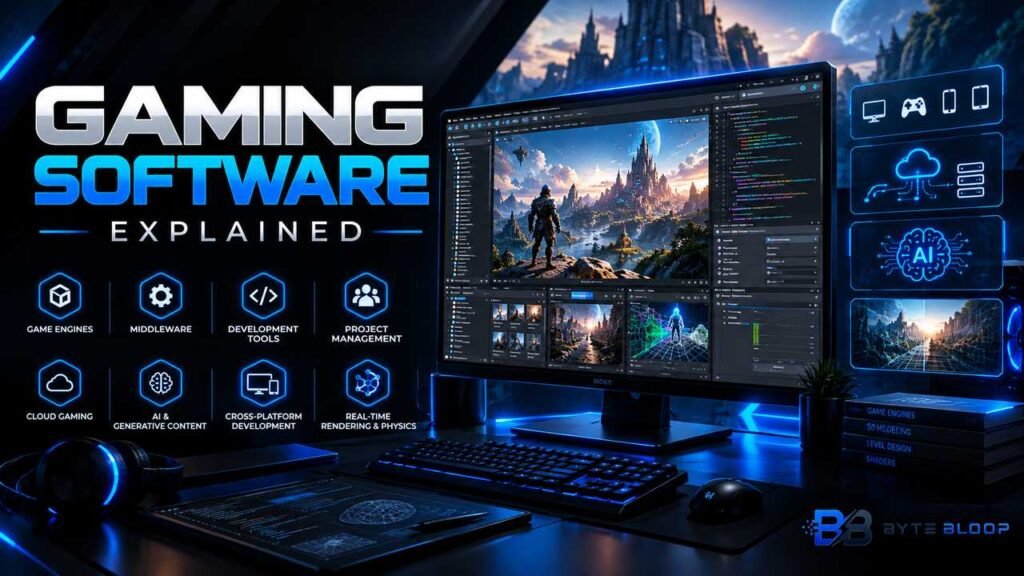
Gaming Software: Explained
Introduction
Gaming Software Explained is a topic worth understanding well. Gaming software is the backbone of every interactive entertainment experience, from casual mobile titles to AAA console blockbusters. It encompasses a wide range of tools, engines, and frameworks that translate creative concepts into playable worlds. At its core, gaming software turns code, art, and sound into immersive, responsive experiences that can run on PCs, consoles, or mobile devices.
Developers rely on a layered stack: game engines provide physics, rendering, and input; middleware handles audio, AI, and networking; and project‑management tools keep teams on schedule. The industry’s rapid evolution—driven by real‑time ray tracing, cloud gaming, and AI‑generated content—continues to lower entry barriers while raising expectations for performance and polish. Understanding the key components and best practices of gaming software is essential for anyone looking to build or consume games in 2026 and beyond.
This guide breaks down the essential tools, workflows, and trends shaping the current landscape, offering actionable advice for aspiring developers and tech enthusiasts alike.
What Is Gaming Software?
Gaming software refers to the collection of programs and tools that create, manage, and run video games. It ranges from full‑blown game engines like Unity and Unreal to specialized middleware such as FMOD for audio or Havok for physics. Each layer serves a distinct purpose: the engine handles rendering and core game loop logic, middleware adds specialized features, and build tools compile and package the final product.
Core Components of a Game Development Stack
- Game Engine – The foundation that provides rendering, physics, scripting, and asset management. Popular choices in 2026 include Unity, Unreal Engine 5, and Godot 4.
- Middleware – Adds specialized capabilities without reinventing the wheel. Examples: FMOD or Wwise for audio, Havok for physics, and PlayFab for backend services.
- Development Tools – Editors, version control, and debugging utilities that streamline the creation process.
- Project Management – Tools like Celoxis and Jira that adapt to the iterative, non‑linear nature of game production.
Best‑Practice Workflow for Indie and AAA Studios
Regardless of team size, a disciplined workflow improves quality and reduces time‑to‑market. A typical cycle starts with pre‑production: concept art, design documents, and prototype builds. Once the core mechanics are validated, developers move to production, where assets are polished and gameplay is iterated. QA and playtesting run in parallel, feeding data back into the engine. Finally, the release phase includes build pipelines, marketing, and post‑launch support such as patches or LiveOps.
This matters directly for anyone exploring gaming software explained.
Popular Game Engines in 2026
According to the “Best Video Game Development Software and Tools in 2026” guide, Unity remains the most accessible engine for beginners, offering a vast asset store and a user‑friendly visual scripting system. Unreal Engine 5, meanwhile, leads in high‑end graphics with its Nanite virtualized geometry and Lumen global illumination. Godot 4 has carved out a niche with its open‑source model and lightweight footprint, making it ideal for mobile and indie projects.
Getting gaming software explained right can make a real difference.
Middleware and Add‑Ons That Accelerate Development
Middleware can dramatically reduce development time. FMOD and Wwise provide robust audio pipelines, while PlayFab and GameSparks offer cloud backend services for multiplayer and live‑ops. Physics engines like Havok or PhysX integrate seamlessly with major game engines, delivering realistic collision and ragdoll effects without custom code.
That is a core part of understanding gaming software explained.
Project Management Tools Tailored to Game Development
Game production differs from traditional software sprints due to its nonlinear, creative nature. The Celoxis article on project management for game developers highlights eight tools that support iterative design, resource allocation, and cross‑department communication. Features such as sprint planning, burn‑down charts, and asset tracking help keep large teams aligned.
Many readers look into gaming software explained for exactly this reason.
Mobile Game Development in 2026
The mobile market remains a powerhouse, with the 2026 Mobile Game Development Guide outlining best practices for Android and iOS. Engine choice, monetization strategy, and LiveOps integration are critical for sustained revenue. Unity’s cross‑platform capabilities and Apple’s Metal API for iOS provide a balanced approach to performance and quality.
It is worth revisiting gaming software explained as things develop.
Key Features Every Game Engine Should Offer
- Real‑time Rendering – Support for ray tracing, HDR, and dynamic lighting.
- Physics Simulation – Accurate collision detection and fluid dynamics.
- Scripting Flexibility – C#, C++, or visual scripting to accommodate diverse teams.
- Asset Pipeline – Importers for 3D models, textures, and animations.
- Cross‑Platform Export – Build targets for PC, console, mobile, and web.
Practical Example: Building a Simple Platformer
1. Prototype – Use Unity’s 2D toolkit to create a basic level and test core mechanics.
Gaming Software Explained remains highly relevant here.
2. Art and Sound – Import sprites from Photoshop and audio from FMOD.
This is a key consideration when it comes to gaming software explained.
3. Physics – Apply Unity’s 2D physics engine to handle gravity and collisions.
This matters directly for anyone exploring gaming software explained.
4. Playtesting – Share builds via a cloud service like PlayFab to gather feedback.
Getting gaming software explained right can make a real difference.
5. Polish and Release – Optimize performance for mobile, then publish to Google Play and the App Store.
That is a core part of understanding gaming software explained.
Choosing the Right Tools for Your Team
Small indie teams benefit from low‑cost or free engines like Godot, while larger studios may invest in Unreal Engine’s advanced features. Middleware costs should be weighed against the time saved; for example, FMOD’s licensing fee is offset by its streamlined audio workflow. Project management tools should integrate with version control systems such as Git or Perforce to maintain a single source of truth.
Many readers look into gaming software explained for exactly this reason.
Future Trends in Gaming Software
AI‑driven content generation is emerging as a game‑changer, allowing designers to auto‑create levels or NPC behaviors. Cloud gaming platforms like Google Stadia and NVIDIA GeForce Now are redefining the hardware requirements for players, pushing developers to optimize for streaming. Additionally, the rise of cross‑play and cross‑platform play demands robust networking solutions and unified authentication systems.
Key Takeaways
- Game engines provide the core rendering, physics, and scripting foundation.
- Middleware accelerates development by offering specialized audio, physics, and backend services.
- Project management tools must adapt to the iterative, creative nature of game production.
- Mobile game development requires a focus on performance, monetization, and LiveOps integration.
- Future trends include AI content generation, cloud gaming, and cross‑platform play.
Frequently Asked Questions
What is gaming software explained?
Gaming software refers to the collection of engines, middleware, and tools that create, manage, and run video games, turning code, art, and sound into interactive experiences.
What are the key features of a game engine?
Core features include real‑time rendering, physics simulation, scripting flexibility, asset pipeline, and cross‑platform export capabilities.
What are the best use cases for middleware?
Middleware is ideal for adding specialized audio, physics, or backend services quickly, saving development time and ensuring high quality.
What are the pros and cons of using Unity vs Unreal?
Unity offers accessibility, a large asset store, and cross‑platform ease, while Unreal delivers cutting‑edge graphics and performance. Unity is cheaper and faster to learn; Unreal provides higher fidelity at a steeper learning curve.
Conclusion
Based on the available information and industry analysis, gaming software has evolved into a sophisticated ecosystem that blends powerful engines, specialized middleware, and agile project management tools. This integrated approach enables developers—from solo indie creators to large studios—to deliver high‑quality, cross‑platform experiences efficiently. As AI content generation, cloud gaming, and cross‑play become mainstream, the software stack will continue to adapt, offering even more streamlined workflows and richer player experiences.
Related Reading
- Top 5 Game Engines for 2026
Sources & References
- Best Video Game Development Software and Tools in 2026
- Project Management Software for Game Developers in 2026
- Game Development Software: Your Full Guide
Related Articles