Clean Code Explained
Introduction
Clean Code Explained is a topic worth understanding well. Clean code is the foundation of maintainable, scalable software. It is code that is easy to read, understand, and extend, enabling teams to collaborate efficiently and reduce technical debt. The concept, popularized by Robert C. Martin, emphasizes clarity over cleverness, advocating for simple, well‑named structures that express intent. When code is clean, a developer who did not write it can quickly grasp the logic, spot bugs, and add features without a steep learning curve.
In today’s fast‑moving development cycles, clean code is not a luxury—it is a necessity for delivering reliable products on time. This article breaks down the core principles, offers concrete examples, highlights common pitfalls, and shares best practices to help you write clean code from day one.
What Makes Code “Clean”?
According to the Clean Code blog, clean code is “easy to read, understand, and maintain.” It achieves this through a combination of naming conventions, modularity, and disciplined structure. The principles of separation of concerns, single‑responsibility, and well‑defined boundaries are central to this definition. Clean code also embraces abstraction and extensibility, allowing new features to be added with minimal disruption. These ideas are echoed in a 2026 guide that stresses building systems that can survive constant change, not just following rigid rules.
Key Principles for Clean Code
- Meaningful Naming: Variables, functions, and classes should describe intent. Avoid cryptic abbreviations; use full words that convey purpose. For example,
calculateTotalPriceis clearer thancalcTP. - Single Responsibility: A function or class should do one thing and do it well. If a method grows beyond a few lines, consider extracting a helper.
- Small, Focused Functions: Keep functions under 30 lines when possible. Short functions reduce cognitive load and make unit testing straightforward.
- Avoid Duplication: The DRY (Don’t Repeat Yourself) principle encourages abstraction of repeated logic into reusable components.
- Consistent Formatting: Use a style guide or automated formatter to keep indentation, spacing, and brace placement uniform.
- Clear Error Handling: Prefer explicit error messages and fail fast. Avoid swallowing exceptions silently.
Practical Code Example
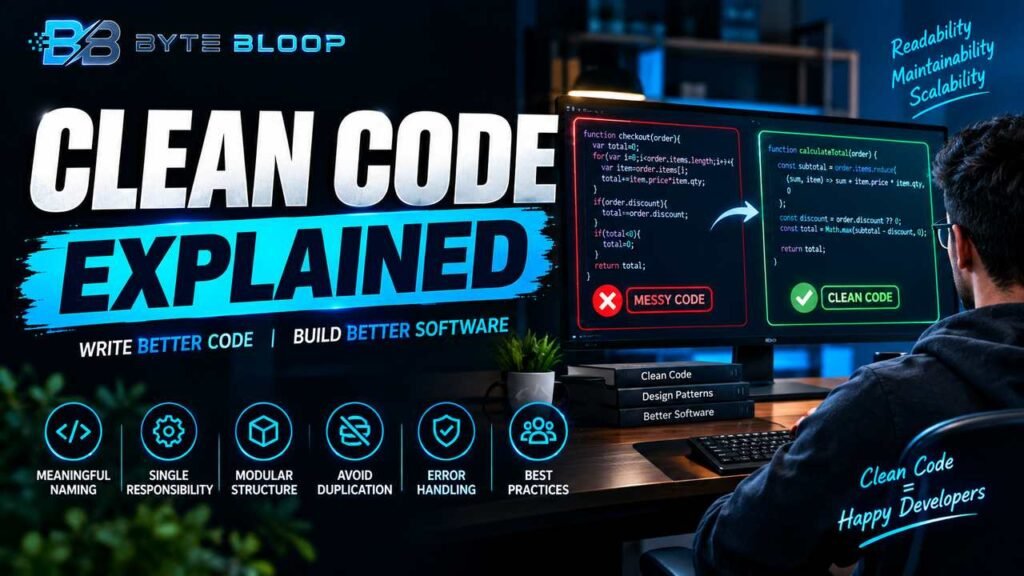
Consider a simple e‑commerce checkout routine. A messy implementation might look like this:
This matters directly for anyone exploring clean code explained.
function checkout(order){var total=0;for(var i=0;i<order.items.length;i++){var item=order.items[i];total+=item.price*item.qty;}if(order.discount){total-=order.discount;}if(total<0){total=0;}return total;}Refactored for clarity:
Getting clean code explained right can make a real difference.
function calculateTotal(order) {
  const subtotal = order.items.reduce((sum, item) => sum + item.price * item.qty, 0);
  const discount = order.discount ?? 0;
  const total = Math.max(subtotal - discount, 0);
  return total;
}
Here, the function name clearly states its purpose, the logic is broken into readable steps, and modern JavaScript features reduce boilerplate.
That is a core part of understanding clean code explained.
Common Mistakes to Avoid
- Over‑Optimizing Early: Premature refactoring can introduce bugs. Focus first on readability, then optimize if needed.
- Neglecting Documentation: Even well‑named code benefits from concise comments that explain the *why* behind decisions.
- Ignoring Code Reviews: Peer reviews catch hidden complexities and enforce consistency across a codebase.
- Using Magic Numbers: Replace hard‑coded values with named constants to convey intent.
Best Practices for a Clean Code Culture
- Adopt a linter and formatter that enforce style rules automatically.
- Write unit tests that reflect business logic rather than implementation details.
- Schedule regular refactoring sessions to keep legacy code tidy.
- Encourage pair programming to spread knowledge of clean patterns.
- Document architectural decisions in a shared design repository.
Key Takeaways
- Meaningful names drive readability
- Keep functions small and focused
- Avoid duplication to reduce bugs
- Consistent style improves maintainability
- Error handling should be explicit
Frequently Asked Questions
What is clean code explained?
Clean code refers to code that is easy to read, understand, and maintain, following principles like meaningful naming, single responsibility, and minimal duplication.
Many readers look into clean code explained for exactly this reason.
What are the key features of clean code?
Key features include clear naming, small focused functions, separation of concerns, consistent formatting, and explicit error handling.
It is worth revisiting clean code explained as things develop.
What are the best use cases for clean code practices?
Clean code is essential in team environments, long‑term projects, and systems that require rapid feature addition or frequent refactoring.
Clean Code Explained remains highly relevant here.
What are the pros and cons of strict clean code enforcement?
Pros: easier onboarding, lower technical debt, higher code quality. Cons: potential overhead in setting up linters, risk of over‑engineering if applied too rigidly.
Conclusion
Based on the available information and industry analysis, clean code is a proven strategy for reducing maintenance costs and accelerating development cycles. By adhering to principles such as meaningful naming, single responsibility, and consistent formatting, teams can create software that is not only functional but also sustainable and adaptable to future changes.
Related Reading
- 10 Common Refactoring Techniques
Sources & References
- What Is Clean Code? A Guide to Principles and Best …
- Clean Code Is a Guide, Not a Gospel: A Reflection …
- Summary of ‘Clean code’ by Robert C. Martin
- Clean Code and Software Design Principles: A Complete …
- Writing Clean Code in 2026: 10 Habits We Follow in Real …
Related Articles