AI Coding Assistants: Explained
Introduction
AI coding assistants are revolutionizing the way developers work by providing automated support for various coding tasks. These assistants use artificial intelligence to analyze code, detect bugs, and even generate boilerplate code. The primary goal of AI coding assistants is to increase productivity and reduce the time spent on repetitive tasks, allowing developers to focus on more complex and creative aspects of coding. With the rise of AI-powered tools, the coding landscape is changing rapidly, and AI coding assistants are at the forefront of this transformation. According to recent research, the best AI coding assistants in 2026 include GitHub Copilot, Claude, and Cursor, among others. These tools have been shown to improve coding efficiency and accuracy, making them essential for modern developers. Moreover, AI coding assistants can explain complex code snippets, helping new developers understand the codebase and making it easier for teams to collaborate.
The significance of AI coding assistants cannot be overstated, as they have the potential to transform the way we approach coding. By automating routine tasks and providing real-time feedback, AI coding assistants can help reduce errors, improve code quality, and enhance overall development speed. Furthermore, these tools can assist in code review, testing, and debugging, freeing up developers to focus on high-level tasks such as design, architecture, and innovation. As the demand for AI coding assistants continues to grow, it’s essential for developers to understand the capabilities, limitations, and best use cases for these tools. In this article, we’ll delve into the world of AI coding assistants, exploring their key features, pros, and cons, as well as providing practical examples and guidance on how to get the most out of these powerful tools.
Key Features of AI Coding Assistants
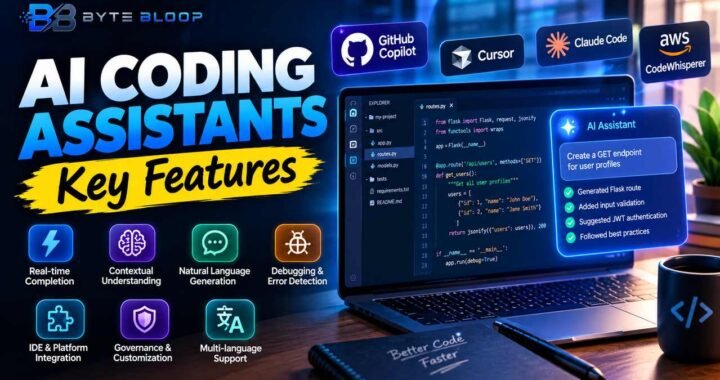
AI coding assistants typically offer a range of features that make them indispensable for modern developers. Some of the key features include automated code completion, code refactoring, and bug detection. These tools can also provide real-time feedback on code quality, suggesting improvements and optimizations to enhance performance and readability. Additionally, many AI coding assistants offer integration with popular development environments, such as Visual Studio Code, IntelliJ, and Sublime Text, making it easy to incorporate them into existing workflows.
Best Use Cases for AI Coding Assistants
AI coding assistants are versatile tools that can be applied to a wide range of coding tasks and projects. Some of the best use cases for these tools include rapid prototyping, where AI coding assistants can help generate boilerplate code and accelerate the development process. They can also be used for code review and testing, helping to identify bugs and errors before they become major issues. Moreover, AI coding assistants can assist in coding education, providing students with personalized feedback and guidance as they learn to code.
Pros and Cons of AI Coding Assistants
While AI coding assistants offer numerous benefits, they also have some limitations and potential drawbacks. On the plus side, these tools can significantly improve coding efficiency, reduce errors, and enhance overall development quality. However, they can also be dependent on high-quality training data, and their output may not always be perfect. Additionally, there are concerns about the potential for AI coding assistants to replace human developers, although this is unlikely, as these tools are designed to augment and support human capabilities, rather than replace them.
Practical Examples and Guidance
To get the most out of AI coding assistants, it’s essential to understand how to use them effectively. One practical example is to use these tools for code completion, allowing developers to focus on the logic and structure of their code. Another example is to use AI coding assistants for code review, providing a second pair of eyes to catch errors and improve code quality. By following best practices and guidelines, developers can harness the power of AI coding assistants to improve their workflow, reduce stress, and deliver high-quality code faster.
Key Takeaways
- AI coding assistants can automate routine coding tasks and improve development efficiency
- These tools can detect bugs, improve code quality, and enhance overall development speed
- AI coding assistants can be used for rapid prototyping, code review, and coding education
- They offer integration with popular development environments and can provide real-time feedback on code quality
- While AI coding assistants have limitations, they can significantly improve coding efficiency and reduce errors
Frequently Asked Questions
What is an AI coding assistant?
An AI coding assistant is a tool that uses artificial intelligence to analyze code, detect bugs, and provide automated support for various coding tasks.
What are the key features of AI coding assistants?
Key features include automated code completion, code refactoring, bug detection, and real-time feedback on code quality.
What are the best use cases for AI coding assistants?
Best use cases include rapid prototyping, code review, and coding education.
What are the pros and cons of AI coding assistants?
Pros include improved coding efficiency, reduced errors, and enhanced development quality. Cons include potential dependence on high-quality training data and limitations in output quality.
Can AI coding assistants replace human developers?
No, AI coding assistants are designed to augment and support human capabilities, rather than replace them.
How can I get the most out of AI coding assistants?
To get the most out of AI coding assistants, follow best practices and guidelines, and use them to automate routine tasks, improve code quality, and enhance development speed.
Conclusion
Based on the available information and industry analysis, AI coding assistants have the potential to revolutionize the way developers work, providing automated support for various coding tasks and improving development efficiency. By understanding the capabilities, limitations, and best use cases for these tools, developers can harness their power to deliver high-quality code faster and more efficiently.
Related Reading
- The Future of Coding: Trends and Predictions