
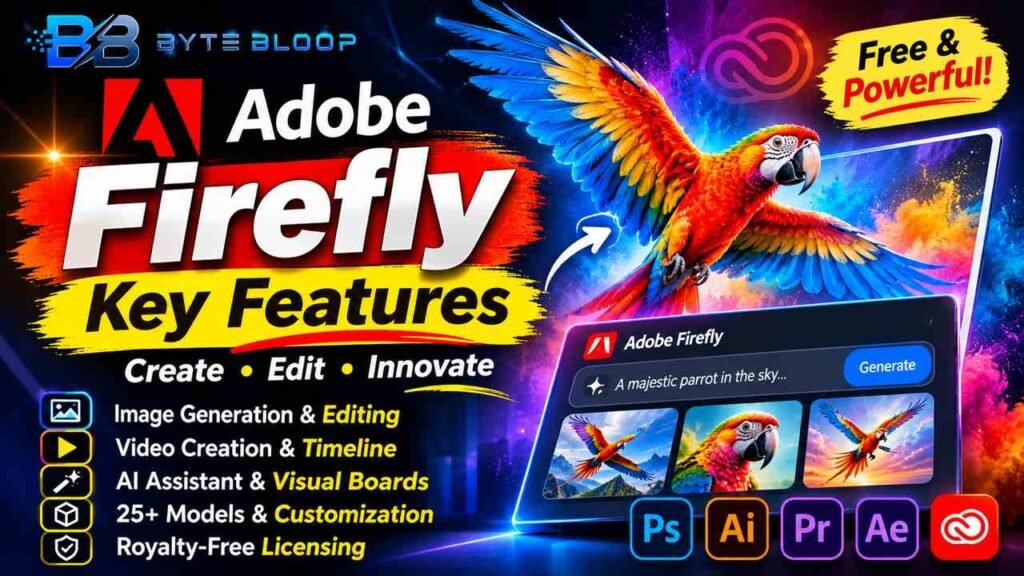
Adobe Firefly: Key Features
Introduction (Adobe Firefly Key Features)
Adobe Firefly Key Features is a topic worth understanding well. Adobe Firefly has become the go‑to generative AI platform for designers and marketers. Launched as a lightweight web app, it now powers image, video, and text creation across Adobe’s ecosystem. Users can generate visuals from prompts, edit them on the fly, and even embed AI assistance into Photoshop and Illustrator. The platform’s integration with Adobe Creative Cloud streamlines asset management and collaboration. Firefly’s rapid evolution reflects Adobe’s commitment to making AI a natural part of the creative process. Whether you’re a hobbyist or a professional, Firefly’s tools can accelerate your workflow and unlock new creative possibilities.
Firefly’s core capabilities revolve around image and video generation, generative fill, and AI‑driven editing. The platform supports over 25 third‑party models, allowing creators to choose the best style for each project. It also offers a visual board feature that lets teams organize ideas and assets in a single place. These features make Firefly a versatile assistant for concept development, content production, and brand consistency. Its integration with Adobe’s AI Assistant further enhances productivity by suggesting edits and refinements in real time.
In addition to its creative power, Firefly provides robust licensing and content rights management. All generated assets are royalty‑free and can be used commercially without additional fees. The platform’s pricing model offers a free tier with basic features and paid plans that unlock unlimited usage and advanced tools. This flexibility ensures that users of all skill levels can benefit from Firefly’s capabilities. Below, we break down the key features, practical examples, and best use cases for Adobe Firefly.
This matters directly for anyone exploring adobe firefly key features.
Image Generation and Editing
Firefly’s image generation engine lets users create high‑resolution visuals from textual prompts. According to Adobe’s help center, the tool supports multiple styles, from photorealistic to illustrative. Users can then refine images using Generative Fill, which replaces or extends selected areas with AI‑generated content. For example, a marketing team can generate a product shot and instantly replace the background with a branded backdrop. The ability to edit directly in the browser saves time and eliminates the need for separate editing software.
Getting adobe firefly key features right can make a real difference.
Video Creation and Timeline Building
Video generation is a newer but powerful feature. Firefly can produce short clips from prompts and assemble them into a timeline. The new beta editing experience allows users to drag and drop generated clips, adjust timing, and add transitions. According to Adobe’s new features page, this workflow supports both short social media videos and longer promotional content. Creators can also use the AI assistant to suggest edits, ensuring consistency across scenes.
That is a core part of understanding adobe firefly key features.
AI Assistant and Visual Boards
The AI Assistant acts as a creative partner, offering suggestions for color palettes, layout tweaks, and text overlays. When combined with Firefly Boards, teams can capture mood boards, asset libraries, and project outlines in one place. This integration streamlines collaboration, especially for remote teams. For instance, a design agency can share a board with a client, gather feedback, and iterate on concepts in real time.
Many readers look into adobe firefly key features for exactly this reason.
Model Variety and Customization
Firefly now includes over 25 third‑party AI models, each tailored to specific strengths. Photographers might favor a model optimized for realism, while illustrators could choose one that excels in stylized art. Users can switch models on the fly, allowing for rapid experimentation. This flexibility is highlighted in a 2026 guide that notes the platform’s ability to blend styles seamlessly.
It is worth revisiting adobe firefly key features as things develop.
Licensing and Rights Management
All content generated in Firefly is royalty‑free and can be used commercially. Adobe’s licensing policy ensures that creators can publish or sell assets without additional legal concerns. This feature is particularly valuable for agencies that need to produce large volumes of branded material quickly.
Adobe Firefly Key Features remains highly relevant here.
Pricing and Plans
Firefly offers a free tier with basic image and video generation. Paid plans unlock unlimited access to standard generative AI features, including Generative Fill, Generative Expand, and Text to Image. According to Adobe’s plans page, the subscription includes integration with Adobe Creative Cloud, giving users a seamless workflow across Photoshop, Illustrator, and more. The cost structure is designed to accommodate both freelancers and enterprise teams.
This is a key consideration when it comes to adobe firefly key features.
Best Use Cases
1. Social Media Content: Quickly generate eye‑catching images and short videos for platforms like Instagram and TikTok.
This matters directly for anyone exploring adobe firefly key features.
2. Brand Asset Creation: Produce consistent product mockups, banners, and promotional graphics without hiring external designers.
Getting adobe firefly key features right can make a real difference.
3. Rapid Prototyping: Use visual boards and AI suggestions to iterate concepts with stakeholders in minutes.
That is a core part of understanding adobe firefly key features.
4. Educational Resources: Create illustrative diagrams and instructional videos for e‑learning platforms.
Key Takeaways
- Firefly offers AI‑powered image, video, and text generation with real‑time editing
- Over 25 third‑party models provide style flexibility for designers
- AI Assistant and visual boards streamline collaboration and idea management
- All generated assets are royalty‑free and suitable for commercial use
- Free tier available; paid plans unlock unlimited usage and advanced tools
Frequently Asked Questions
What is Adobe Firefly?
Adobe Firefly is a web‑based generative AI platform that creates and edits images, videos, and text using prompts, and integrates with Adobe Creative Cloud.
What are the key features of Adobe Firefly?
Key features include image and video generation, generative fill and expand, AI assistant suggestions, visual boards for asset organization, and integration with over 25 third‑party AI models.
What are the best use cases for Adobe Firefly?
Ideal for social media content, brand asset creation, rapid prototyping, and educational media where quick, high‑quality visuals are needed.
What are the pros and cons of Adobe Firefly?
Pros: fast content creation, royalty‑free licensing, deep integration with Adobe apps, and flexible model selection. Cons: some advanced features require a paid plan, and the learning curve can be steep for non‑technical users.
Conclusion
Based on the available information and industry analysis, Adobe Firefly provides a comprehensive AI toolkit that streamlines creative production, from image and video generation to collaborative asset management. Its integration with Adobe Creative Cloud and royalty‑free licensing model make it a compelling choice for designers, marketers, and educators alike. As Adobe continues to expand its model library and refine AI assistance, Firefly is poised to become a staple in modern creative workflows.
Related Reading
- How Adobe Firefly Enhances Photoshop Workflows
Sources & References
- Adobe Firefly overview — Key features
- Adobe Firefly – Free Generative AI for Creatives — Top Firefly features
- What’s new in Adobe Firefly — Generate and edit images and videos, organize project assets, and build video timelines with the new generation and editing experience (Beta).
- Compare plans that include generative AI | Adobe Firefly
Related Articles


