Logging: Explained
Introduction (Logging Explained)
Logging Explained is a topic worth understanding well. Logging is the backbone of modern software observability, turning silent code into a transparent narrative of what happens during execution. In a typical application, logs capture everything from simple informational messages to critical error conditions, enabling developers to trace bugs, monitor performance, and satisfy compliance requirements. The practice of logging is not just about writing text to a file; it involves structured design, careful level selection, and integration with centralized log management systems that can aggregate, filter, and alert on events across distributed services.
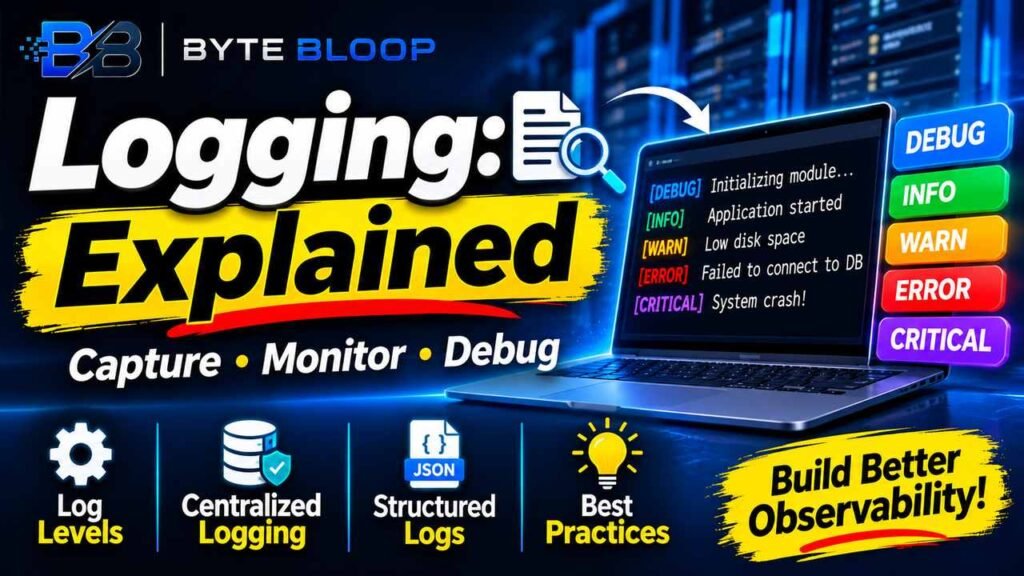
Understanding the hierarchy of log levels—DEBUG, INFO, WARN, ERROR, and CRITICAL—provides a language for developers to communicate severity and intent. When used consistently, these levels allow automated pipelines to surface the right signals without drowning operators in noise. Moreover, modern logging frameworks support structured data, making it possible to query logs by key/value pairs instead of parsing free‑form text. This shift to structured logging, combined with immutable storage and automated alerting, is becoming a standard in 2026 log‑management best practices.
Why Logging Matters
Logs are the primary source of insight for troubleshooting production issues. A well‑designed log strategy can reduce mean time to recovery (MTTR) by providing actionable context: timestamps, request IDs, stack traces, and environment metadata. According to the Log Management in 2026 guide, structured logs and centralized storage enable teams to detect anomalies faster and maintain audit trails for regulatory compliance.
This matters directly for anyone exploring logging explained.
Core Concepts of Logging
Log Levels
Each level represents a different severity and intended audience. DEBUG is for developers, offering granular detail. INFO records normal operation. WARN signals potential problems. ERROR indicates failures that require attention, while CRITICAL marks system‑wide outages. By configuring a threshold, operators can filter out DEBUG in production while still capturing WARN and ERROR.
Getting logging explained right can make a real difference.
Structured vs. Unstructured Logs
Unstructured logs are plain text, making automated parsing difficult. Structured logs embed metadata as key/value pairs, allowing queries like severity=ERROR AND component=auth. The Ultimate Guide to Logging emphasizes that structured logs improve searchability and integration with monitoring tools.
That is a core part of understanding logging explained.
Centralized Log Management
Decentralized logging—writing to local files—limits visibility and complicates compliance. Centralized systems ingest logs from multiple sources, apply retention policies, and provide dashboards. In 2026, immutable storage and automated alerting are highlighted as essential components for resilient log infrastructures.
Many readers look into logging explained for exactly this reason.
Setting Up Logging in Your Code
Python Example
import logging

logging.basicConfig(
    level=logging.INFO,
    format='%(asctime)s %(levelname)s [%(name)s] %(message)s',
    handlers=[logging.FileHandler('app.log'), logging.StreamHandler()]
)

logger = logging.getLogger('myapp')
logger.debug('Debugging info')
logger.info('Application started')
logger.warning('Low disk space')
logger.error('Failed to connect to DB')
logger.critical('System crash')
Java Example
import org.slf4j.Logger;
import org.slf4j.LoggerFactory;

public class MyApp {
    private static final Logger logger = LoggerFactory.getLogger(MyApp.class);

    public static void main(String[] args) {
        logger.debug("Debugging info");
        logger.info("Application started");
        logger.warn("Low disk space");
        logger.error("Failed to connect to DB");
        logger.error("Unhandled exception", new RuntimeException("oops"));
    }
}
Common Pitfalls
- Over‑logging DEBUG in production: Increases I/O and storage costs.
- Under‑logging INFO: Misses valuable operational context.
- Hard‑coded log messages: Makes internationalization and dynamic filtering hard.
- Missing correlation IDs: Hinders tracing across distributed services.
Best Practices for 2026
- Use structured logging with JSON or key/value formats.
- Implement correlation IDs across requests to link logs.
- Set appropriate log level thresholds per environment.
- Rotate and archive logs using immutable storage solutions.
- Integrate logs with alerting and monitoring platforms.
Key Takeaways
- Structured logs enable powerful queries and automated alerts.
- Consistent log levels reduce noise and improve incident response.
- Centralized log management is essential for compliance and scalability.
- Correlation IDs are critical for tracing requests in distributed systems.
- Immutable storage safeguards log integrity for audits.
Frequently Asked Questions
What is the purpose of log levels?
Log levels categorize messages by severity, allowing operators to filter and prioritize events.
It is worth revisiting logging explained as things develop.
What are the main log levels?
DEBUG, INFO, WARN, ERROR, and CRITICAL, each indicating increasing severity.
Logging Explained remains highly relevant here.
How can I implement structured logging?
Use JSON or key/value formats in your log statements and configure your framework to output them.
This is a key consideration when it comes to logging explained.
Why is centralized log management important?
It aggregates logs from all services, simplifies search, and supports compliance with immutable storage.
What are common mistakes to avoid?
Logging too much DEBUG in production, missing correlation IDs, and hard‑coding messages.
Conclusion
Based on the available information and industry analysis, logging provides a critical bridge between code execution and operational insight, enabling faster debugging, better monitoring, and compliance assurance across distributed systems.
Related Reading
- Best Log Management Tools of 2026
Sources & References
- Log Levels Explained: DEBUG, INFO, WARN, ERROR …
- The Ultimate Guide to Logging: Written by Tech People, for …
- Log Management in 2026: Key Components and Best Practices
- Best Log Management Tools in 2026: A Realist’s Buying …
- A Comprehensive Guide to Logging: From Beginner …
- Comprehensive Guide to Logging Methodologies – Medium
- Expert Guide to Logging Best Practices
- Log Levels Explained and How to Use Them
Related Articles