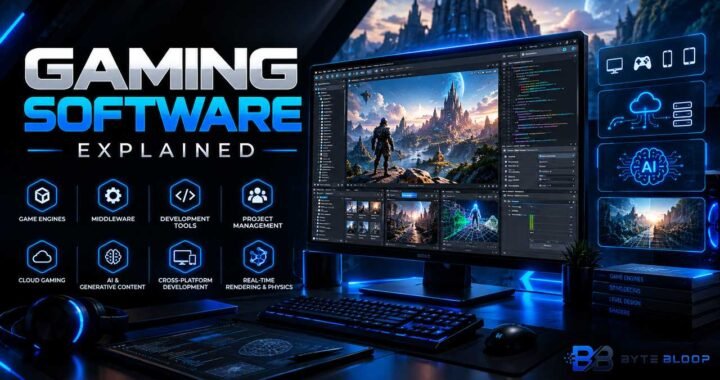
Project Collaboration: Explained
Introduction
Project collaboration is the backbone of modern teamwork, turning disparate ideas into coordinated outcomes. It blends communication, task management, and file sharing into a single workflow, allowing teams to stay aligned regardless of geography. By integrating timelines, budgets, and real‑time updates, collaboration tools reduce the friction that often slows project delivery. They also help prevent tool chaos, a common pitfall when teams juggle multiple apps for messaging, storage, and planning. In essence, effective collaboration turns a group of individuals into a cohesive unit that can tackle complex projects with confidence. This guide explores what collaboration software actually does, its core features, and how to choose the right platform for your team. We’ll also look at practical examples from industry and discuss the pros and cons that shape your decision. Finally, you’ll find a concise list of takeaways and FAQs to help you apply these insights immediately.
What Project Collaboration Software Does
At its core, project collaboration software connects people, tasks, files, timelines, and budgets into a unified environment. According to The Ultimate Project Management Software Guide 2026, these tools facilitate communication and teamwork among project members, often offering chat, file sharing, and integrated calendars. What Project Collaboration Software Must Actually Do emphasizes that the goal is to improve delivery and reduce tool chaos by centralizing all project data.
Key Features to Look For
While every platform varies, the most effective solutions share a set of common capabilities:
- Real‑time Chat & Discussion – Instant messaging keeps conversations contextual and searchable.
- Shared Workspaces – Central repositories for documents, designs, and code.
- Task & Workflow Management – Kanban boards, Gantt charts, and automated task assignments.
- Timeline & Calendar Integration – Visual project schedules that sync with external calendars.
- Budget & Resource Tracking – Cost dashboards and resource allocation views.
- Reporting & Analytics – Dashboards that surface productivity metrics and bottlenecks.
- Security & Permissions – Granular access controls and audit logs.
Best Use Cases
Project collaboration shines in scenarios that demand cross‑functional coordination:
- Software development teams that need code repositories linked to issue trackers.
- Marketing agencies managing campaigns across creative, media, and analytics departments.
- Construction firms coordinating architects, contractors, and suppliers.
- Non‑profits aligning volunteers, donors, and event planners.
Practical Examples
Consider a product launch at a tech firm. The marketing team uses a shared workspace to store brand guidelines, the engineering team links code commits to tasks, and the finance department tracks budget spend in real time. Every stakeholder can see the same timeline, reducing rework and speeding time‑to‑market. In a remote design studio, designers upload mockups to a shared folder, while project managers assign revisions through a Kanban board, ensuring feedback loops stay within the same platform.
Pros and Cons
Pros:
- Centralized communication reduces email overload.
- Visibility into progress helps managers make data‑driven decisions.
- Integrated file storage eliminates version control headaches.
Cons:
- Learning curve can be steep for teams used to siloed tools.
- Over‑integration may lead to data silos if not properly configured.
- Subscription costs can add up for large teams.
Choosing the Right Tool
When evaluating options, consult comprehensive reviews such as 15 Best Online Project Collaboration Tools for 2026 and Top 25 Project Management and Collaboration Tools for 2026. These resources rank platforms on features, pricing, time tracking, and client visibility, helping you match tool capabilities to your workflow. Pay attention to how each platform handles file versioning, mobile access, and API integration if you rely on custom dashboards.
Future Trends
Artificial intelligence is increasingly woven into collaboration suites, offering predictive task assignments and automated status updates. Cloud‑native architectures are becoming the norm, ensuring that teams can scale without on‑premise infrastructure. Expect tighter integration with data analytics platforms, enabling real‑time insights into project health.
Key Takeaways
- Unified communication reduces email overload
- Centralized dashboards improve decision‑making
- Integrated file storage prevents version control issues
- Choosing the right tool requires matching features to workflow
- AI and cloud trends are shaping the next generation of collaboration tools
Frequently Asked Questions
What is project collaboration software?
It is a platform that brings together communication, task management, file sharing, timelines, and budgets into a single environment, enabling teams to work together efficiently.
What are the key features of effective collaboration tools?
Real‑time chat, shared workspaces, task and workflow management, timeline integration, budget tracking, reporting dashboards, and robust security controls.
What are the best use cases for project collaboration software?
Software development, marketing campaigns, construction coordination, non‑profit event planning, and any scenario requiring cross‑functional teamwork.
What are the pros and cons of using collaboration tools?
Pros include centralized communication, visibility, and version control; cons involve learning curves, potential data silos, and subscription costs.
Conclusion
Based on the available information and industry analysis, project collaboration software provides a unified platform that integrates communication, task management, file sharing, timelines, and budgets, thereby reducing tool chaos and accelerating delivery. By selecting a solution that aligns with your team’s workflow and leveraging its core features, organizations can achieve higher productivity, clearer visibility, and faster time‑to‑market. Future AI and cloud enhancements promise even greater automation and scalability, ensuring that collaboration tools remain essential for modern project success.
Related Reading
- Top Project Management Tools of 2026
Sources & References