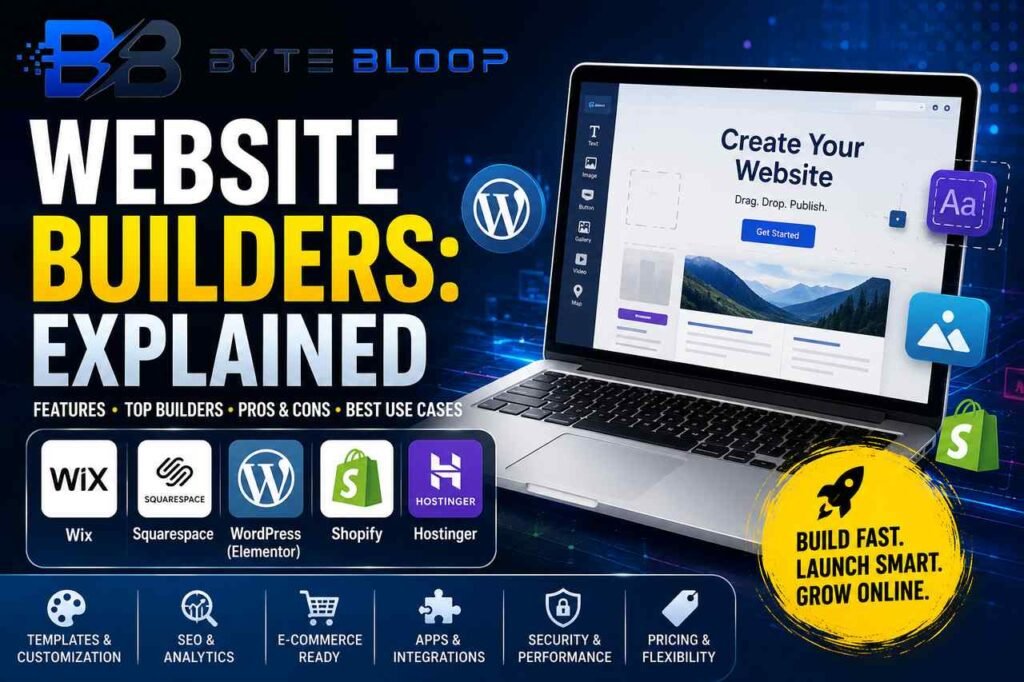
Website Builders: Explained
Introduction
Website builders have revolutionized the way individuals and businesses create an online presence. By abstracting away the complexities of coding, hosting, and domain management, these platforms let users focus on design and content. Whether you’re a solopreneur launching a portfolio, a boutique retailer building an e‑commerce storefront, or an organization looking for a simple informational site, a builder can accelerate your timeline and reduce costs. Modern builders now incorporate AI‑assisted design, responsive templates, and integrations with marketing tools, making them more powerful than ever. However, the sheer number of options can be overwhelming, and choosing the wrong platform may lock you into limitations or hidden fees. This guide unpacks what a website builder is, reviews the leading players in 2026, and offers practical tips to match your goals with the right tool.
What Is a Website Builder?
A website builder is a cloud‑based application that bundles hosting, SSL, domain routing, and a content management system into a single, user‑friendly interface. Users drag and drop elements, select pre‑made layouts, and publish instantly without writing code. The underlying infrastructure—servers, bandwidth, security patches—is handled by the provider, freeing creators from technical maintenance.
Key Features to Look For
- Template Variety and Customization: A broad selection of responsive templates plus the ability to tweak CSS or add custom code for advanced users.
- SEO & Analytics: Built‑in SEO tools, schema markup, and integration with Google Analytics help boost visibility.
- E‑commerce Capabilities: Inventory management, payment gateways, and shipping options for online stores.
- App Ecosystem: Plugins or widgets for email marketing, live chat, and social feeds.
- Performance & Security: Fast loading times, automatic backups, and SSL certificates to protect visitors.
- Pricing Structure: Transparent tiers, free trials, and clear upgrade paths.
Top Builders in 2026
According to the 2026 guide from Elementor, the market is dominated by a mix of traditional and AI‑first platforms. Elementor’s own builder offers a low‑code, visual editor that integrates tightly with WordPress, making it ideal for users who need granular control. Wix remains popular for its drag‑and‑drop simplicity and extensive app market, while Squarespace appeals to creatives with its polished design templates. For businesses that require robust e‑commerce, Shopify’s dedicated storefront builder offers advanced inventory and payment features. AI‑first builders such as the ones highlighted in NinjaTech’s blog provide automated layout suggestions and content generation, reducing design time for novices.
Choosing the Right Builder
When selecting a platform, start by defining your primary goal: is it a portfolio, a blog, a storefront, or a corporate site? Next, assess your technical skill level—some builders allow full code access, while others lock you into a visual editor. Consider scalability: a platform that works for a small site may struggle as traffic and content grow. Finally, review pricing: many builders offer free tiers but charge for e‑commerce features, domain registration, or advanced analytics.
Practical Examples
- Freelancers: Use Wix or Squarespace for a clean portfolio with integrated contact forms.
- E‑commerce Startups: Shopify’s builder delivers ready‑made payment gateways and inventory tools.
- Non‑profits: WordPress with Elementor provides cost‑effective hosting and donation plugins.
- Tech Companies: A custom WordPress site built on Elementor can scale with APIs and advanced security.
Pros and Cons of Popular Builders
Wix offers an intuitive interface and a free plan, but its SEO controls are limited compared to WordPress. Squarespace delivers stunning aesthetics but can be expensive for e‑commerce. WordPress with Elementor provides the most flexibility, yet it requires a learning curve and ongoing maintenance. Shopify excels in commerce but lacks extensive content‑management features outside product pages.
Future Trends
AI‑driven design is becoming mainstream, with builders auto‑generating layouts based on content. Low‑code editors are expanding to support headless CMS architectures, allowing developers to decouple front‑end and back‑end for performance gains. Integration with voice assistants and AR/VR will also shape the next wave of web experiences.
Key Takeaways
- Website builders bundle hosting, SSL, and content management into a single platform
- Choose based on goal, skill level, scalability, and pricing
Frequently Asked Questions
What is a website builder?
A cloud‑based tool that lets users create, host, and publish a website without writing code, typically using drag‑and‑drop interfaces.
What are the key features of top website builders?
Template libraries, SEO tools, e‑commerce support, app ecosystems, performance & security, and transparent pricing.
What are the best use cases for different builders?
Portfolios and blogs fit Wix or Squarespace; e‑commerce thrives on Shopify; content‑heavy sites benefit from WordPress + Elementor.
What are the pros and cons of using a website builder?
Pros include speed, cost, and ease of use; cons can be limited customization, hidden fees, and potential scalability issues.
Conclusion
Based on the available information and industry analysis, website builders provide a streamlined path to launch an online presence, combining hosting, design, and content management into one accessible platform. While each builder has its strengths—whether AI‑first automation, e‑commerce focus, or creative templates—choosing the right one hinges on aligning platform capabilities with your project goals, technical comfort, and long‑term growth plans.
Related Reading
- Choosing the Right CMS for Your Business
Sources & References
- The Best Website Builder of 2026 (Most People Pick Wrong!)
- What’s the Best Website Builder in 2026? A …
- BEST Website Builder 2026 (Don’t Choose Wrong)
- 17 Best Website Builders in 2026
- How To Choose The Best Website Builder: 2026 Step-By- …
- How to Choose a Website Builder (2026 Guide)
- Website Builder: The Complete Guide to Creating a …
- 10 Best Website Builders for 2026 (AI + No-Code Tested)