iCloud Privacy: Explained
Introduction
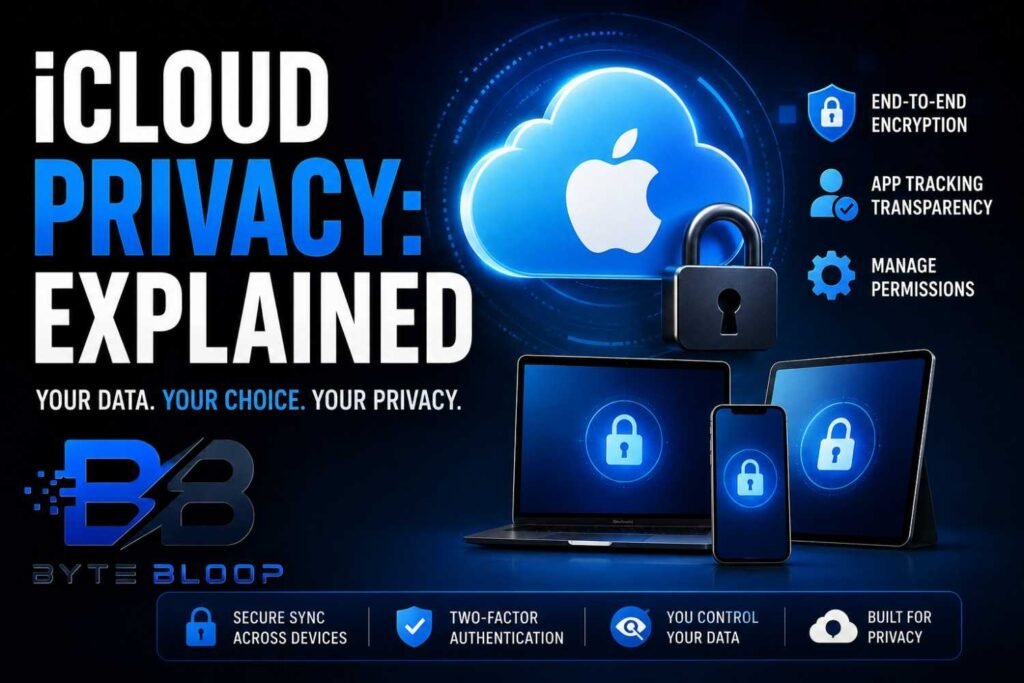
Apple’s iCloud is more than a cloud storage service; it’s a cornerstone of the Apple ecosystem, syncing photos, contacts, documents, and even health data across every device you own. For many users, the convenience of seamless data flow comes with a natural concern: who can see what you store? Apple’s privacy promise is built into iCloud’s architecture, but understanding the mechanics can help you make informed choices. iCloud uses a mix of server‑side encryption and client‑side end‑to‑end encryption, meaning that while Apple can store your data, it cannot read most of it. The distinction is critical: some data types, like passwords and health records, are protected with keys that only your device can access. Other data, such as photos and documents, are encrypted in transit and at rest but can be decrypted by Apple if necessary for support or compliance.
Beyond encryption, Apple provides granular controls that let you decide which apps can access specific data types. The Privacy & Security settings on your iPhone allow you to see how many apps request location, contacts, or camera access, and you can revoke permissions at any time. Apple’s App Tracking Transparency feature forces apps to ask for permission before tracking your activity across other apps and websites. These layers of protection are designed to give users confidence that their personal information remains private while still enjoying the convenience of a connected ecosystem.
How iCloud Protects Your Data
Apple’s security architecture relies on a combination of encryption keys, secure enclave hardware, and strict access controls. When you enable iCloud Keychain, your passwords, credit card numbers, and Wi‑Fi credentials are stored in a vault that only your device can decrypt. The keys are generated on your device and never leave it, ensuring that even Apple cannot read them. For other data types, iCloud uses AES‑256 encryption in transit and at rest. While Apple can technically access this data, it is protected by a combination of server‑side keys and user‑controlled authentication.
Health data, which can be extremely sensitive, is also end‑to‑end encrypted. When you sync Health records to iCloud, the data is encrypted on your device before it leaves, and only your device can decrypt it. This means that if your iPhone is lost or stolen, the health information remains protected unless the thief has your passcode or biometric authentication.
Managing Permissions in iCloud Settings
Apple’s Privacy & Control interface lets you view and manage which apps have access to your data. In Settings > Privacy, you can see a list of data types—Location, Contacts, Photos, Microphone, etc.—and the apps that have requested access. Toggling an app off revokes its permission immediately. For iCloud‑specific permissions, go to Settings > [your name] > iCloud, and toggle services like Photos, Contacts, Calendars, and Keychain on or off. Turning a service off stops data from being synced but does not delete the data already stored in iCloud; you can choose to delete it from the cloud if desired.
App Tracking Transparency and Data Sharing
Introduced in iOS 14, App Tracking Transparency (ATT) requires apps to request user permission before tracking activity across other apps and websites. When you enable ATT, a prompt appears the first time an app wants to track you. You can choose to allow or deny tracking on a per‑app basis. This feature reduces the amount of data that advertisers can collect about your online behavior, enhancing your privacy without compromising app functionality.
Best Practices for Maximizing iCloud Privacy
1. Enable Two‑Factor Authentication (2FA) for your Apple ID to add an extra layer of security.
2. Use a Strong Passcode and consider biometric authentication for quick yet secure access.
3. Regularly Review App Permissions and revoke any that are unnecessary.
4. Turn Off iCloud Backup for Sensitive Data if you prefer to store it locally or on a different encrypted service.
5. Use iCloud Keychain Wisely by enabling it only for data you trust your device to secure.
6. Keep Your Software Updated to benefit from the latest security patches and privacy enhancements.
Common Misconceptions About iCloud Privacy
Many users believe that iCloud is entirely private because Apple claims it cannot read user data. While end‑to‑end encryption protects certain data types, other data is encrypted only on the server side, meaning Apple has the technical ability to access it if needed for legal or support reasons. Understanding this nuance helps set realistic expectations about data privacy.
Another misconception is that disabling iCloud automatically deletes all data from the cloud. In reality, turning off a service stops future syncs but leaves existing data in the cloud unless you manually delete it. Users often forget to purge old data, which can lead to unintended data exposure.
Finally, some believe that iCloud is the only way to back up an iPhone. While iCloud offers convenience, local backups via iTunes or Finder, encrypted with a password you set, provide an additional layer of control and can be stored offline.
Future of iCloud Privacy
Apple continues to invest in privacy features, such as the upcoming iCloud Private Relay, which routes your internet traffic through Apple’s servers to hide your IP address from websites. While still in beta, this feature signals Apple’s commitment to protecting user data beyond the device. Users should stay informed about new releases and adjust settings accordingly to maintain optimal privacy.
Key Takeaways
- iCloud uses end‑to‑end encryption for passwords, health data, and Keychain.
- Apple’s App Tracking Transparency lets users control cross‑app tracking.
- Granular permission settings allow you to revoke app access instantly.
- Two‑factor authentication and strong passcodes are essential for iCloud security.
- Regularly reviewing and deleting unused iCloud data reduces exposure.
- Future features like iCloud Private Relay enhance privacy beyond the device.
Frequently Asked Questions
What is end‑to‑end encryption in iCloud?
End‑to‑end encryption means that data is encrypted on your device before it leaves and can only be decrypted by your device. Apple cannot read this data because the keys never leave the device.
How does App Tracking Transparency protect my privacy?
ATT forces apps to ask for permission before tracking your activity across other apps and websites. You can deny tracking on a per‑app basis, limiting data advertisers can collect.
Can I delete data from iCloud after turning off a service?
Yes, turning off a service stops future syncs but does not delete existing data. You can delete the data manually in Settings > [your name] > iCloud > Manage Storage.
What are the pros and cons of using iCloud Keychain?
Pros: strong encryption, easy password management, cross‑device sync. Cons: if you lose your device and don’t have a backup key, you may lose access to stored passwords.
How does iCloud handle health data privacy?
Health data is end‑to‑end encrypted and stored on your device. Only your device can decrypt it, ensuring that even Apple cannot read it.
Conclusion
Based on the available information and industry analysis, iCloud privacy provides a robust framework that blends end‑to‑end encryption for sensitive data with granular permission controls for all other data types. While Apple’s infrastructure allows for server‑side access when legally required, the default settings prioritize user control, enabling individuals to manage who sees their information and how it is shared. By actively configuring privacy settings, enabling two‑factor authentication, and reviewing app permissions, users can harness the convenience of iCloud while maintaining a high level of personal data security.
Related Reading
- Apple’s App Tracking Transparency: What You Need to Know
- How to Secure Your iPhone with Apple’s Latest Privacy Tools