Fiber Internet: Explained
Introduction (Fiber internet explained)
Fiber internet explained is a topic worth understanding well. Fiber internet, often simply called fiber, is the newest generation of broadband that uses strands of glass or plastic to transmit data as pulses of light. Unlike copper cables that carry electrical signals, fiber’s optical signals can travel longer distances with minimal loss, delivering speeds that can reach up to 10 gigabits per second. This leap in bandwidth supports everything from ultra‑high‑definition streaming and real‑time gaming to remote work and smart‑home ecosystems.
The technology is already rolling out in many urban centers, but its adoption is still growing in suburban and rural areas. Understanding how fiber works, its advantages, and the different deployment models can help consumers decide if it’s the right upgrade for their home or business. In this guide we’ll break down the fundamentals, compare fiber to other broadband options, and offer practical tips for choosing and installing a fiber connection. By the end, you’ll know whether fiber is the smartest choice for 2026 and beyond.
How Fiber Internet Works
Fiber optics rely on the principle of total internal reflection. Light is injected into a thin core of glass or plastic surrounded by a cladding layer with a lower refractive index. The light bounces along the core, guided by the cladding, and can travel miles without significant attenuation. Data is encoded into the light pulses, allowing thousands of channels to coexist on a single fiber strand. According to What Is Fiber Internet 2026: Complete Guide, this method of transmission eliminates electromagnetic interference, a common issue with copper lines.
Key Features of Fiber Connections
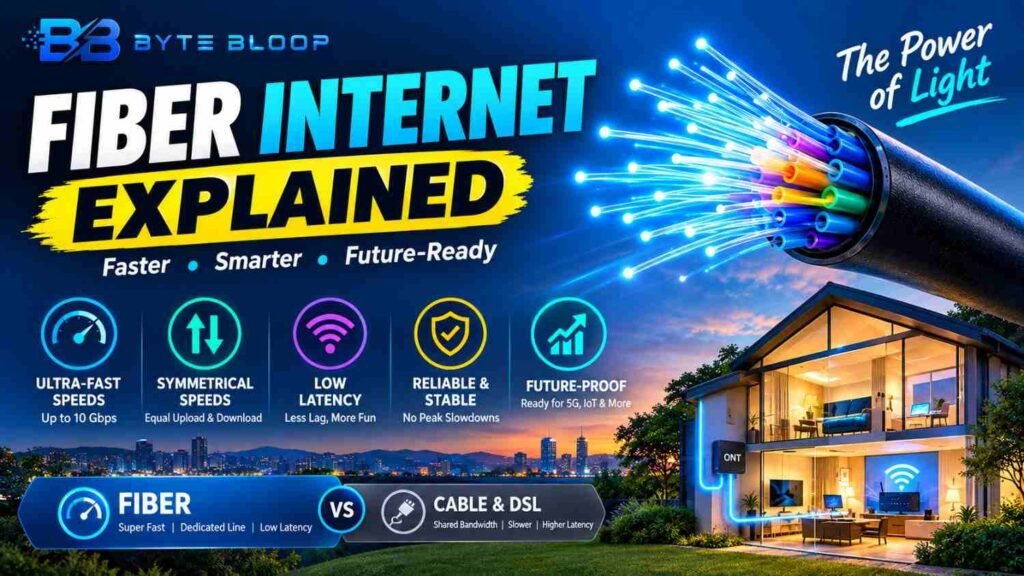
- Ultra‑high bandwidth: Supports gigabit and multi‑gigabit speeds, ideal for heavy data usage.
- Symmetrical speeds: Upload and download rates are often identical, benefiting cloud backups and video conferencing.
- Low latency: Light travels faster than electrical signals, reducing lag for gaming and real‑time applications.
- Future‑proof: The infrastructure can accommodate even higher speeds as technology advances.
Deployment Models: FTTH, FTTC, and More
The most common model is Fiber‑to‑the‑Home (FTTH), also known as Fiber‑to‑the‑Premises (FTTP). In FTTH, the fiber cable runs directly into the subscriber’s building, providing a dedicated line that is not shared with neighbors. A Guide To Understanding Fiber-to-the-Home explains that this setup delivers the highest performance and reliability. Another model, Fiber‑to-the-Curb (FTTC), brings fiber to a street cabinet, with the final leg completed by copper or coaxial cables. While FTTC offers faster speeds than traditional cable, it typically falls short of FTTH’s peak performance.
Fiber vs. Cable and DSL
In 2026, fiber outpaces cable in both speed and stability. Fiber Internet Versus Cable Internet: Which Is Better in 2026? notes that cable’s performance can degrade during peak usage because it shares bandwidth among multiple users. Fiber’s dedicated line sidesteps this bottleneck, ensuring consistent speeds. DSL, which relies on telephone lines, remains the slowest option and is increasingly being phased out in favor of fiber and cable.
Practical Considerations Before Switching
When evaluating a fiber upgrade, consider the following:
- Availability: Check if your area is covered by a fiber provider. Many rural regions still rely on cable or DSL.
- Installation costs: While the monthly fee is often comparable to cable, initial installation can involve digging and laying new cables.
- Contract terms: Some providers offer promotional rates that increase after a set period.
- Equipment: A fiber modem or ONT (Optical Network Terminal) is required, but many providers supply it free of charge.
Future Outlook
Industry analysts predict that fiber will become the backbone of 5G and IoT networks. As streaming services demand higher resolutions and remote work becomes normalized, the demand for reliable, high‑capacity connections will only grow. According to Why Fiber Internet Is the Smartest Choice in 2026, real‑world speed tests show fiber consistently outperforming cable by a factor of two or more during peak hours.
Key Takeaways
- Fiber uses light signals, enabling speeds up to 10 Gbps
- FTTH delivers the fastest, most reliable service by connecting directly to homes
- Fiber offers symmetrical upload and download speeds, ideal for cloud and video work
- Cable shares bandwidth and can slow during peak times, while fiber does not
- Fiber’s infrastructure is future‑proof, supporting higher speeds as demand rises
Frequently Asked Questions
What is fiber internet?
Fiber internet is a broadband connection that uses strands of glass or plastic to transmit data as pulses of light, offering speeds up to 10 gigabits per second.
What are the key features of fiber internet?
Fiber provides ultra‑high bandwidth, symmetrical speeds, low latency, and a future‑proof infrastructure that supports ever‑growing data demands.
What are the best use cases for fiber internet?
High‑definition streaming, online gaming, remote work with cloud services, smart‑home automation, and any application requiring consistent, high‑speed connectivity.
What are the pros and cons of fiber internet?
Pros include unmatched speed, reliability, and future readiness. Cons involve higher upfront installation costs and limited availability in some areas.
Conclusion
Based on the available information and industry analysis, fiber internet stands out as the most reliable, high‑performance broadband option for 2026. Its light‑based transmission delivers symmetrical gigabit speeds, low latency, and future‑proofing that cable and DSL cannot match. While installation costs and coverage gaps remain challenges, the long‑term benefits of faster, more stable connectivity make fiber a smart investment for consumers and businesses alike.
Related Reading
- Choosing the Right Internet Plan for Your Home
- How to Set Up a Home Wi‑Fi Network with Fiber
Sources & References
- What Is Fiber Internet 2026: Complete Guide — How Does Fiber Internet Work? Fiber-optic technology explained simply. Fiber internet works using light signals instead of electrical signals.
- What is Fiber Internet? — Fiber-optic internet, commonly called fiber internet or simply “fiber,” is a broadband connection that can reach speeds of up to 10 Gigabits per second (Gbps) …
- A Guide To Understanding Fiber-to-the-Home
- What Is FTTH? Fiber to the Home Explained — What Is FTTH? A Complete Guide to Fiber to the Home (2026 Update) · 1. Ultra-High Bandwidth. Supports gigabit and multi-gigabit speeds with ease.
- Why Fiber Internet Is the Smartest Choice in 2026
- Fiber Internet Versus Cable Internet: Which Is Better in 2026?
- What Is Fibre Broadband: An In-depth Guide
- Basics of Fibre Optic Technology — How fiber optics work in your home: structure, transmission principles, singlemode vs. multimode, installation tips and common mistakes.
Related Articles