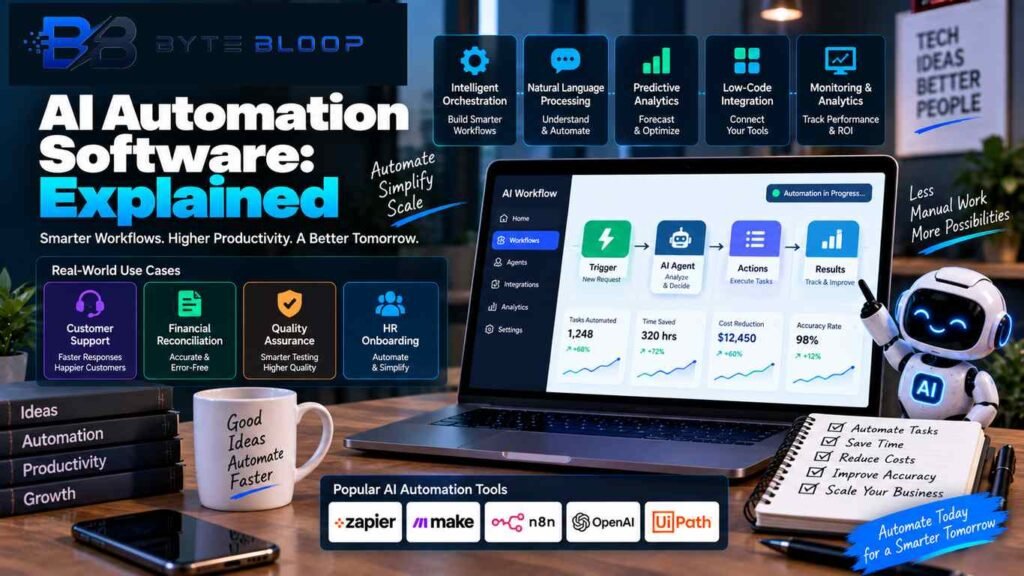
AI Automation Software Explained: 10 Powerful Features, Tools & Use Cases in 2026
Introduction
AI automation software explained in simple terms, it is software that combines artificial intelligence with workflow automation to help businesses process information, make model-assisted decisions, generate content, and move work between connected applications.
Traditional automation generally follows predefined rules. For example, a workflow can be configured so that when a new form is submitted, a record is created in a spreadsheet and a confirmation email is sent. AI can add another layer by interpreting text, classifying information, summarizing documents, extracting data, drafting responses, or helping decide which workflow should run next.
Modern automation platforms are increasingly combining conventional workflows with AI-powered steps and AI agents. Zapier currently describes its platform as infrastructure for AI-powered automation and supports AI steps and agents across connected applications. Make similarly provides AI automation, AI applications, and AI-agent capabilities within its visual automation platform.
AI automation does not necessarily mean that a system is completely autonomous. Many real-world workflows still use predefined logic, human approval, restricted permissions, and validation steps.
In this guide, we will explain how AI automation software works, its main features, common platforms, business use cases, pricing models, security considerations, implementation steps, limitations, and the difference between AI automation and AI agents.
AI Automation Software Explained: What Is It?
AI automation software combines AI capabilities with automated workflows.
A traditional workflow may follow a fixed sequence:
Trigger → Action → Action → Result
An AI-assisted workflow can look more like:
Trigger → AI interpretation → Decision → Action → Validation → Result
For example, a customer-support workflow could receive an email, classify the customer’s issue, extract relevant information, search a knowledge base, draft a response, and route the case to the correct team.
The AI component is useful because customer messages, documents, and other business data are often less structured than the inputs used by traditional rule-based automation.
However, AI is not required for every automation. For predictable tasks, conventional rules can remain simpler and more reliable. Anthropic recommends starting with the simplest architecture that solves the problem and adding agentic complexity only when it provides a clear benefit.
How AI Automation Software Works
AI automation generally combines several stages.
1. Trigger
A workflow starts when a defined event occurs.
Examples include:
- A new email arrives
- A customer submits a form
- A payment is received
- A spreadsheet is updated
- A support ticket is created
- A scheduled time is reached
- A webhook is received
2. Data Collection
The workflow gathers the information required for the next step.
This can come from:
- Emails
- Forms
- Spreadsheets
- Databases
- APIs
- CRM systems
- Documents
- Websites
3. AI Processing
An AI model can interpret or transform the information.
It might:
- Classify a message
- Summarize a document
- Extract fields
- Translate content
- Draft text
- Analyze feedback
- Identify categories
- Suggest a next action
Zapier documents AI-powered workflow steps for tasks such as summarizing, classifying, drafting, and other AI-assisted operations.
4. Workflow Logic
The automation platform decides what happens next.
This can include:
- Filters
- Conditions
- Branches
- Paths
- Loops
- Delays
- Approvals
5. Application Action
The workflow can then interact with another system.
For example, it can:
- Send an email
- Update a CRM
- Create a support ticket
- Add a spreadsheet row
- Create a document
- Send a notification
- Update a database
6. Validation
Important workflows can check the AI output before continuing.
For example, a financial document could require a human review before information is entered into a production accounting system.
7. Monitoring
Automation platforms can record execution history, failures, usage, and other operational details.
Monitoring becomes increasingly important as workflows become more complex.
10 Key Features of AI Automation Software
Modern AI automation platforms can provide many capabilities, although the exact feature set depends on the product.
Intelligent Workflow Orchestration
Workflow orchestration coordinates multiple steps across applications.
A business can create a process that receives information in one application, processes it with AI, sends the result to another application, and then alerts a team member.
Make describes its platform as a visual automation environment with workflow orchestration and AI capabilities.
AI-Powered Processing
AI can help workflows handle information that is difficult to process with fixed rules.
Examples include:
- Customer messages
- Documents
- Reviews
- Long text
- Unstructured notes
- Product descriptions
Natural-Language Processing
Natural-language models can understand and generate human language.
They can support tasks such as:
- Classification
- Summarization
- Question answering
- Content generation
- Translation
- Extraction
Document Processing
AI automation can extract and classify information from business documents.
For example, an invoice workflow can extract:
- Vendor name
- Invoice number
- Date
- Amount
- Tax information
The extracted fields can then be passed to another application.
App Integrations
Integrations allow workflows to connect different services.
Examples include:
- Gmail
- Google Sheets
- Slack
- Salesforce
- HubSpot
- Microsoft tools
- Databases
- E-commerce platforms
Zapier currently advertises a library of more than 9,000 apps, while Make currently lists more than 3,000 apps on its pricing page.
Conditional Logic
Conditional logic lets the same workflow behave differently depending on the data.
For example:
High-priority support request → human agent
Low-priority request → automated response
This helps businesses create more flexible workflows without building a separate automation for every situation.
Human Approval
Human approval is useful when an automated action could have important consequences.
Examples include:
- Publishing content
- Sending sensitive emails
- Approving refunds
- Changing financial information
- Modifying customer accounts
Monitoring and Logs
Execution logs help businesses understand what happened inside an automation.
Useful information can include:
- Execution status
- Errors
- Inputs
- Outputs
- Timing
- AI usage
- Failed steps
APIs and Webhooks
APIs and webhooks allow automation platforms to connect with custom applications and services that may not have standard integrations.
This is particularly useful for businesses that use proprietary software.
AI Agents
Some platforms now combine traditional workflow automation with AI agents.
Make describes AI agents as systems that can perform decision-making tasks, use tools, and manage multi-step processes with configurable guardrails. Zapier also supports AI agents that can work across connected applications.
Traditional Automation vs AI Automation
The difference is primarily in how information and decisions are handled.
Traditional Automation
Traditional automation works well for predictable tasks.
Example:
New order → create invoice → send confirmation email
The workflow follows predetermined rules.
AI Automation
AI automation can handle more unstructured information.
Example:
New customer email → understand the issue → classify request → retrieve relevant information → draft response → route to team
AI can add flexibility, but it also introduces the possibility of incorrect outputs.
For that reason, a workflow should not use AI simply because AI is available.
AI Automation Software Use Cases
AI automation can be applied to many business processes.
Customer Support Automation
Support teams can use AI automation for:
- Ticket classification
- Message summarization
- FAQ responses
- Customer-intent detection
- Ticket routing
- Response drafting
The system can automatically handle routine requests while escalating more complex cases to human staff.
Marketing Automation
Marketing teams can automate:
- Lead classification
- Content preparation
- Campaign organization
- Email drafting
- Customer segmentation
- Performance summaries
- Social-media workflows
AI can make these workflows more flexible when information arrives in natural language.
Sales Automation
Sales teams can use AI automation to:
- Capture leads
- Enrich CRM records
- Summarize conversations
- Draft follow-up messages
- Categorize prospects
- Notify representatives
Finance Automation
Finance workflows can automate parts of:
- Invoice processing
- Expense categorization
- Data extraction
- Reconciliation workflows
- Report preparation
- Document processing
Financial automation should still use appropriate validation and approval controls.
For more financial software information, see:
HR Automation
HR teams can use automation for:
- Interview scheduling
- Employee onboarding
- Document organization
- Internal questions
- Reminder workflows
- Training coordination
Sensitive employment decisions should receive appropriate human review.
Software Development
AI automation can support development workflows such as:
- Issue classification
- Documentation
- Test execution
- Code review assistance
- Repository analysis
- Deployment notifications
For another AI-focused topic, read:
Content Operations
Content teams can use AI automation for:
- Research organization
- Draft preparation
- Content classification
- Metadata generation
- Image workflows
- Publishing checklists
Human editorial review is still important for factual accuracy and originality.
E-Commerce
E-commerce businesses can automate:
- Product data processing
- Customer support
- Order notifications
- Review analysis
- Inventory alerts
- Marketing workflows
Document Workflows
Companies can combine OCR, document extraction, classification, and workflow actions to process large volumes of paperwork.
This can be useful for invoices, forms, applications, reports, and internal documentation.
Internal Knowledge Management
AI automation can connect employees with approved internal information sources.
For example:
Employee question → search knowledge base → summarize answer → send response
Popular AI Automation Platforms
Different platforms target different types of users and workflows.
Zapier
Zapier is an automation platform that connects applications through workflows and also provides AI-powered features and agents.
Zapier currently describes its platform as supporting no-code, low-code, and full-code development with more than 9,000 apps. It also provides AI-powered workflow features and agents.
Its current pricing is task-based, and its pricing page lists Free, Professional, Team, and Enterprise plans.
Make
Make provides a visual-first automation platform for building workflows across applications.
Its current plans use credits, and the platform also includes AI automation, AI applications, and AI-agent capabilities.
Make is particularly useful for users who prefer visual workflows with detailed control over how multiple steps are connected.
Microsoft Power Automate
Microsoft Power Automate combines workflow automation with AI capabilities, robotic process automation, and enterprise-oriented management features.
Microsoft positions Power Automate for business process automation across cloud and desktop environments.
The platform can be relevant to organizations that already rely heavily on Microsoft software.
AI Automation Pricing Models
AI automation software does not have one standard pricing model.
Platforms may charge based on:
- Tasks
- Credits
- Users
- Executions
- AI operations
- Data volume
- Connected services
Task-Based Pricing
With task-based pricing, an automation consumes a certain number of tasks as it runs.
Zapier currently uses task-based pricing across its platform, including AI steps, code, and SDK usage.
Credit-Based Pricing
Some platforms use credits to measure workflow consumption.
Make currently uses credits for its automation plans.
User-Based Pricing
Some products can charge based on the number of users or seats.
Usage-Based AI Pricing
AI-heavy systems may also have additional costs based on model usage or the number of AI operations performed.
This is why comparing only monthly subscription prices can be misleading.
How to Calculate AI Automation Costs
A business should estimate the actual workload before choosing a plan.
Suppose a workflow processes 5,000 customer records every month.
The actual cost could depend on:
- Number of workflow steps
- Number of AI calls
- Number of API requests
- Number of connected applications
- Data-processing volume
- Model usage
A simple workflow with one AI classification step can have very different costs from a workflow that makes multiple model calls and external API requests for every record.
The practical approach is to estimate real monthly volume instead of relying only on the advertised base subscription.
Benefits of AI Automation Software
Reduces Repetitive Work
Automation can handle tasks that would otherwise require employees to perform the same actions repeatedly.
Speeds Up Processing
Automated workflows can process information quickly after a trigger occurs.
Improves Workflow Consistency
Standardized workflows can help ensure that routine tasks follow the same process.
Connects Different Applications
Automation reduces the need to manually copy information between separate systems.
Helps With Unstructured Information
AI can classify, summarize, extract, and generate information that may be difficult to handle with simple rules.
Supports Scaling
A well-designed workflow can process larger volumes without requiring a matching increase in manual operations.
Frees Human Time
Employees can spend more time on tasks that require judgment, communication, creativity, and specialized knowledge.
The actual benefit depends on the workflow and implementation. AI by itself does not guarantee productivity improvements.
Limitations of AI Automation Software
Incorrect AI Outputs
AI systems can misunderstand instructions or produce incorrect classifications, summaries, or generated content.
Workflow Errors
Automation can fail because of:
- Broken APIs
- Expired credentials
- Invalid inputs
- Application outages
- Incorrect workflow logic
Increasing Costs
Usage can increase as automation volume grows, especially for AI-heavy workflows.
Integration Complexity
Older or custom software can require additional development work to integrate.
Data Quality
Poor data can lead to unreliable automation results.
Human Oversight
Sensitive or high-impact workflows may require people to review and approve decisions.
Anthropic notes that more complex agentic systems can introduce higher cost and latency and can create compounding errors, which is one reason to add complexity only when necessary.
AI Automation Security and Privacy
AI automation can process business, customer, financial, or employee information.
Security should therefore be considered during the design stage.
Least-Privilege Access
A workflow should receive only the permissions it needs.
Secure Credentials
API keys, passwords, and authentication tokens should be stored using secure credential systems rather than being placed directly inside workflow text.
Sensitive Data
Businesses should avoid unnecessarily sending confidential information to external AI services.
Human Approval
High-impact actions should require appropriate approval.
Logging
Important workflows should maintain sufficient records to investigate failures and unexpected actions.
Vendor Review
Organizations should review:
- Data-processing practices
- Security documentation
- Retention policies
- Access controls
- Compliance information
- Third-party integrations
Responsible AI Automation
Responsible automation means designing the system around clear boundaries.
Define the Goal
Know exactly what the workflow should accomplish.
Limit Tools
Connect only the applications required for the process.
Validate Outputs
Do not assume every AI-generated result is correct.
Add Human Review
Sensitive decisions should have an appropriate human checkpoint.
Monitor Results
Track:
- Success rate
- Failure rate
- Processing time
- Cost
- Human escalations
- Incorrect results
Review Regularly
Automation should be updated when business processes, applications, APIs, AI models, or security requirements change.
How to Build an AI Automation Workflow
Step 1: Select One Repetitive Process
Start with one specific process.
For example:
Automatically classify incoming customer inquiries.
Step 2: Define the Outcome
Decide what the workflow should produce.
Example:
Customer inquiry → category → priority → assigned team
Step 3: List the Applications
Identify every system involved.
For example:
- Gmail
- Google Sheets
- CRM
- Slack
- Database
Step 4: Decide Where AI Is Needed
Use normal automation for deterministic tasks.
Use AI only where interpretation, classification, summarization, extraction, or generation provides real value.
Step 5: Add Rules and Conditions
Create clear logic for different situations.
Step 6: Add Validation
Check important AI outputs before continuing.
Step 7: Add Human Approval
Use an approval step before actions that could have significant consequences.
Step 8: Test the Workflow
Test with:
- Normal inputs
- Missing data
- Unexpected text
- Duplicate records
- Invalid data
- Tool failures
Step 9: Monitor the Results
Track reliability and cost after deployment.
AI Automation vs AI Agents
AI automation and AI agents overlap, but they are not exactly the same.
AI Automation
AI automation often combines predefined workflow logic with AI-powered steps.
Example:
New email → AI classification → route to correct team
The overall process remains structured.
AI Agents
An AI agent has more freedom to decide how to accomplish a goal.
For example:
Research customer issue → search knowledge base → inspect account information → choose tools → investigate problem → prepare response
Anthropic distinguishes workflows, which follow predefined code paths, from agents, where the model dynamically directs its own process and tool usage. Anthropic also recommends using workflows when predictability is more important and agents when flexible decision-making is genuinely required.
For a detailed explanation, read:
AI Automation for Small Businesses
Small businesses do not need to build complicated AI systems to benefit from automation.
Useful examples include:
- Lead notifications
- Appointment reminders
- Email classification
- Invoice processing
- Customer-support routing
- Spreadsheet updates
- Review analysis
- Content preparation
Starting with one small workflow can make it easier to measure the time saved and identify problems before expanding.
AI Automation for Enterprise
Enterprise automation usually requires stronger governance.
Large organizations may need:
- Role-based permissions
- Audit logging
- Security monitoring
- Centralized administration
- Data controls
- Approval systems
- Vendor assessments
- Workflow ownership
Zapier currently lists enterprise capabilities such as audit logs, advanced app controls, user roles, permissions, and governance-oriented management.
Microsoft also positions Power Automate for enterprise automation and governance scenarios.
Common AI Automation Mistakes
Automating a Bad Process
Automation can make an inefficient process run faster without fixing its underlying problems.
Using AI Everywhere
Not every workflow needs AI.
Simple rules can be better for predictable processes.
Giving Too Many Permissions
Excessive permissions increase the potential impact of a mistake or compromised workflow.
Ignoring Failures
A reliable automation should have a plan for API errors, missing data, failed AI responses, and service outages.
Skipping Human Review
High-impact workflows should not automatically execute every action without appropriate oversight.
Ignoring Cost
A workflow can become expensive when execution volume or AI usage increases.
Measuring AI Automation Success
An automation should be evaluated using measurable results.
Useful metrics include:
- Time saved
- Error rate
- Processing time
- Cost per task
- Task completion rate
- Human intervention rate
- Customer response time
- Workflow failure rate
For example, instead of saying an automation “saved time,” a company can measure the average manual processing time before and after deployment.
This provides a more useful way to understand whether the system is actually delivering value.
AI Automation in 2026
AI automation in 2026 is moving beyond simple trigger-and-action workflows.
Current platforms are combining traditional automation with:
- AI-powered workflow steps
- AI agents
- Natural-language interactions
- Document processing
- App integrations
- Data processing
- Visual orchestration
- Governance controls
Zapier currently describes its platform as an infrastructure layer for AI-powered automation, while Make highlights AI automation, AI applications, AI agents, and visual orchestration.
The important change is not simply that more workflows use AI. Modern automation tools are increasingly able to work with less-structured information and connect AI capabilities with existing software systems.
At the same time, the need for security, observability, permissions, and human control becomes more important as automated systems gain access to more powerful tools.
Future of AI Automation Software
Natural-Language Workflow Building
Users will increasingly be able to describe a process in ordinary language and use AI to generate parts of the workflow.
AI Agents Inside Automation Platforms
Traditional workflows and agents are becoming more closely connected.
Make and Zapier already provide agent-oriented capabilities alongside workflow automation.
Smarter Document Processing
AI can continue improving how workflows handle invoices, reports, forms, images, and other unstructured information.
Stronger Governance
As AI automation becomes more powerful, organizations will need better permissions, monitoring, audit trails, and management controls.
Better Human-AI Collaboration
Many business processes are likely to combine automation with human approvals instead of attempting complete autonomy.
More Connected Software
Automation platforms will continue expanding the number and types of applications, APIs, and services that can be connected.
Key Takeaways
- AI automation software combines workflow automation with artificial intelligence.
- Traditional automation follows predefined rules, while AI can help interpret and generate information.
- Modern platforms connect large numbers of applications and services.
- Common use cases include customer support, marketing, sales, finance, HR, software development, and content operations.
- AI automation pricing can be based on tasks, credits, users, executions, or other usage measures.
- AI can reduce repetitive work and help workflows process unstructured information.
- AI outputs can be incorrect, so important workflows need validation.
- Least-privilege access and secure credential management are important.
- Conventional automation remains useful for predictable tasks.
- AI agents can provide more dynamic decision-making than predefined AI workflows.
- Current platforms are increasingly combining AI, automation, integrations, agents, and governance features.
Frequently Asked Questions
What is AI automation software?
AI automation software combines artificial intelligence with workflow automation to process information, make model-assisted decisions, and perform actions across connected applications.
How does AI automation work?
A typical workflow starts with a trigger, gathers information, processes it using rules and possibly AI, performs actions in connected applications, and may include validation and human approval.
What is the difference between AI and automation?
Automation follows predefined instructions, while AI can help interpret information, classify data, generate content, summarize documents, or support decisions.
What are examples of AI automation?
Examples include customer-support classification, invoice processing, lead routing, document extraction, email summarization, marketing workflows, and internal knowledge management.
Is AI automation the same as an AI agent?
No. AI automation usually combines structured workflow logic with AI-powered steps, while an AI agent can dynamically decide which tools or actions to use to reach a goal.
What are popular AI automation platforms?
Examples include Zapier, Make, and Microsoft Power Automate.
Is AI automation suitable for small businesses?
Yes. Small businesses can automate practical processes such as lead management, reminders, document processing, customer-support routing, and data entry.
How much does AI automation software cost?
Pricing varies by platform. Some products use tasks, while others use credits, users, executions, or other usage metrics. Make currently uses credits, while Zapier uses task-based pricing.
Does AI automation require coding?
Not always. Platforms such as Make and Zapier provide visual workflow-building tools, while more advanced implementations can use APIs, code, or custom integrations.
Is AI automation completely autonomous?
No. A workflow can be fully rule-based, AI-assisted, or more autonomous depending on how it is designed.
Can AI automation make mistakes?
Yes. AI systems can generate incorrect classifications, summaries, extracted information, or decisions.
Is AI automation secure?
Security depends on the platform, configuration, permissions, data access, credentials, integrations, and organizational controls.
What data should an AI automation workflow access?
A workflow should generally access only the information needed to perform its assigned task.
Can AI automation work with existing software?
Yes. Platforms such as Zapier, Make, and Power Automate are designed to connect applications and services through workflows and integrations.
Can AI automation process documents?
Yes. AI-powered workflows can extract, classify, summarize, and transform information from documents depending on the tools and models connected to the workflow.
Can AI automation replace employees?
AI automation can automate specific tasks, but the impact on employees varies by workflow and organization. Many implementations combine automation with human oversight.
How do I choose an AI automation platform?
Compare integrations, AI capabilities, workflow complexity, pricing model, permissions, security, monitoring, support, and the applications your business already uses.
What is the biggest benefit of AI automation?
A major benefit is combining automation with AI-powered processing so workflows can handle some tasks involving unstructured information.
What is the biggest limitation?
Important limitations include incorrect AI outputs, workflow failures, integration complexity, security concerns, and increasing usage costs.
Is AI automation worth using?
Its value depends on the workflow. The easiest systems to evaluate are repetitive processes where improvements in time, cost, quality, or response speed can be measured.
Conclusion
AI automation software explained simply is software that combines artificial intelligence with workflow automation to help businesses process information and execute tasks across connected applications.
Traditional automation remains useful for predictable processes, while AI can add capabilities such as classification, summarization, extraction, content generation, and model-assisted decision-making.
Current platforms such as Zapier, Make, and Microsoft Power Automate are expanding automation with AI-powered features, large application ecosystems, and increasingly agentic capabilities.
However, AI automation should not be treated as a simple “turn it on and forget it” system. Businesses need clear workflows, appropriate permissions, reliable data, secure credentials, monitoring, validation, and human review where the consequences of an error are significant.
The best starting point is usually one clearly defined repetitive process. Measure the current workflow, determine where AI provides real value, automate the appropriate steps, and then evaluate the results.
As AI models, automation platforms, integrations, and agents continue to develop, businesses will have more ways to connect software and automate complex processes. The practical goal is not to automate everything. It is to automate the right tasks while keeping the system measurable, secure, and manageable.
Related Reading
Adobe Firefly Explained: Features, Pricing, Uses & AI Tools in 2026
Ad Tracking Explained: 8 Types, How It Works & Privacy in 2026
Sources & References