AI Video Software: Explained
Introduction
Artificial intelligence has moved beyond text and image generation to reshape the entire video production pipeline. AI video software now automates everything from script‑to‑screen workflows to post‑production color grading, allowing creators to produce high‑quality content in a fraction of the time it once took. By leveraging large language models, diffusion networks, and neural rendering, these tools can interpret written prompts, generate realistic footage, and intelligently edit raw clips with minimal human intervention.
In 2026, the market hosts a diverse ecosystem of AI video generators, editors, and tutorial makers, each targeting different segments—from indie filmmakers and marketing teams to e‑learning platforms and social media influencers. Understanding the core categories—text‑to‑video generation, automated editing, and AI‑augmented production—helps users choose the right tool for their workflow. This guide breaks down the key features, best use cases, and trade‑offs of the most popular solutions, drawing on recent benchmarks and industry reviews.
What Is AI Video Software?
AI video software encompasses any application that uses machine learning to create, edit, or enhance video content. At its core, it can be divided into two primary functions: generation and editing. Generation tools, such as Runway Gen‑4.5 and MiniMax IO, accept textual or storyboard inputs and produce full‑length footage. Editing tools, like Adobe Premiere Pro’s AI‑powered Auto Reframe or Descript’s Overdub, automate routine tasks—trim, color, audio cleanup, or even dialogue replacement—streamlining the post‑production process.
Key Features to Look For
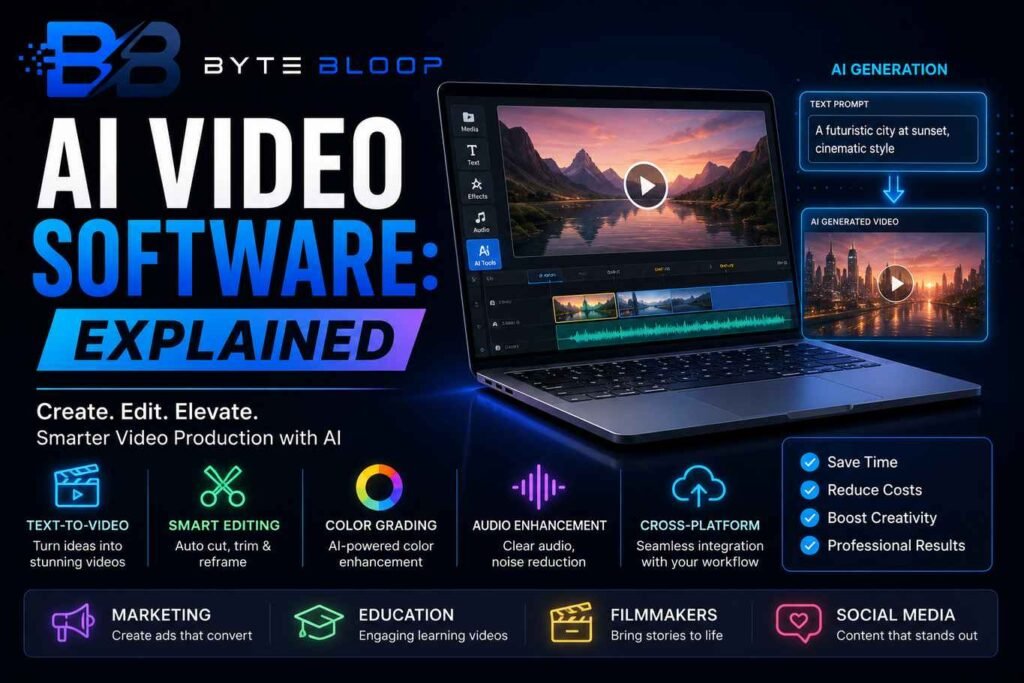
- Text‑to‑Video Generation: Converts natural language scripts into visual scenes, often with adjustable style and pacing.
- Automatic Scene Detection: Identifies key moments in raw footage for quick trimming and re‑ordering.
- Smart Color Grading: Uses neural networks to apply consistent color tones across scenes.
- Audio Enhancement: Removes background noise, balances levels, and can even generate voice‑overs.
- Cross‑Platform Integration: APIs or plugins that fit into existing pipelines (e.g., After Effects, Final Cut Pro).
Best Use Cases
1. Marketing Teams: Rapidly produce branded video ads with minimal editing. Tools like Google Veo allow marketers to generate product demos from a single paragraph.
2. Educational Content Creators: AI tutorial makers can auto‑record lectures, add subtitles, and generate engaging visual aids, saving educators hours of production time.
3. Independent Filmmakers: Low‑budget productions benefit from AI‑generated background footage and automated editing, reducing the need for large crews.
4. Social Media Influencers: Quick turnaround for reels and TikToks is possible with tools that auto‑reframe and add trending audio tracks.
Pros and Cons
Pros: Drastically cuts production time, lowers costs, democratizes high‑quality video creation, and offers creative experimentation.
Cons: Quality can vary with complex scenes, some tools require significant GPU resources, and there are concerns about authenticity and deep‑fake misuse.
Practical Examples
Runway’s Gen‑4.5 can take a 200‑word script and output a 60‑second video with realistic actors and environments in under five minutes. Adobe Premiere Pro’s Auto Reframe uses AI to maintain subject focus across multiple aspect ratios, making a single edit usable for Instagram, YouTube, and TV simultaneously. Descript’s Overdub allows voice actors to generate new dialogue without re‑recording, which is invaluable for last‑minute script changes.
Pricing Overview
Many AI video tools offer tiered plans. Runway offers a free starter tier with limited rendering credits, while its Pro plan starts at $30/month for unlimited usage. Adobe’s AI features are bundled into its Creative Cloud subscription at $52.99/month. Open‑source options like Stable Diffusion‑based video generators are free but require local GPU setups.
Alternatives to Consider
If you need a purely text‑to‑video solution, MiniMax IO provides a cloud API with competitive pricing for high‑volume production. For editors seeking deep integration, DaVinci Resolve’s Neural Engine offers AI‑driven color grading and facial recognition for scene cuts.
Key Takeaways
- AI video software merges generation and editing to slash production time.
- Top tools in 2026 include Runway Gen‑4.5, MiniMax IO, and Adobe Premiere Pro’s AI suite.
- Ideal for marketers, educators, indie filmmakers, and social media creators.
- Pros: speed, cost, accessibility. Cons: variable quality, GPU demands, authenticity concerns.
- Pricing ranges from free tiers to $52/month for full feature access.
Frequently Asked Questions
What is AI video software?
AI video software uses machine learning to create or edit video content, automating tasks like scene generation, trimming, color grading, and audio cleanup.
What are the key features of top AI video tools?
Key features include text‑to‑video generation, automatic scene detection, smart color grading, audio enhancement, and cross‑platform integration.
What are the best use cases for AI video software?
Marketing teams, educational content creators, independent filmmakers, and social media influencers benefit most from rapid production and automated editing.
What are the pros and cons of AI video software?
Pros: speed, cost savings, democratized creation. Cons: variable output quality, GPU requirements, and potential for deep‑fake misuse.
Conclusion
Based on the available information and industry analysis, AI video software provides a powerful blend of generation and editing capabilities that can dramatically reduce production timelines and lower costs for creators across industries. By selecting the right tool—whether a cloud‑based text‑to‑video generator or an AI‑augmented editor—professionals can produce high‑quality content with minimal manual effort, while staying mindful of quality control and ethical considerations. The continued evolution of these technologies promises even greater creative possibilities in the coming years.
Related Reading
- The Rise of AI in Video Marketing
- Choosing the Right AI Video Editor for Your Workflow



