Docker: Explained
Introduction
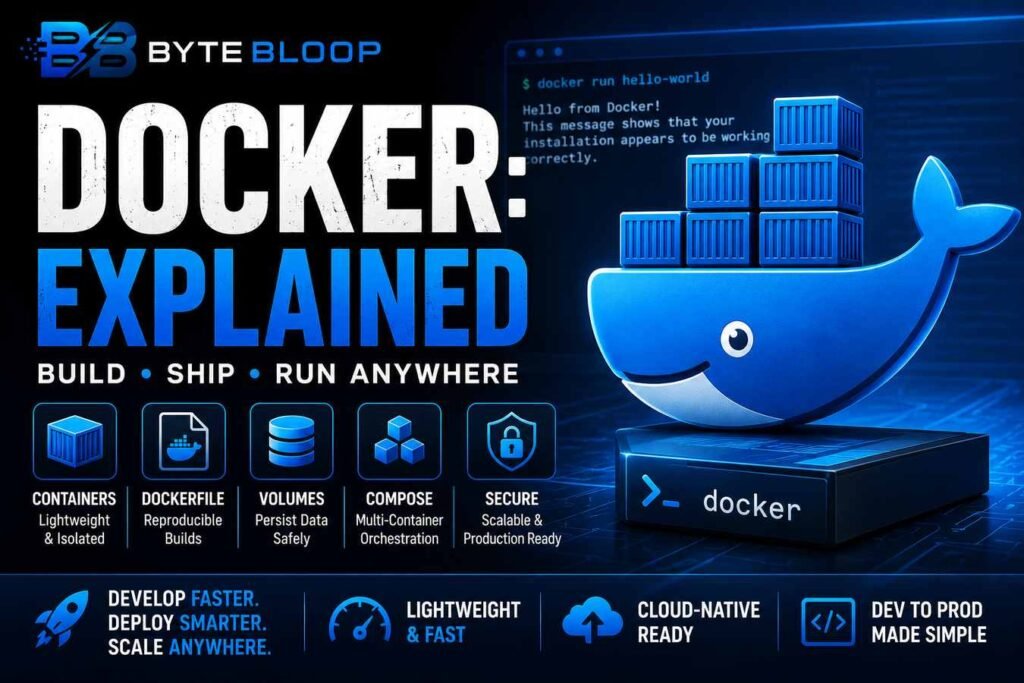
Docker has reshaped how developers build, ship, and run applications by abstracting complex environments into lightweight, portable containers. In the last decade, the platform has become the de‑facto standard for microservices, continuous integration pipelines, and cloud‑native deployments. By packaging code, its dependencies, and runtime settings into a single image, Docker eliminates the notorious “works on my machine” problem and streamlines collaboration across teams. Understanding Docker’s core concepts—images, containers, Dockerfiles, volumes, and compose—enables developers to accelerate delivery cycles, reduce infrastructure costs, and maintain consistent environments from development to production. This guide walks you through the essentials, from installation to advanced usage, so you can start containerizing your projects today.
Why Docker Matters
Containers share the host kernel but run in isolated user spaces, making them far lighter than virtual machines. This efficiency translates to faster startup times, lower resource consumption, and the ability to run dozens of containers on a single host. In production, Docker’s declarative configuration via Docker Compose or Kubernetes manifests allows teams to version and reproduce entire application stacks effortlessly. The result is a more predictable, scalable, and secure deployment pipeline.
Getting Started: Install and Run Your First Container
Docker Desktop is available for apple.com/macos” target=”_blank” rel=”noopener noreferrer”>macOS, Windows, and Linux. After installation, verify with docker --version. To pull an official image, run:
docker pull hello-world
Run the image:
docker run hello-world
The output confirms Docker is correctly installed and that the container can download and execute a lightweight image.
Images and Dockerfiles
Images are immutable snapshots of an application and its environment. A Dockerfile is a set of instructions that Docker uses to build an image. A minimal Dockerfile for a Node.js app looks like:
FROM node:18-alpine
WORKDIR /app
COPY package*.json ./
RUN npm ci
COPY . .
EXPOSE 3000
CMD ["npm", "start"]
Build the image:
docker build -t my-node-app .
Run it:
docker run -p 3000:3000 my-node-app
Now the app is accessible at http://localhost:3000.
Persisting Data with Volumes
Containers are stateless by design. To retain data between restarts, mount a volume:
docker run -d -p 5432:5432 -v db-data:/var/lib/postgresql/data postgres
The db-data volume survives container removal, ensuring your database persists.
Multi‑Container Orchestration with Docker Compose
Compose lets you define multi‑service applications in a single YAML file. A sample docker-compose.yml for a web app and database:
version: "3.8"
services:
  web:
    build: .
    ports:
      - "3000:3000"
    depends_on:
      - db
  db:
    image: postgres
    volumes:
      - db-data:/var/lib/postgresql/data
volumes:
  db-data:
Start the stack with docker compose up -d and stop with docker compose down.
Common Pitfalls and How to Avoid Them
- Image bloat: Keep layers small by combining commands and cleaning up in the same RUN step.
- Port conflicts: Use Compose or Docker Swarm to manage port allocations automatically.
- Security: Run containers as non‑root users and regularly scan images with
docker scan. - Networking: Leverage Docker networks to isolate services and expose only necessary endpoints.
Best Practices for Production
- Pin base images to specific tags (e.g.,
node:18.12.1-alpine) to avoid unintentional upgrades. - Use multi‑stage builds to reduce final image size.
- Implement health checks in Dockerfiles to let orchestrators detect failures early.
- Store secrets in Docker secrets or external vaults, not in plain text.
Key Takeaways
- Docker containers share the host kernel, offering lightweight, fast deployments.
- Images are immutable; Dockerfiles define reproducible builds.
- Volumes persist data beyond container lifecycles.
- Docker Compose simplifies multi‑service orchestration.
- Security and size optimization are critical for production readiness.
Frequently Asked Questions
What is Docker and why is it useful?
Docker is a platform that packages applications and their dependencies into portable containers, enabling consistent deployments across environments and reducing the “works on my machine” problem.
What are the key features of Docker?
Core features include image creation via Dockerfiles, container isolation, volume management for persistent storage, networking abstractions, and orchestration tools like Docker Compose and Docker Swarm.
What are the best use cases for Docker?
Docker excels in microservices, CI/CD pipelines, rapid prototyping, and cloud deployments where consistent, isolated environments are required.
What are the pros and cons of using Docker?
Pros: lightweight, fast, reproducible, ecosystem support. Cons: learning curve, potential security risks if misconfigured, and overhead when managing large container fleets.
Conclusion
Based on the available information and industry analysis, Docker provides a robust, lightweight containerization platform that streamlines application development, testing, and deployment across diverse environments. Its emphasis on reproducibility, scalability, and efficient resource use makes it indispensable for modern DevOps workflows and microservice architectures.
Related Reading
- Understanding Docker Compose in Depth