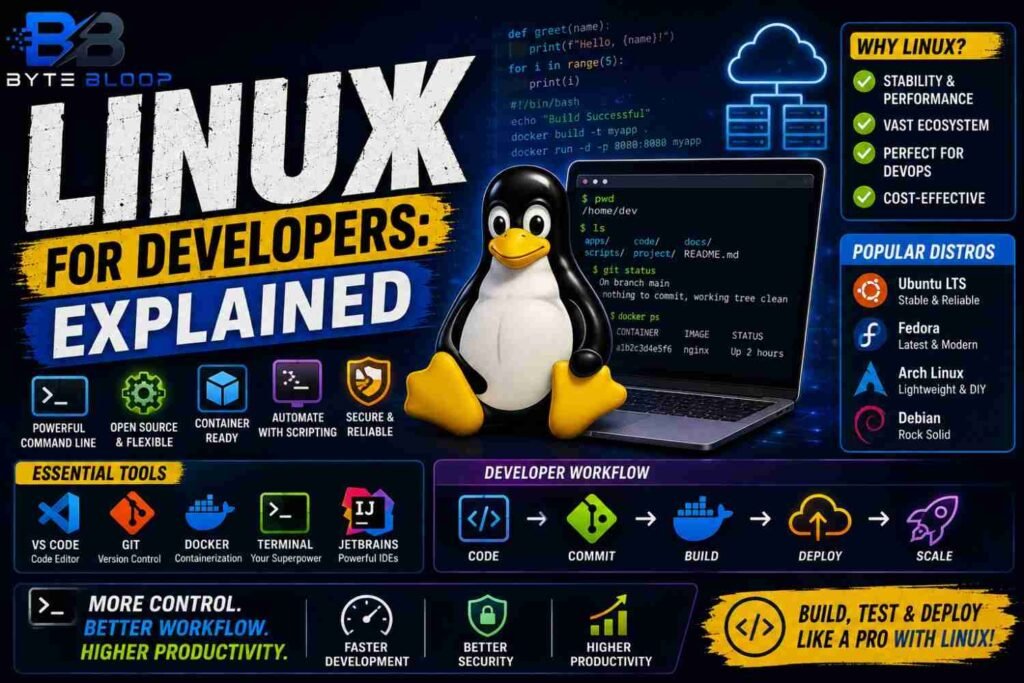
Linux for Developers: Explained
Introduction
Linux has become the backbone of modern software development, powering everything from cloud servers to embedded devices. Its open‑source nature, robust package management, and unparalleled control over the operating system make it an attractive choice for developers seeking flexibility and performance. The command line interface, a staple for developers, offers a powerful scripting environment that integrates seamlessly with version control, continuous integration, and containerization tools. Moreover, the vibrant ecosystem of distributions—each tailored for specific workloads—provides ready‑made environments that accelerate productivity. Whether you’re a seasoned engineer or a newcomer, understanding Linux’s core concepts, selecting the right distro, and leveraging its native tooling can dramatically streamline your workflow. In this guide, we’ll unpack the fundamentals of Linux for developers, walk through a practical setup, highlight common pitfalls, and share best practices that will help you harness the full potential of this powerful platform.
Why Linux Matters for Developers
Linux’s design emphasizes modularity, allowing developers to replace or upgrade components without affecting the whole system. This modularity translates into a stable, secure foundation for building and testing applications. According to How to Get Into Linux, mastering basic commands such as pwd, ls, cd, and cp is the first step toward efficient workflow automation. The ability to script these commands enables rapid prototyping and deployment, especially when combined with version control systems like Git.
Choosing the Right Distribution
Not all Linux distributions are created equal for development. Best Linux Distros for Developers in 2026 compares distros across Docker, DevOps, AI, Kubernetes, and enterprise workloads. Popular choices include Ubuntu LTS for stability, Fedora Workstation for cutting‑edge packages, and Arch Linux for a DIY experience. For teams, The Complete 2026 Guide for Businesses & Teams recommends distros that support robust containerization and CI/CD pipelines.
Key Distro Features
- Ubuntu LTS: Long‑term support, vast community, and extensive package repositories.
- Fedora Workstation: Latest GNOME desktop, integrated flatpak support.
- Arch Linux: Rolling releases,
pacmanfor lightweight package management. - Debian Stable: Proven reliability for production environments.
Setting Up Your Development Environment
Once you’ve chosen a distro, the next step is to configure your environment. A typical setup includes a terminal emulator, a code editor, and a version control system. Best Linux Apps for Developers in 2026 lists tools such as Visual Studio Code, JetBrains IDEs, and Vim/Emacs for coding; Git for source control; and Docker for containerization.
Sample Setup Script
# Update system
sudo apt update && sudo apt upgrade -y

# Install development tools
sudo apt install -y build-essential git curl wget

# Install VS Code
wget -qO- https://packages.microsoft.com/keys/microsoft.asc | gpg --dearmor | sudo tee /usr/share/keyrings/vscode-archive-keyring.gpg
echo "deb [arch=amd64 signed-by=/usr/share/keyrings/vscode-archive-keyring.gpg] https://packages.microsoft.com/repos/vscode stable main" | sudo tee /etc/apt/sources.list.d/vscode.list
sudo apt update && sudo apt install -y code

# Install Docker
sudo apt install -y docker.io
sudo usermod -aG docker $USER
After installing Docker, verify with docker run hello-world to ensure the engine is operational.
Common Mistakes and How to Avoid Them
- Ignoring User Permissions: Running services as root can expose security risks. Use
sudosparingly and create dedicated users for services. - Forgetting to Update Repositories: Stale packages can lead to compatibility issues. Schedule regular
apt updateorpacman -Syuruns. - Overcomplicating the Environment: A minimalist setup reduces maintenance overhead. Stick to essential tools unless a project explicitly requires more.
Best Practices for Linux Development
- Use
dotfilesto version control your shell configuration. - Leverage
systemdservices for long‑running background tasks. - Integrate
git hooksto enforce code quality before commits. - Automate builds with CI/CD pipelines that run inside Docker containers.
- Keep your system hardened: disable unused services, enforce strong SSH keys, and enable firewall rules.
Key Takeaways
- Linux offers unmatched control and flexibility for developers.
- Choosing the right distro tailors the environment to your workflow.
- Command‑line proficiency accelerates automation and debugging.
- Containerization with Docker and CI/CD pipelines are essential for modern devops.
- Security hardening protects development environments from vulnerabilities.
Frequently Asked Questions
What is Linux for developers explained?
Linux is an open‑source operating system that provides developers with a powerful command‑line interface, robust package management, and a modular architecture ideal for building, testing, and deploying applications.
What are the key features of Linux for developers?
Key features include a rich set of development tools, extensive package repositories, native support for containers, strong community support, and the ability to script and automate tasks via the shell.
What are the best use cases for Linux in development?
Linux excels in cloud infrastructure, microservices, AI/ML workloads, embedded systems, and any scenario that benefits from lightweight, secure, and customizable environments.
What are the pros and cons of using Linux for development?
Pros: cost‑free, open source, highly customizable, strong security, and excellent tooling. Cons: steeper learning curve for beginners, occasional driver or hardware support gaps, and less native support for some proprietary software.
Conclusion
Based on the available information and industry analysis, Linux for developers provides a flexible, secure, and highly customizable environment that empowers developers to build, test, and deploy applications efficiently. Its open‑source ecosystem, robust tooling, and strong community support make it the preferred platform for modern software development, from cloud-native microservices to embedded systems. By choosing the right distribution, mastering essential command‑line skills, and following best practices, developers can fully leverage Linux’s capabilities to accelerate innovation and maintain high security standards.
Related Reading
- Docker on Linux: A Beginner’s Guide
- Securing Your Linux Development Environment
Sources & References