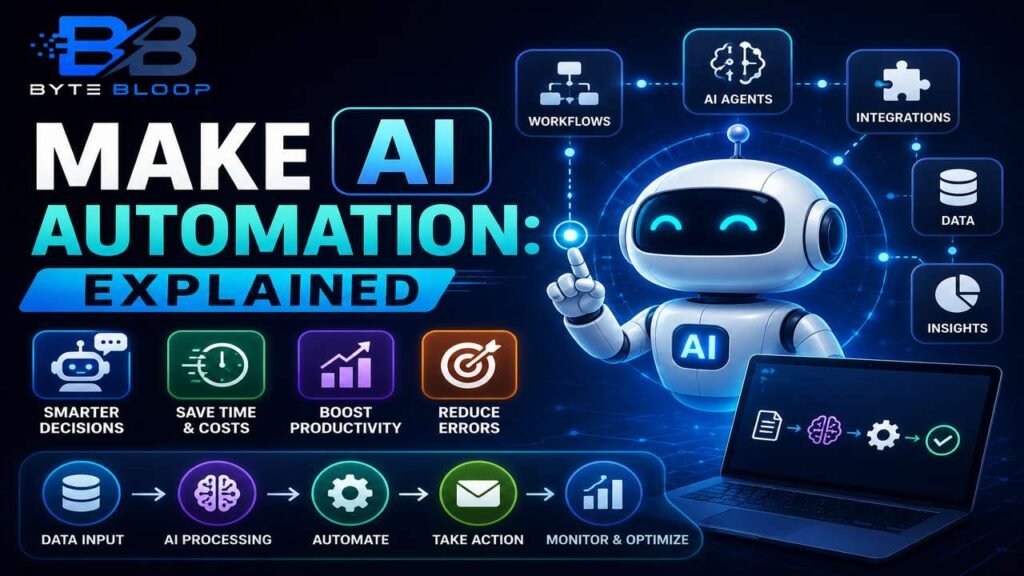
Make AI Automation: Explained
Introduction
Artificial intelligence automation is reshaping the way businesses operate by replacing human judgment with machine-driven decision making. In 2026, the term encompasses not only simple rule‑based bots but sophisticated AI agents that can learn, adapt, and orchestrate complex workflows across multiple systems. The shift is driven by rapid advances in natural language processing, multimodal AI, and low‑code/no‑code platforms that lower the barrier to entry for non‑technical users. Companies that adopt AI automation report faster cycle times, lower error rates, and the ability to focus human talent on higher‑value tasks. Yet, the promise is tempered by challenges such as data quality, governance, and the need for clear accountability. Understanding the core components, use cases, and best practices is essential for any organization looking to stay competitive. This guide breaks down the fundamentals of AI automation, showcases real‑world applications, and offers actionable tips to help you get started. Whether you’re a developer, product manager, or business leader, you’ll find a roadmap to transform routine processes into intelligent, autonomous systems.
What Is AI Automation?
At its core, AI automation uses machine learning models to perform tasks that traditionally required human judgment. According to Make’s 2026 guide, the process typically involves three stages: data ingestion, model inference, and action execution. The first stage pulls data from APIs, databases, or user input. The second stage applies a trained model—often a language model or vision system—to interpret the data. Finally, the system triggers an action, such as sending an email, updating a CRM record, or initiating a downstream workflow.
Key Components of an AI Automation Stack
- Data Layer: APIs, webhooks, and connectors that feed raw data into the system.
- Inference Engine: The AI model, which could be a pre‑built LLM, a custom vision model, or a hybrid of both.
- Orchestration Layer: Workflow engines (e.g., Make, Zapier, Vellum) that sequence tasks and handle error recovery.
- Governance & Monitoring: Dashboards, audit logs, and policy engines that enforce compliance and track performance.
Popular Platforms and Their Offerings
In 2026, several no‑code platforms have emerged that bundle AI capabilities with workflow automation. Make (formerly Integromat) offers a visual editor and a library of pre‑built connectors, making it easy to chain AI actions with other services. Genspark provides unlimited AI chat and image generation for paid users, and its API can be integrated into any workflow. Vellum focuses on enterprise‑grade orchestration, allowing teams to build AI agents that operate across SaaS suites while maintaining audit trails. IBM’s AI Agent Suite offers a developer‑centric approach, enabling custom agent creation with robust governance tools.
Use Cases That Drive ROI
1. Customer Support: AI agents can triage tickets, draft responses, and even resolve issues before escalation.
2. Sales & Lead Qualification: NLP models score leads based on intent signals and automatically route high‑value prospects to reps.
3. Finance & Compliance: Automated invoice processing, fraud detection, and regulatory reporting reduce manual checks and improve accuracy.
4. Marketing Automation: Personalised email sequences, content generation, and audience segmentation powered by AI increase engagement.
How to Build an AI Automation
Step 1: Identify a repetitive, high‑volume task that requires decision logic. Step 2: Map out the data inputs and desired outputs. Step 3: Choose a platform—if you prefer no‑code, start with Make or Vellum; if you need custom models, consider IBM’s SDK or open‑source frameworks. Step 4: Train or fine‑tune a model using relevant datasets. Step 5: Create a workflow that calls the model’s API, handles responses, and triggers downstream actions. Step 6: Deploy, monitor, and iterate based on performance metrics.
Pros and Cons
- Pros: Scalability, reduced human error, faster turnaround, and the ability to free up staff for strategic work.
- Cons: Requires clean data, can be costly to maintain, and raises governance concerns around bias and accountability.
Practical Example: Automating Invoice Processing
Imagine a mid‑size retailer that receives 500 invoices per month. Using an AI automation workflow, the retailer can:
- Upload PDFs to a cloud bucket.
- Run an OCR model to extract line items.
- Use a language model to parse vendor names and dates.
- Cross‑check amounts against purchase orders via an API.
- Automatically flag discrepancies and send a notification to the finance team.
Result: Processing time drops from 3 days to 2 hours, and errors reduce by 70%.
Getting Started with No‑Code AI Automation
1. Sign up for a platform like Make and explore the AI connector library.
2. Use pre‑built templates for common tasks such as email triage or data enrichment.
3. Experiment with AI modules—try a GPT‑style chatbot for customer queries or a vision model for image tagging.
4. Test the workflow in a sandbox environment before moving to production.
5. Set up monitoring alerts to catch failures or drift in model performance.
Key Takeaways
- AI automation replaces human judgment with machine‑driven decisions
- No‑code platforms lower the barrier for non‑technical users
- Successful rollouts hinge on data quality and governance
- Common high‑ROI use cases span customer support, finance, and marketing
- Iterative testing and monitoring are essential for sustainable automation
Frequently Asked Questions
What is AI automation?
AI automation uses machine learning models to perform tasks that traditionally required human judgment, chaining data ingestion, inference, and action execution into end‑to‑end workflows.
What are the key features of popular AI automation platforms?
Platforms like Make, Genspark, Vellum, and IBM’s AI Agent Suite provide visual editors, pre‑built connectors, AI model integration, and governance dashboards to streamline workflow creation.
What are the best use cases for AI automation?
Top use cases include customer support triage, sales lead qualification, finance invoice processing, compliance reporting, and marketing personalization.
What are the pros and cons of AI automation?
Pros include scalability, reduced errors, and freed human resources; cons involve data quality requirements, potential bias, governance challenges, and maintenance costs.
Conclusion
Based on the available information and industry analysis, AI automation in 2026 offers a powerful blend of machine learning and workflow orchestration that can dramatically improve efficiency across a range of business functions. By leveraging no‑code platforms and robust governance, organizations can deploy intelligent agents that not only execute routine tasks but also learn and adapt over time, delivering sustained competitive advantage.
Related Reading
- Building Your First AI Agent with Make