Password Manager Apps: Explained
Introduction
In an era where every online interaction demands a password, the sheer volume of credentials we juggle can feel overwhelming. Password manager apps have risen to meet this challenge by offering a single, encrypted vault to store, generate, and autofill passwords across devices. These apps not only reduce the cognitive load of remembering complex passwords but also guard against common threats like phishing and credential stuffing. Modern managers go beyond simple storage; they now support biometric unlock, two‑factor authentication, and even passwordless login via hardware tokens or secure cloud sync. For individuals, this means fewer forgotten passwords and stronger security practices. For businesses, it translates to streamlined onboarding, centralized policy enforcement, and reduced support tickets. Understanding how these tools work, their key features, and the best options available in 2026 can help you choose the right fit for your personal or organizational needs.
How Password Managers Work
A password manager encrypts your data locally on your device using a master password or biometric factor. When you save a login, the app stores the site, username, and password in an encrypted database. Retrieval is triggered by autofill or manual lookup, and the password is injected into the target field without exposing the plaintext to the device’s operating system. The encryption keys never leave your device, ensuring that even if the cloud sync server is compromised, your credentials remain protected.
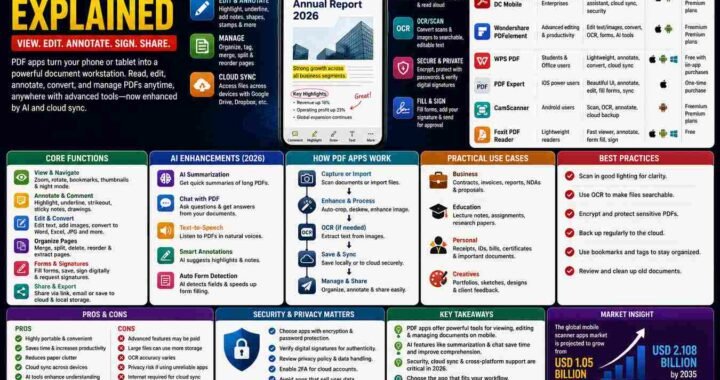
Core Features to Look For
- Secure Generation: Random, high‑entropy passwords that meet site requirements.
- Autofill & Browser Integration: Seamless login across web, mobile, and native apps.
- Biometric & MFA Support: Quick unlock with fingerprint or Face ID, plus optional two‑factor methods.
- Cross‑Platform Sync: Real‑time updates across iOS, Android, macOS, Windows, and Linux.
- Password Auditing: Alerts for reused, weak, or compromised credentials.
- Zero‑Knowledge Architecture: The provider cannot read your data.
Top Password Managers in 2026
Industry reviews from Wired, New York Times, and Zapier consistently highlight 1Password, RoboForm, and Keeper as leaders. 1Password offers a polished UI, robust MFA, and a dedicated “vault” system that separates personal and work data. RoboForm stands out with its low‑cost, passwordless login feature that uses a single click to sign in to sites that support the protocol. Keeper balances affordability with strong encryption and a built‑in password generator. Proton Pass, praised for its clean interface on both Android and iOS, adds an open‑source edge that appeals to privacy advocates. LastPass remains popular for its free tier, though recent changes to its data‑storage policy have raised concerns among security professionals.
Choosing the Right App for You
When selecting a manager, consider the ecosystem you inhabit. If you already use Apple’s ecosystem, the seamless iCloud sync and Face ID integration of 1Password can be a decisive advantage. Android users may prefer the open‑source transparency of Proton Pass or the low‑price point of RoboForm. Business environments benefit from enterprise‑grade features like role‑based access, audit logs, and single sign‑on (SSO) integration; 1Password and Keeper both offer comprehensive admin dashboards.
Implementing Best Practices
Once you have a manager installed, start by generating a unique master password that is longer than 12 characters and includes a mix of letters, numbers, and symbols. Enable biometric unlock if available to reduce friction. Use the password audit tool to identify and replace weak or duplicated passwords. For added security, enable two‑factor authentication for the manager itself. Finally, keep the app updated; vendors frequently patch vulnerabilities and add new features.
Key Takeaways
- Password managers encrypt data locally, keeping your credentials safe even if the cloud sync is breached.
- Modern managers support biometric unlock, MFA, and passwordless login, enhancing both security and convenience.
- Cross‑platform sync ensures you can access your vault from any device without manual transfer.
- Enterprise features like role‑based access and audit logs make managers suitable for business use.
- Choosing a manager should align with your ecosystem, budget, and security requirements.
- Regular audits and strong master passwords are essential for maintaining a secure vault.
Frequently Asked Questions
What is a password manager app?
It is a secure digital vault that stores, generates, and autofills passwords across devices, protecting credentials with strong encryption.
What are the key features of a modern password manager?
Secure password generation, autofill, biometric unlock, two‑factor authentication, cross‑platform sync, password auditing, and zero‑knowledge architecture.
What are the best use cases for password managers?
Personal use for managing millions of credentials, business use for centralized policy enforcement, and developers for secure API key storage.
What are the pros and cons of using a password manager?
Pros include improved security, convenience, and auditability. Cons can be a single point of failure if the master password is compromised, and some free versions may have limited features.
Conclusion
Based on the available information and industry analysis, password manager apps in 2026 provide a robust, user‑friendly solution for securing digital identities. By encrypting credentials locally, supporting biometric and MFA access, and offering cross‑platform sync, these tools reduce the risk of credential theft while simplifying everyday login tasks. Businesses can leverage enterprise features to enforce security policies and monitor access, further mitigating insider threats. As cyber threats evolve, adopting a reputable password manager remains a cornerstone of a comprehensive security strategy.
Related Reading
- Top 5 Ways to Strengthen Your Password Security