SQLite: Explained
Introduction
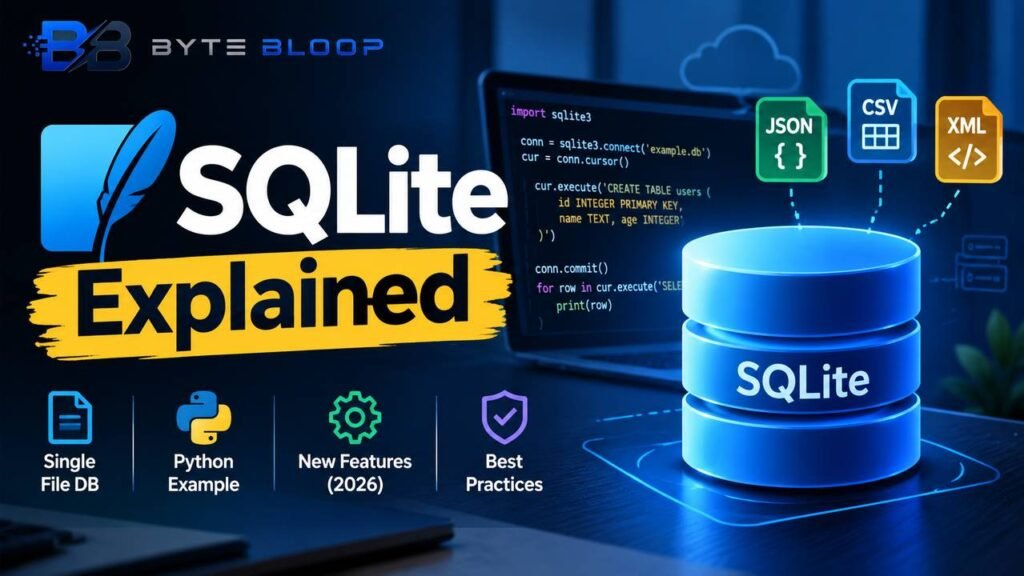
SQLite is a lightweight, server‑less database engine written in C that stores data in a single disk file. Unlike client‑server systems such as MySQL or PostgreSQL, SQLite runs in the same process as the application, eliminating network overhead and simplifying deployment. It is embedded in countless mobile apps, browsers, and desktop tools, making it a ubiquitous choice for local data storage. The engine is open‑source and free, with a permissive license that encourages broad adoption. Its API is simple, and it supports a substantial subset of SQL, including transactions, subqueries, and user‑defined functions. Because it is file‑based, SQLite is ideal for small to medium workloads, prototyping, and scenarios where portability is essential. This guide will walk you through its core concepts, practical usage with Python, recent feature updates, and best practices for production deployments.
Understanding SQLite begins with its architecture. The database is a single file, typically with a .sqlite or .db extension, that contains tables, indexes, and the SQLite engine’s own metadata. The engine parses SQL statements, compiles them into bytecode, and executes them directly against the file. All operations are ACID‑compliant, thanks to a rollback journal that guarantees atomicity and durability. Because there is no separate server process, concurrency is limited to one writer at a time, but multiple readers can access the database simultaneously. This design choice keeps SQLite fast and reliable for many use cases.
Getting Started with SQLite in Python
Python ships with the sqlite3 module, a DB‑API 2.0 interface that exposes SQLite’s functionality. The following example demonstrates a typical workflow: creating a connection, defining a table, inserting data, and querying results.
import sqlite3

# Connect to a database file (creates it if it doesn't exist)
conn = sqlite3.connect('example.db')
cur = conn.cursor()

# Create a simple table
cur.execute('''CREATE TABLE IF NOT EXISTS users (
    id INTEGER PRIMARY KEY,
    name TEXT NOT NULL,
    age INTEGER
)''')

# Insert a row of data
cur.execute('INSERT INTO users (name, age) VALUES (?, ?)', ('Alice', 30))
conn.commit()

# Query the table
for row in cur.execute('SELECT * FROM users'):
    print(row)

conn.close()
According to the Python documentation, the sqlite3 module provides automatic transaction management and supports context managers for cleaner code. For more extensive tutorials, the official SQLite tutorial offers hands‑on exercises that cover advanced features such as triggers and virtual tables.
Modern Enhancements (2026)
SQLite 3.53.1, released in 2026, introduces several notable features. A new Query Result Formatter allows developers to output results in JSON, CSV, or XML without additional libraries. The ALTER TABLE command has been expanded to support renaming columns and adding constraints, simplifying schema migrations. Additionally, built‑in JSON functions enable native manipulation of JSON data stored in text columns, a boon for applications that intermix relational and document‑style data. These updates bring SQLite closer to the capabilities of larger systems while preserving its lightweight nature.
Common Use Cases
- Mobile and Desktop Apps: Local storage for user data, settings, and offline caching.
- Embedded Systems: Configuration files and small databases in IoT devices.
- Testing and Prototyping: Quick setup for unit tests or proof‑of‑concepts.
- Data Analysis: Lightweight ETL pipelines and data exploration.
Typical Pitfalls and How to Avoid Them
- Concurrent Writes: SQLite allows only one writer at a time. Use transactions wisely and consider a write queue if your app is write‑heavy.
- File Corruption: A sudden power loss can corrupt the database. Enabling
PRAGMA journal_mode=WALandPRAGMA synchronous=NORMALcan mitigate this risk. - Missing Indexes: Large tables without indexes can become slow. Profile queries with
EXPLAIN QUERY PLANto identify bottlenecks. - Binary Data: Storing large blobs can bloat the file. Use external storage when appropriate.
Best Practices for Production
- Use
PRAGMA foreign_keys=ONto enforce referential integrity. - Regularly vacuum the database to reclaim space after deletions.
- Keep the database file on a reliable storage medium; avoid network drives if possible.
- Back up the file frequently; a simple copy is often sufficient.
Key Takeaways
- SQLite stores data in a single file, making it highly portable.
- It offers ACID compliance with a lightweight, server‑less architecture.
- Python’s built‑in <code>sqlite3</code> module simplifies integration.
- Recent updates add JSON functions and enhanced ALTER TABLE support.
- Use WAL mode and regular vacuuming to maintain performance and reliability.
Frequently Asked Questions
What is SQLite?
SQLite is a lightweight, server‑less relational database engine written in C that stores data in a single disk file.
What are the key features of SQLite?
SQLite supports ACID transactions, a subset of SQL, user‑defined functions, and recent JSON capabilities, all without a separate server process.
What are the best use cases for SQLite?
Commonly used for mobile and desktop apps, embedded systems, testing, and lightweight data analysis.
What are the pros and cons of SQLite?
Pros include zero‑configuration, portability, and low overhead; cons involve limited concurrent writes and lack of advanced clustering features.
Conclusion
Based on the available information and industry analysis, SQLite remains a versatile choice for developers seeking a lightweight, file‑based database that delivers ACID compliance and robust SQL support while requiring minimal setup.
Related Reading
- Mastering Python’s <code>sqlite3</code> Module
Sources & References