AI for Small Business: Explained
Introduction
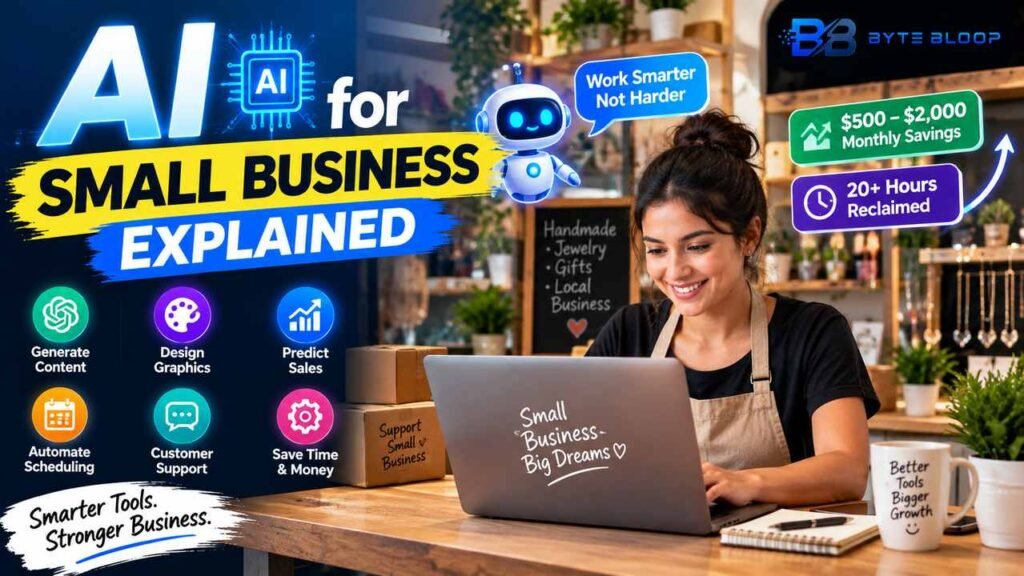
Artificial intelligence is no longer a niche for tech giants; it has become a practical ally for small businesses worldwide. In 2026, 68% of U.S. small firms reported using AI regularly, reporting monthly savings of $500 to $2,000 and over 20 hours reclaimed in labor, according to a recent guide. AI’s power lies in automating repetitive tasks—data entry, scheduling, customer support—while also enhancing decision‑making through predictive analytics. For owners who lack deep technical expertise, the barrier to entry has dropped dramatically, with user‑friendly platforms like ChatGPT, Canva, and Fathom offering plug‑and‑play solutions. This article explains what AI means for small business, highlights the most effective tools, and offers actionable steps to get started without a data science degree.
What Is AI for Small Business?
At its core, AI for small business refers to software that learns from data to perform tasks that normally require human intelligence—such as recognizing patterns, generating text, or making recommendations. Unlike traditional automation that follows fixed rules, AI adapts to new information, improving over time. For entrepreneurs, this translates into smarter inventory management, personalized marketing, and efficient customer interactions.
Key Features of AI Tools That Matter to Small Firms
- Natural Language Generation – ChatGPT and Claude can draft emails, social media posts, and product descriptions in minutes.
- Predictive Analytics – Tools like Fathom analyze sales data to forecast demand and optimize pricing.
- Visual Design Assistance – Canva’s AI-driven design suggestions help create professional graphics without a designer.
- Automated Scheduling – AI schedulers reduce back‑and‑forth emails and free up admin time.
- Customer‑Service Bots – 24/7 chatbots handle common inquiries, improving response rates and satisfaction.
Best Use Cases for Small Businesses
1. Marketing Automation: Generate personalized email campaigns and social media content at scale.
2. Inventory Optimization: Predict stock levels to avoid overstocking or stockouts.
3. Financial Forecasting: Use AI to model cash flow and identify cost‑saving opportunities.
4. Human Resources: Automate resume screening and schedule interviews.
5. Customer Support: Deploy chatbots that triage tickets and provide instant answers.
Practical Example: A Boutique Retailer
Maria owns a boutique that sells handmade jewelry. By integrating ChatGPT into her e‑commerce platform, she can automatically generate product descriptions that highlight unique features, freeing her to focus on sourcing new designs. She also uses Fathom to analyze sales trends, adjusting her inventory mix to match seasonal demand. After implementing an AI chatbot on her website, Maria reports a 30% reduction in customer support tickets and a noticeable uptick in conversion rates.
Getting Started Without a Technical Background
Step 1: Identify a repetitive task that consumes time—data entry, content creation, or scheduling.
Step 2: Choose a tool that offers a free tier or trial. For content, start with ChatGPT; for design, try Canva’s AI features.
Step 3: Set up the tool using guided tutorials. Most platforms provide step‑by‑step wizards that require no coding.
Step 4: Monitor results. Track time saved, cost reductions, or revenue increases to validate ROI.
Step 5: Scale gradually. Once a single tool proves valuable, add complementary AI solutions to cover other business functions.
Pros and Cons
Pros – Rapid implementation, cost‑effective, improves accuracy, frees staff for higher‑value tasks.
Cons – Initial learning curve, data privacy concerns, potential over‑reliance on automation.
Key Takeaways
- AI saves small businesses $500–$2,000/month and 20+ hours of labor.
- User‑friendly tools like ChatGPT and Canva enable non‑technical owners to automate content and design.
- Predictive analytics help optimize inventory and pricing for higher margins.
- Chatbots improve customer service while reducing support costs.
- Start small, measure ROI, and scale AI solutions gradually.
Frequently Asked Questions
What is AI for small business explained?
AI for small business refers to software that uses machine learning to automate tasks, analyze data, and enhance decision‑making, making operations more efficient for owners who may not have technical expertise.
What are the key features of AI tools for small business?
Key features include natural language generation, predictive analytics, visual design assistance, automated scheduling, and customer‑service bots that adapt to new data.
What are the best use cases for AI in small businesses?
Top use cases are marketing automation, inventory optimization, financial forecasting, HR automation, and customer support chatbots.
What are the pros and cons of using AI in small business?
Pros: rapid ROI, cost savings, improved accuracy, and freed up staff time. Cons: learning curve, data privacy risks, and potential over‑automation.
Conclusion
Based on the available information and industry analysis, AI for small business explained shows that even modest investments in AI tools can yield significant savings, time savings, and competitive advantage for small firms. By starting with simple, user‑friendly solutions, owners can quickly see measurable ROI and gradually expand AI adoption across their operations.
Related Reading
- Top 10 AI Tools for Freelancers
Sources & References
- 18 Best AI Tools for Small Business Growth in 2026
- AI in Business: How Businesses Are Using AI in 2026
- Small Business AI Guide 2026 | Tools, Tips & Real ROI
- Best AI Tools for Small Business Owners in 2026
- Best AI Tools Every Business Should Use in 2026
- Small Business AI Guide 2026 | GemDevStudio
- AI Tools for Small Business: Complete Guide 2026
- AI for Small Business: Complete 2026 Guide