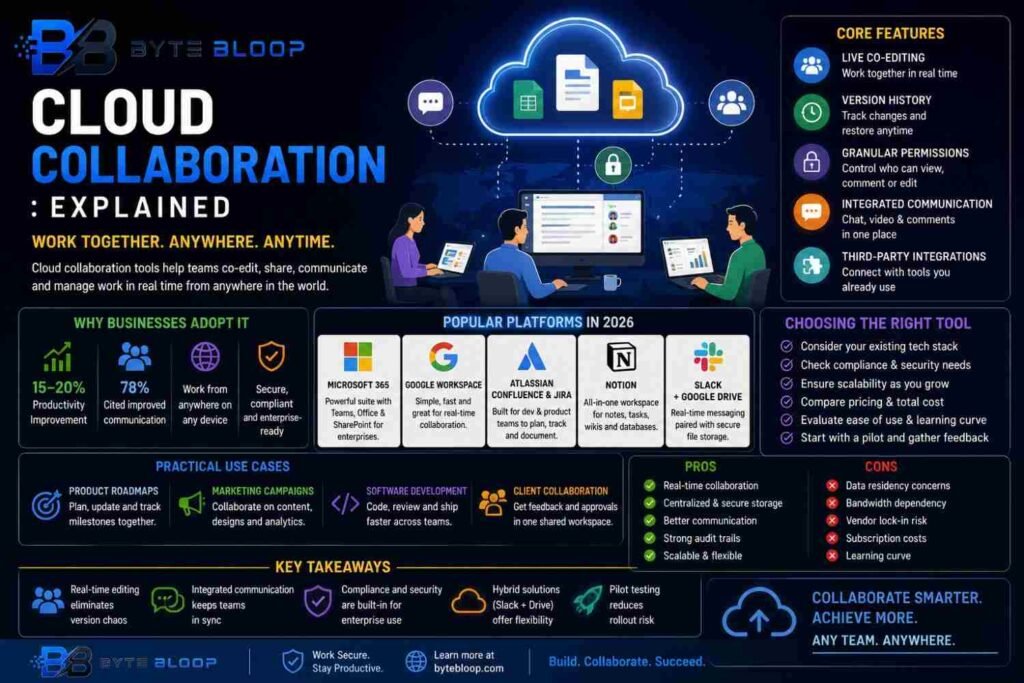
Cloud Collaboration: Explained
Introduction
In today’s hybrid workplaces, the ability to work together from anywhere has become a competitive advantage. Cloud collaboration—software that lets teams co‑edit documents, share files, and communicate in real time—has moved from a niche convenience to a core business capability. By hosting content on secure servers, these tools eliminate the need for physical media, version chaos, and on‑premises infrastructure. They also support a wide range of devices, from laptops to smartphones, making it possible for remote, mobile, or distributed teams to stay in sync. The result is faster decision‑making, higher quality outputs, and a smoother onboarding experience for new hires. In this guide we break down the essentials of cloud collaboration, highlight the most popular platforms in 2026, and offer practical tips for choosing the right solution for your organization.
What Is Cloud Collaboration?
Cloud collaboration refers to any software that enables multiple users to work on the same digital asset simultaneously while the data resides on a remote server. The term encompasses document editors, project management suites, communication apps, and even coding environments. Key characteristics include real‑time updates, version control, access permissions, and cross‑platform compatibility. According to a 2026 market report, the cloud collaboration sector now supports over 300 million active users worldwide, underscoring its ubiquity.
Core Features of Modern Collaboration Platforms
- Live Co‑Editing – Multiple users can edit a document at once, with changes visible instantly.
- Version History – Every edit is logged, allowing rollbacks to previous states.
- Granular Permissions – Owners can set read, comment, or edit rights for individuals or groups.
- Integrated Communication – Chat, video, and comment threads are embedded within the workspace.
- Third‑Party Integrations – Seamless connections to tools like Slack, Trello, or GitHub.
Why Businesses Adopt Cloud Collaboration
Companies report a 15‑20% productivity lift after switching to cloud‑based collaboration, thanks to reduced file‑management friction and faster iteration cycles. Remote workforces benefit from consistent access to the latest assets, while security teams can enforce encryption and multi‑factor authentication centrally. For creative teams, real‑time design reviews and feedback loops shorten project timelines. In a survey of 1,200 firms, 78% cited “improved communication” as the primary driver for adoption.
Popular Platforms in 2026
Several suites dominate the market, each catering to slightly different needs.
1. Microsoft 365
Combines Word, Excel, Teams, and SharePoint into a single ecosystem. Its strength lies in deep integration with Windows and Office apps, making it ideal for enterprises already invested in Microsoft infrastructure.
2. Google Workspace
Offers Docs, Sheets, Slides, and Meet. Known for its lightweight interface and robust real‑time editing, it’s a favorite among startups and education sectors.
3. Atlassian Confluence & Jira
Tailored for software and product teams, Confluence provides wiki‑style documentation while Jira tracks issues and sprints. Together they form a comprehensive project management stack.
4. Notion
Blends note‑taking, databases, and task boards. Its flexible template system makes it suitable for cross‑functional teams that need a single source of truth.
5. Slack + Google Drive
Many organizations pair Slack’s real‑time messaging with Google Drive’s file storage, creating a hybrid solution that balances communication speed with robust document control.
Choosing the Right Tool for Your Team
When evaluating options, consider:
- Existing tech stack and integration needs.
- Compliance requirements (GDPR, HIPAA).
- Scalability: can the platform grow with your team?
- Cost structure: subscription tiers versus per‑user pricing.
- User experience: intuitive interfaces reduce training time.
Start with a pilot program—invite a small group to test the platform’s core features. Gather feedback on usability, performance, and security before a full rollout.
Practical Use Cases
1. Product Roadmaps – Teams can co‑create Gantt charts and update milestones in real time.
2. Marketing Campaigns – Designers, copywriters, and analysts review assets together, reducing approval cycles.
3. Software Development – Code repositories with live diff views enable pair programming across time zones.
4. Client Collaboration – Clients can comment on deliverables directly within the platform, streamlining feedback loops.
Pros and Cons
Pros include instant collaboration, centralized storage, and improved audit trails. Cons can involve data residency concerns, potential bandwidth bottlenecks, and reliance on third‑party vendors for uptime.
Ultimately, the right choice balances functionality, security, and cost while aligning with your team’s workflow.
Key Takeaways
- Real‑time editing eliminates version chaos
- Integrated communication keeps teams in sync
- Compliance and security are built‑in for enterprise use
- Hybrid solutions (Slack + Drive) offer flexibility
- Pilot testing reduces rollout risk
Frequently Asked Questions
What is cloud collaboration?
It’s any software that lets multiple users edit and manage documents or projects online in real time, with the data stored on remote servers.
What are the key features of cloud collaboration tools?
Live co‑editing, version history, granular permissions, integrated chat/video, and third‑party integrations.
What are the best use cases for cloud collaboration?
Product roadmaps, marketing campaigns, software development, and client‑facing projects that need real‑time feedback.
What are the pros and cons of cloud collaboration?
Pros: instant updates, central storage, strong audit trails. Cons: potential data residency issues, bandwidth demands, and vendor lock‑in.
Conclusion
Based on the available information and industry analysis, cloud collaboration provides a scalable, secure, and efficient way for teams to work together regardless of location, driving measurable productivity gains and faster time‑to‑market for businesses of all sizes.
Related Reading
- Choosing the Right Cloud Storage Solution