Azure Development: Explained
Introduction
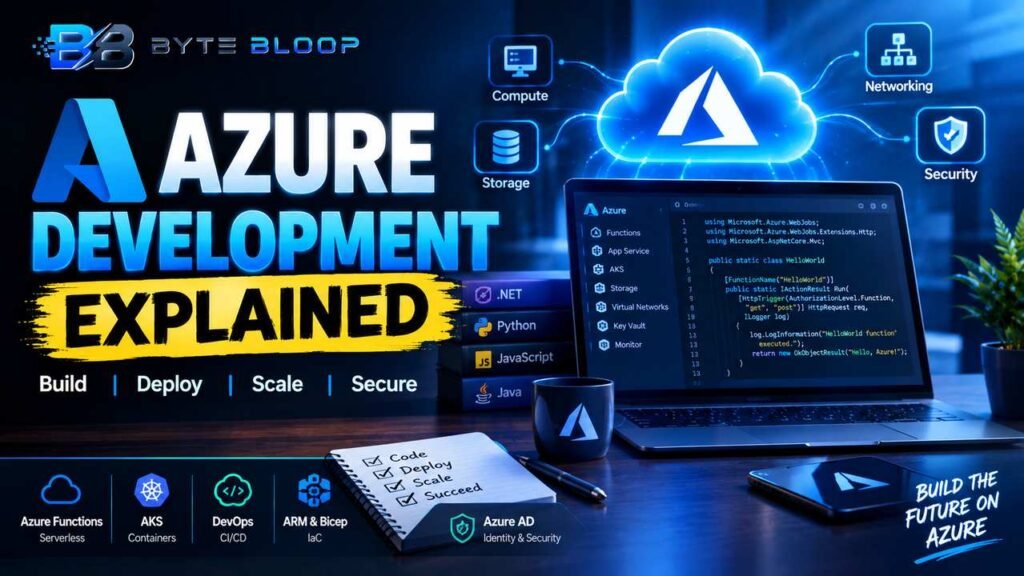
Azure has become the backbone of modern cloud applications, offering a rich ecosystem that supports the most popular programming languages, from .NET and Java to Python and JavaScript. Developers can now focus on writing code while Azure handles scaling, security, and infrastructure management. Understanding Azure’s core services—compute, storage, networking, and AI—enables teams to build resilient, event‑driven applications that run anywhere. The platform’s integration with Visual Studio, GitHub, and CI/CD pipelines streamlines deployment, making it a go‑to choice for enterprises and startups alike. With continuous updates, Azure keeps pace with emerging trends such as serverless functions, container orchestration, and advanced analytics. This guide unpacks the fundamentals of Azure development, walks through practical examples, highlights common pitfalls, and shares best practices to help you hit the ground running.
Core Azure Services for Developers
At the heart of Azure development are four pillars: compute, storage, networking, and identity. Compute services like Azure Virtual Machines, App Service, and Azure Functions let you run code in various environments—traditional VMs, managed web apps, or event‑driven functions. Storage options—Blob, Table, Queue, and Cosmos DB—provide scalable, durable persistence for data of all shapes. Networking services, such as Virtual Networks, Load Balancers, and API Management, ensure secure, high‑performance connectivity. Finally, Azure Active Directory offers unified identity and access management across services.
Serverless with Azure Functions
Azure Functions, highlighted at Build 2026, has matured into a robust event‑driven model that supports HTTP triggers, timers, and integration with Microsoft 365 and Teams. A simple “Hello World” function in C# looks like this:
using System;
using Microsoft.Azure.WebJobs;
using Microsoft.Azure.WebJobs.Extensions.Http;
using Microsoft.AspNetCore.Mvc;
using Microsoft.AspNetCore.Http;

public static class HelloWorld
{
    [FunctionName("HelloWorld")]
    public static IActionResult Run(
        [HttpTrigger(AuthorizationLevel.Function, "get", "post", Route = null)] HttpRequest req,
        ILogger log)
    {
        log.LogInformation("HelloWorld function executed.");
        return new OkObjectResult("Hello, Azure!");
    }
}
Deploying this function via Azure Portal or the Azure CLI is a single command, and the platform automatically scales based on incoming traffic.
Container Orchestration with AKS
For microservice architectures, Azure Kubernetes Service (AKS) abstracts the complexity of cluster management. Developers package applications into Docker containers, push them to Azure Container Registry, and deploy them to AKS with Helm charts. This workflow aligns with GitOps practices, enabling continuous delivery pipelines that update services with zero downtime.
Development Workflow and Tooling
Azure’s tooling ecosystem is designed for productivity. Visual Studio Code offers extensions for Azure Resource Manager templates, Azure Functions, and Azure DevOps. The Azure CLI and Azure PowerShell provide command‑line control for provisioning resources, while the Azure SDKs for .NET, Java, and Python let developers interact with services directly from code. Continuous integration and delivery are supported by Azure Pipelines, which can build, test, and deploy across multiple clouds.
Infrastructure as Code with ARM and Bicep
Declarative templates allow developers to version infrastructure alongside application code. ARM templates use JSON, whereas Bicep offers a cleaner syntax. A Bicep snippet to create a storage account:
resource storage 'Microsoft.Storage/storageAccounts@2023-05-01' = {
  name: 'mystorageacct'
  location: resourceGroup().location
  sku: { name: 'Standard_LRS' }
  kind: 'StorageV2'
}
Deploying the template with az deployment group create ensures repeatable, auditable infrastructure.
Common Pitfalls and How to Avoid Them
- Over‑provisioning resources – Use Azure Advisor to identify idle VMs and scale‑down recommendations.
- Hard‑coding connection strings – Store secrets in Azure Key Vault and reference them via managed identities.
- Ignoring cost monitoring – Enable Azure Cost Management and set budgets to prevent surprise charges.
- Neglecting security defaults – Enable Azure Defender for workloads and enforce MFA for all accounts.
Best Practices for Azure Development
- Leverage managed services (Cosmos DB, App Service) to reduce operational overhead.
- Adopt a micro‑service architecture with clear API boundaries and use API Management for throttling and analytics.
- Implement automated tests and use Azure Test Plans to capture functional and load testing.
- Use Azure Policy to enforce organizational standards across subscriptions.
- Stay current with certification paths; the Azure Developer Associate exam validates practical skills and keeps your knowledge aligned with platform evolution.
Key Takeaways
- Azure supports a wide range of languages and frameworks, simplifying cloud adoption.
- Serverless functions and AKS enable scalable, event‑driven and micro‑service architectures.
- Infrastructure as Code with Bicep promotes repeatable, versioned deployments.
- Security, cost monitoring, and best practices are essential for sustainable Azure development.
- Continuous learning through Azure certifications keeps developers ahead of platform changes.
Frequently Asked Questions
What is Azure Development Explained?
It refers to the process of building, deploying, and managing applications on Microsoft Azure, leveraging its compute, storage, networking, and AI services.
What are the key features of Azure Functions?
Azure Functions supports multiple triggers (HTTP, timer, queue), auto‑scaling, integration with Microsoft 365 and Teams, and supports several languages including C#, JavaScript, and Python.
What are the best use cases for Azure Kubernetes Service?
AKS is ideal for microservice architectures, CI/CD pipelines, and workloads that require orchestrated container deployment with automatic scaling.
What are the pros and cons of using ARM templates versus Bicep?
ARM templates are mature and widely supported but verbose; Bicep offers a cleaner syntax and better tooling, though it is newer and may have limited support for some legacy services.
Conclusion
Based on the available information and industry analysis, Azure development provides a comprehensive, language‑agnostic platform that empowers developers to build scalable, secure, and cost‑efficient applications. By embracing Azure’s serverless, container, and infrastructure‑as‑code capabilities, teams can accelerate delivery while maintaining operational excellence. Continuous learning through Azure certifications and staying current with platform updates ensures that developers remain competitive in the fast‑evolving cloud landscape.
Related Reading
- Getting Started with Azure Functions
Sources & References