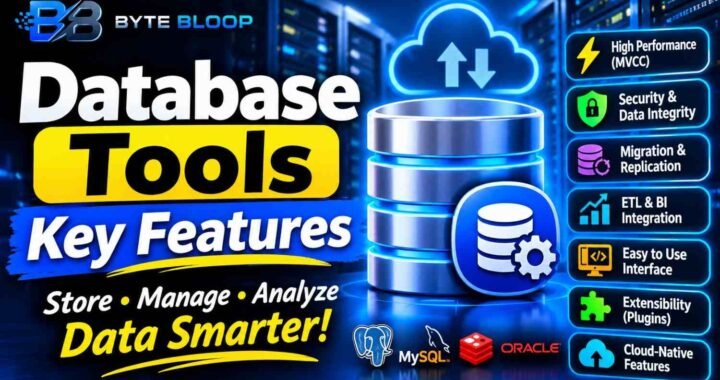
API Clients: Key Features
Introduction (Api Clients Key Features)
Api Clients Key Features is a topic worth understanding well. API clients are indispensable tools that bridge the gap between developers and the myriad services they consume. By abstracting the complexity of HTTP requests, they let teams focus on business logic rather than plumbing. Modern API clients support not only REST but also GraphQL, SOAP, and gRPC, reflecting the diverse landscape of web services. They often integrate authentication flows, request throttling, and response caching, ensuring secure and efficient communication.
In an era where APIs drive microservices, IoT, and AI integrations, a robust client can accelerate prototyping, testing, and debugging. Understanding the core features that make a client valuable empowers developers to choose the right tool for each stage of the API lifecycle. Whether you’re a solo coder or part of a large enterprise, mastering API client capabilities can reduce friction and improve code quality.
What Makes an API Client Stand Out?
At its heart, an API client simplifies request construction and response handling. The most effective clients provide:
- Intuitive request builders that allow drag‑and‑drop parameter entry and header configuration.
- Built‑in authentication support for OAuth2, API keys, and JWT, often with single‑click token refresh.
- Support for multiple protocols—REST, GraphQL, SOAP, and gRPC—to accommodate varied backend stacks.
- Advanced response parsing and formatting, including JSON pretty‑print, XML tree view, and CSV export.
- Robust automation features such as scripting, environment variables, and collection runners.
- Seamless integration with IDEs and CI/CD pipelines for continuous testing.
Key Features in Detail
1. Request Construction & Validation
Good clients let you build requests through a visual interface or code snippets. They validate endpoint URLs, enforce required headers, and provide auto‑completion for query parameters. This reduces human error and speeds up API exploration.
This matters directly for anyone exploring api clients key features.
2. Authentication & Authorization
Handling OAuth2 flows, client credentials, and token renewal is tedious. Modern clients embed these flows, allowing developers to click a button and receive a fresh token. According to the Azure best practices guide, secure token handling is a top priority for API design.
Getting api clients key features right can make a real difference.
3. Environment & Variable Management
Environment files let you switch between dev, staging, and prod without editing requests manually. Variables can be scoped globally or per collection, enabling reusable request templates.
That is a core part of understanding api clients key features.
4. Automation & Testing
Script hooks (pre‑request, test scripts) and collection runners enable automated regression testing. This is crucial for continuous integration, as highlighted in the 2026 API development guide.
Many readers look into api clients key features for exactly this reason.
5. Collaboration & Sharing
Teams can share collections, environments, and mock servers. Cloud sync ensures that everyone works from the same API contract, reducing miscommunication.
It is worth revisiting api clients key features as things develop.
6. Extensibility & Integration
Plugins, webhooks, and API extensions allow clients to integrate with issue trackers, Slack, or custom dashboards. For example, Postman’s collection runner can trigger JIRA tickets on test failures.
Api Clients Key Features remains highly relevant here.
Practical Use Cases
Rapid Prototyping: A solo developer can quickly hit an endpoint, inspect the response, and copy the generated code snippet into their application. Automated Testing: CI pipelines run collection tests to catch breaking changes before deployment. Documentation Generation: Clients can export Swagger/OpenAPI specs, keeping docs in sync with code. API Monitoring: Scheduled runs alert teams to latency spikes or error rates.
This is a key consideration when it comes to api clients key features.
Top API Client Tools of 2026
According to the “Top 10 API Client Tools for Developers in 2026” list, the most popular choices include:
This matters directly for anyone exploring api clients key features.
- Postman – Feature‑rich, with extensive collaboration tools.
- Insomnia – Clean UI, strong GraphQL support.
- Hoppscotch – Lightweight, browser‑based, great for quick tests.
- Thunder Client – VS Code extension that keeps developers in their IDE.
- Bruno – Modern design, built‑in environment variables.
Choosing the right tool depends on team size, workflow, and integration needs. For example, VS Code users may prefer Thunder Client, while larger teams benefit from Postman’s cloud collaboration.
Pros and Cons of Popular Clients
Postman offers a comprehensive feature set but can be resource‑heavy. Insomnia is lightweight but lacks some advanced scripting options. Hoppscotch is free and fast but offers fewer automation features. Thunder Client is ideal for quick tests but does not support mock servers.
Key Takeaways
- API clients reduce boilerplate by handling authentication and request construction
- Environment variables enable seamless switching between API stages
- Automation features support continuous testing and integration
- Collaboration tools keep teams aligned on API contracts
- Extensibility allows integration with CI/CD and issue trackers
Frequently Asked Questions
What is an API client?
An API client is a tool or library that simplifies making HTTP requests to web services, handling headers, authentication, and response parsing.
What are the key features of a good API client?
Intuitive request builders, built‑in authentication, environment management, automation, collaboration, and extensibility.
What are the best use cases for API clients?
Rapid prototyping, automated regression testing, documentation generation, and API monitoring.
What are the pros and cons of popular API clients?
Postman is feature‑rich but heavy; Insomnia is lightweight but limited in scripting; Hoppscotch is fast but lacks automation; Thunder Client integrates with VS Code but lacks mock servers.
Conclusion
Based on the available information and industry analysis, API clients provide a critical layer of abstraction that accelerates development, enhances collaboration, and enforces consistency across environments. By leveraging key features such as authentication handling, environment management, and automation, teams can focus on building value rather than wrestling with low‑level HTTP details.
Related Reading
- Best Practices for Secure API Design
Sources & References
- Best practices for RESTful web API design – Azure
- API design best practices guide (March 2026) – Fern Docs
- A Comprehensive Guide to API Development (2026)
- Top 10 API Client Tools for Developers in 2026
Related Articles