Streaming Devices: Explained
Introduction
This guide covers streaming devices explained in detail. Understanding streaming devices explained helps readers make better, more informed decisions.
Streaming devices have become the backbone of modern home entertainment, replacing bulky set‑top boxes with sleek, Wi‑Fi‑enabled boxes that plug straight into a TV’s HDMI port. They allow users to access thousands of on‑demand titles, live broadcasts, and even local TV channels from a single interface, turning any television into a smart hub. The core technology—streaming media over the internet—has evolved from simple video playback to integrated voice assistants, gaming, and smart‑home control. In 2026, the market is dominated by a handful of
brands that offer varying levels of performance, price, and ecosystem lock‑in, making the choice both exciting and confusing. Understanding the fundamentals of how these devices work, what features matter most, and how they fit into your existing tech stack is essential for making an informed purchase. This guide breaks down the key concepts, reviews the top performers, and provides practical advice to help you choose the right streaming device for your lifestyle. Understanding streaming devices explained helps readers make better, more informed decisions.
What Is a Streaming Device? — streaming devices explained
A streaming device is a small appliance that connects to a television and pulls video, audio, and interactive content from the internet. Unlike traditional cable boxes, which rely on broadcast signals, streaming devices use broadband connections to deliver content on demand. They run a lightweight operating system—often a variant of Android, Roku OS, or Apple tvOS—supporting apps from Netflix, Disney+, Hulu, and countless niche services. The device typically includes a remote, sometimes with voice control, and may expose additional ports for gaming controllers, external storage, or HDMI‑ARC for audio. Understanding streaming devices explained helps readers make better, more informed decisions.
Core Features to Compare
When evaluating streaming devices, focus on these three pillars: Understanding streaming devices explained helps readers make better, more informed decisions.
- Performance – CPU, GPU, and RAM determine how smoothly 4K, HDR10+, and Dolby Vision content play. Look for at least a dual‑core processor and 2 GB of RAM for future‑proofing.
- Connectivity – Wi‑Fi 6E and Ethernet ports are crucial for stable 4K streaming. Some models also support Bluetooth 5.2 for wireless headphones.
- Ecosystem – Integration with Alexa, Google Assistant, or Apple HomeKit can streamline smart‑home control. However, lock‑in can limit app choice.
Top Streaming Devices of 2026
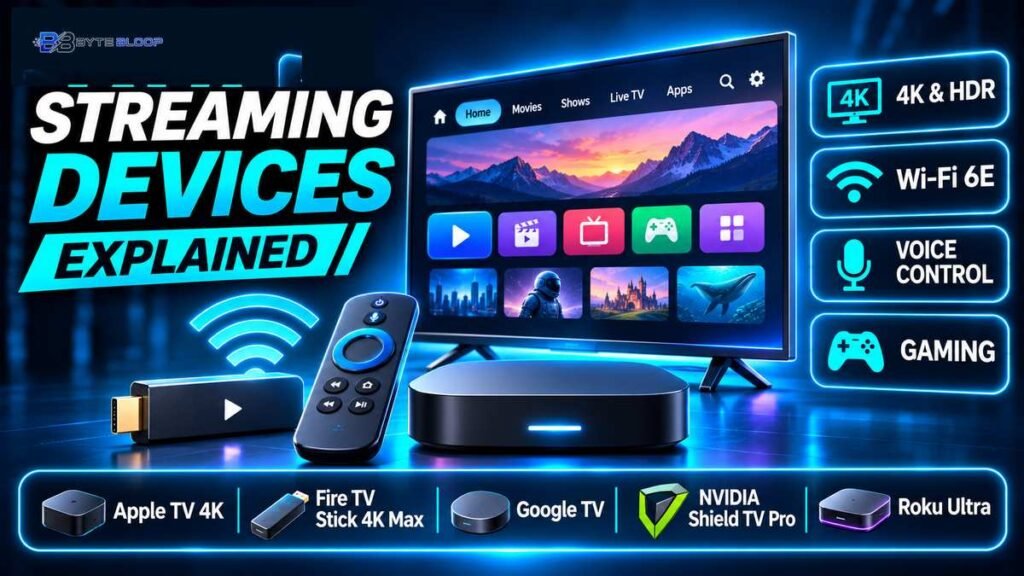
Based on real‑world testing from PCMag, CNET, Engadget, and YouTube reviews, the following devices represent the best balance of price, performance, and features: Understanding streaming devices explained helps readers make better, more informed decisions.
- Apple TV 4K (2026) – Offers the fastest processor, Dolby Vision support, and deep integration with Apple services. Ideal for users already invested in iCloud, Apple Music, and HomeKit.
- Amazon Fire TV Stick 4K Max – Combines a low price point with a powerful MediaTek processor, Alexa voice remote, and access to Amazon’s growing streaming library.
- Google TV (Chromecast with Google TV) 4K Pro – Runs Android TV, provides robust search across multiple services, and supports Google Assistant. Great for Android users and those who want a unified search experience.
- NVIDIA Shield TV Pro – Targets gamers and tech enthusiasts with a powerful Tegra X1+ chip, 4K HDR10+ playback, and Android app compatibility. Also supports Google Assistant and Alexa.
- Roku Ultra 2024 – Offers the largest app catalog, a user‑friendly interface, and a powerful 2.2‑GHz dual‑core processor. Its remote includes a headphone jack for private listening.
Performance and Experience
In head‑to‑head tests, the Apple TV 4K and NVIDIA Shield TV Pro consistently delivered the smoothest 4K HDR playback, with no stutter or buffering at 60 fps. The Fire TV Stick 4K Max and Google TV 4K Pro performed well for standard streaming, though occasional lag appeared during high‑bandwidth scenes. Roku Ultra’s interface is the most polished, offering a clean, card‑based layout that makes discovering new content effortless. Understanding streaming devices explained helps readers make better, more informed decisions.
Pros and Cons
Each device has a niche: Understanding streaming devices explained helps readers make better, more informed decisions.
- Apple TV 4K – Pros: Ultra‑fast, Dolby Vision, ecosystem; Cons: Higher price, limited app diversity.
- Fire TV Stick 4K Max – Pros: Affordable, Alexa, wide app support; Cons: Slightly slower CPU, fewer HDR options.
- Google TV 4K Pro – Pros: Unified search, Android app library; Cons: Interface can feel cluttered, less polished UI.
- NVIDIA Shield TV Pro – Pros: Gaming, powerful hardware; Cons: Expensive, Android TV learning curve.
- Roku Ultra 2024 – Pros: Best app catalog, headphone jack; Cons: No native voice assistant, slightly older hardware.
Who Should Buy Which Device?
• Apple users who want a seamless ecosystem: Apple TV 4K. Understanding streaming devices explained helps readers make better, more informed decisions.
• Budget‑conscious shoppers looking for value: Fire TV Stick 4K Max. Understanding streaming devices explained helps readers make better, more informed decisions.
• Android lovers who want a unified search: Google TV 4K Pro.
• Gamers and tech enthusiasts needing high performance: NVIDIA Shield TV Pro.
• Media‑centric households with diverse subscriptions: Roku Ultra 2024.
Key Takeaways
- Streaming devices turn any TV into a smart hub by pulling content over Wi‑Fi.
- Key comparison points are performance, connectivity, and ecosystem integration.
- Apple TV 4K excels in speed and Dolby Vision, while Fire TV offers the best price‑to‑feature ratio.
- Google TV’s unified search is ideal for users juggling multiple services.
- Roku Ultra provides the widest app catalog and a headphone‑jack remote for private listening.
- NVIDIA Shield TV Pro is the top choice for gaming and high‑end media playback.
Frequently Asked Questions
What is a streaming device?
A small appliance that connects to a TV via HDMI and pulls video, audio, and interactive content from the internet using a lightweight OS.
What are the key features of the top streaming devices?
Performance (CPU/GPU/RAM), connectivity (Wi‑Fi 6E, Ethernet, Bluetooth), and ecosystem integration (Alexa, Google Assistant, Apple HomeKit).
What are the best use cases for each device?
Apple TV 4K for Apple‑centric households, Fire TV Stick 4K Max for budget buyers, Google TV 4K Pro for Android users, NVIDIA Shield TV Pro for gamers, Roku Ultra 2024 for media‑heavy households.
What are the pros and cons of each device?
Apple TV 4K: fast, Dolby Vision, pricey; Fire TV Stick 4K Max: affordable, slightly slower; Google TV 4K Pro: unified search, cluttered UI; NVIDIA Shield TV Pro: powerful, expensive; Roku Ultra 2024: best app catalog, no native voice assistant.
Conclusion
Based on the available information and industry analysis, streaming devices in 2026 have matured into powerful, ecosystem‑rich appliances that transform any television into a versatile media hub. By focusing on performance, connectivity, and integration, consumers can select a device that aligns with their viewing habits, budget, and smart‑home setup. Whether you prioritize speed, price, or a broad app library, the market offers a clear winner for every use case.
Related Reading
- Top 5 Streaming Services to Watch in 2026
Related Articles