NVMe vs SATA SSD: Key Differences
Introduction
This guide covers nvme vs sata ssd key differences in detail. Understanding nvme vs sata ssd key differences helps readers make better, more informed decisions.
When upgrading a laptop or desktop, the choice between an NVMe and a SATA SSD can feel like a tech jargon maze. Both are flash‑based storage that replace traditional spinning hard drives, but they differ fundamentally in how they communicate with the rest of the computer. NVMe drives use the PCIe interface and a dedicated NVMe protocol, while SATA SSDs rely on the older SATA interface and the AHCI protocol originally designed for HDDs. This difference translates into higher bandwidth, lower latency, and more parallel command queues for NVMe, which in turn leads
to faster boot times, snappier application launches, and smoother multitasking. SATA SSDs, on the other hand, remain more affordable and widely compatible, especially on older motherboards that lack M.2 slots or PCIe lanes. Understanding these core distinctions—speed, protocol, price, and compatibility—helps you decide which type best fits your workflow, whether you’re gaming, editing, or simply browsing the web. The following sections break down each drive type, compare their key attributes, and guide you toward the right purchase decision for 2026. Understanding nvme vs sata ssd key differences helps readers make better, more informed decisions.
NVMe SSDs — nvme vs sata ssd key differences
NVMe (Non‑Volatile Memory Express) drives connect directly to the PCIe bus, bypassing the SATA controller and its older AHCI protocol. Modern NVMe cards often use the M.2 form factor, but larger U.2 or PCIe add‑in cards are also common. The protocol supports up to 65,535 queues with 64 commands each, vastly outpacing SATA’s single queue of 32 commands. This parallelism reduces queue depth bottlenecks and improves throughput. In 2026, NVMe Gen 4 can reach 7 GB/s sequential read speeds, and
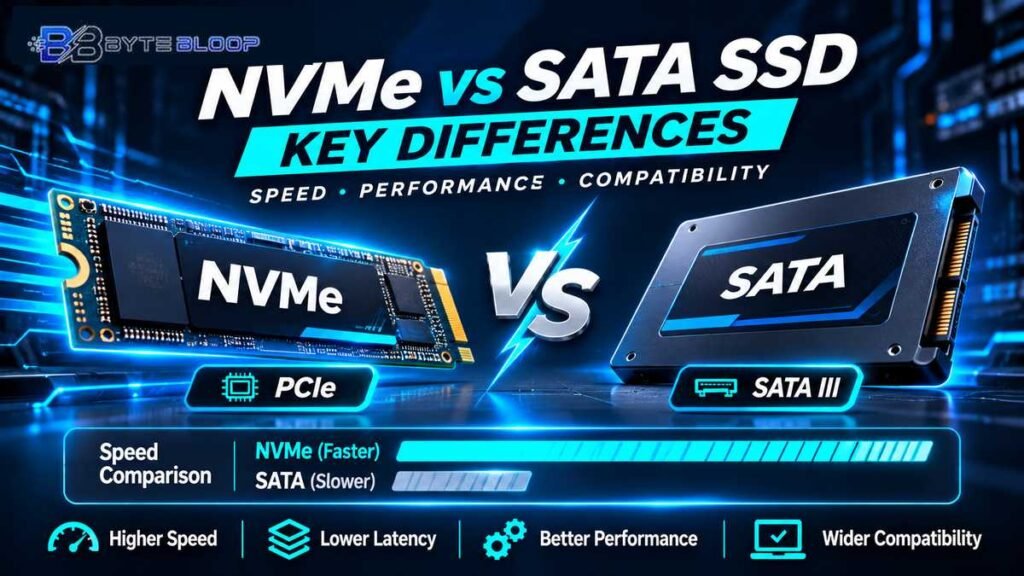
Gen 5 pushes up to 14 GB/s, while SATA SSDs max out around 550 MB/s. Real‑world benchmarks show NVMe drives are 5–7× faster than SATA for large file transfers and 3–4× for random workloads. NVMe also offers lower latency, often under 200 µs, compared to SATA’s 400–600 µs. These performance gains translate to noticeably faster OS boot times, quicker game level loads, and smoother video editing pipelines. Understanding nvme vs sata ssd key differences helps readers make better, more informed decisions.
Pros
- Exceptional speed and bandwidth.
- Lower latency and higher queue depth.
- Future‑proofing for upcoming PCIe 5.0 and beyond.
Cons
- Higher cost per GB.
- Requires a compatible M.2 or PCIe slot.
- Heat generation can be significant on high‑end models.
SATA SSDs
SATA SSDs use the SATA III interface, offering a maximum theoretical throughput of 6 Gb/s (≈750 MB/s). In practice, consumer SATA SSDs peak around 550 MB/s, which is still a substantial improvement over HDDs. SATA drives are typically 2.5‑inch or M.2 2280 form factors, making them versatile for both desktops and laptops. The AHCI protocol, while older, is well supported across virtually all motherboards, even
legacy systems. Because SATA SSDs are cheaper—often 30–40 % less per GB than NVMe—they remain the go‑to choice for budget builds or for users who only need modest performance gains over HDDs. SATA drives also tend to have lower power consumption, which can be a benefit for laptops and thin‑client devices. Understanding nvme vs sata ssd key differences helps readers make better, more informed decisions.
Pros
- Lower price per GB.
- Wide compatibility, even on older systems.
- Lower power draw and heat.
Cons
- Limited bandwidth and higher latency.
- Single queue reduces parallelism.
- Future‑proofing is less robust than NVMe.
Key Differences Summarized
Speed: NVMe outpaces SATA by 5–7× in sequential reads/writes and 3–4× in random workloads. Interface: NVMe uses PCIe lanes; SATA relies on the older SATA bus. Protocol: NVMe supports thousands of queues; SATA is limited to one. Price: NVMe is pricier, though the gap is narrowing. Compatibility: SATA works on almost any board; NVMe requires an M.2 or PCIe slot. Heat: NVMe can generate more heat, especially under load, whereas SATA stays cooler. Understanding nvme vs sata ssd key differences helps readers make better, more informed decisions.
Which One Should You Choose?
Consider your budget, system compatibility, and performance needs. If you’re building a high‑end gaming rig, a video‑editing workstation, or a server that demands fast I/O, NVMe is the clear winner. For budget builds, older motherboards, or light office use, a SATA SSD still offers a dramatic upgrade over HDDs without breaking the bank. If you’re unsure whether your motherboard supports NVMe, check the M.2 slot type (B key, M key, or B+M key) and the PCIe lane count before purchasing. Understanding nvme vs sata ssd key differences helps readers make better, more informed decisions.
Key Takeaways
- NVMe delivers 5–7× the speed of SATA in real‑world use.
- SATA SSDs remain the most affordable option for budget builds.
- NVMe requires a compatible M.2 or PCIe slot; SATA works on virtually all systems.
- Heat and power consumption are higher on NVMe, especially high‑end models.
- Future‑proofing favors NVMe with support for PCIe 5.0 and beyond.
Frequently Asked Questions
What is the main technical difference between NVMe and SATA SSDs?
NVMe uses the PCIe interface and a dedicated NVMe protocol, while SATA SSDs use the SATA III interface with the older AHCI protocol designed for HDDs. Understanding nvme vs sata ssd key differences helps readers make better, more informed decisions.
What are the key performance benefits of NVMe?
NVMe supports up to 65,535 queues with 64 commands each, offering lower latency (under 200 µs) and higher bandwidth (up to 14 GB/s on Gen 5) compared to SATA’s single queue and ~550 MB/s throughput. Understanding nvme vs sata ssd key differences helps readers make better, more informed decisions.
What are the best use cases for SATA SSDs?
SATA SSDs are ideal for budget builds, older motherboards lacking M.2 slots, low‑power laptops, and users who need a significant upgrade over HDDs without high cost. Understanding nvme vs sata ssd key differences helps readers make better, more informed decisions.
What are the pros and cons of NVMe SSDs?
Pros: exceptional speed, low latency, future‑proofing. Cons: higher cost per GB, requires compatible slot, can generate more heat.
What are the pros and cons of SATA SSDs?
Pros: lower price, wide compatibility, lower power and heat. Cons: limited bandwidth, higher latency, less future‑proof.
Conclusion
Based on the available information and industry analysis, NVMe SSDs provide unmatched speed and scalability, making them the preferred choice for performance‑centric users and modern workloads. SATA SSDs, while slower, remain a cost‑effective and universally compatible upgrade path that delivers substantial gains over traditional hard drives. Choosing between the two hinges on your budget, system compatibility, and the level of performance you require.
Related Reading
- How to Upgrade Your Laptop to an NVMe SSD
Related Articles